EasyManua.ls Logo

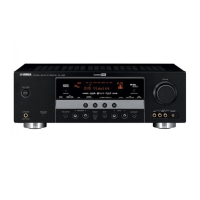
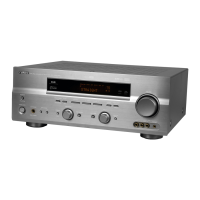
Yamaha RX-V592RDS - User Manual

Yamaha RX-V592RDS
55 pages
Print Icon
To Next Page IconTo Next Page
Loading...
OWNER’S MANUAL
MODE D’EMPLOI
BEDIENUNGSANLEITUNG
BRUKSANVISNING
MANUALE DI ISTRUZIONI
MANUAL DE INSTRUCCIONES
GEBRUIKSAANWIJZING
Natural Sound AV Receiver
Récepteur audiovisuel “Son Naturel”
Natural Sound AV-Receiver
Natural Sound AV-receiver
Sintonizzatore AV a suono naturale
Receptor AV de Sonido Natural
Natural Sound AV Ontvanger
R X-V692RDS
R X-V592RDS

Questions and Answers

  • B
    benjaminwuAug 19, 2025
    Why Yamaha RX-V592RDS Receiver fails to turn on?
    • F
      frankperryAug 19, 2025
      If your Yamaha Receiver fails to turn on or suddenly turns off, ensure the power cord is firmly plugged in. Also, check that the IMPEDANCE SELECTOR switch on the rear panel is set correctly to either the upper or lower end.
  • J
    Jason BrownAug 21, 2025
    What to do if Yamaha RX-V592RDS has no sound?
    • W
      wharmonAug 21, 2025
      If you are experiencing no sound or picture from your Yamaha Receiver, ensure the output cords are connected properly and are not defective. Select the appropriate input source using the input selector buttons. Verify that the SPEAKERS switches are correctly set to the ON position for the speakers you are using, and ensure the speaker connections are secure.
  • A
    Amber RoweAug 23, 2025
    What to do if Yamaha RX-V592RDS Receiver remote control doesn't work?
    • N
      Nicholas BartonAug 25, 2025
      If your Yamaha Receiver's remote control transmitter isn't working, try changing the position of the main unit to avoid direct sunlight or lighting from striking the remote control sensor. If that doesn't work, replace the batteries in the remote control with new ones.
  • A
    Alexandra RamirezAug 26, 2025
    Why does the sound on my Yamaha RX-V592RDS suddenly go off?
    • E
      Erik MathisAug 26, 2025
      If the sound suddenly goes off on your Yamaha Receiver, the protection circuit may have been activated due to a short circuit. Try turning the unit off and then on to reset the protection circuit. Also, check if the SLEEP timer has been activated and cancel it if necessary.
  • R
    Ricardo LynchAug 28, 2025
    How to fix noisy FM stereo reception on Yamaha RX-V592RDS Receiver?
    • J
      Jennifer HuynhAug 28, 2025
      If you experience noisy FM stereo reception on your Yamaha Receiver, check the antenna connections. Try using a high-quality directional FM antenna. Also, set the TUNING MODE button to the manual tuning mode.
  • R
    rogersmichelleAug 30, 2025
    Why only one side speaker outputs sound on Yamaha RX-V592RDS Receiver?
    • E
      Elizabeth EspinozaAug 30, 2025
      If you only hear sound from one side speaker on your Yamaha Receiver, adjust the BALANCE control to the appropriate position. Also, ensure that the cords are connected properly and are not defective.
  • K
    Karen MartinSep 1, 2025
    Why Yamaha RX-V592RDS Receiver sound hums?
    • V
      vanessaholmesSep 1, 2025
      If the sound “hums” on your Yamaha Receiver, firmly connect the audio plugs. If the problem persists, the cords may be defective. Also, ensure there is a GND connection between the turntable and the unit if you are using one.
  • C
    cindy13Sep 3, 2025
    Why no sound from rear speakers on Yamaha RX-V592RDS?
    • L
      Lance RiceSep 3, 2025
      If you're not getting any sound from the rear speakers on your Yamaha Receiver, increase the sound output level to the rear speakers. Also, if you are playing a monaural sound source in DOLBY PRO LOGIC or DOLBY PRO LOGIC ENHANCED mode, select another program suitable for the monaural sound source.
  • L
    Levi LeeSep 5, 2025
    Why there is no sound from the center speaker of Yamaha Receiver?
    • A
      Austin BeardSep 5, 2025
      If you're not getting any sound from the center speaker on your Yamaha Receiver, increase the sound output level to the center speaker. If the center channel mode is in PHANTOM mode, select NORMAL or WIDE. You might also need to select the appropriate program.
  • T
    Tony NewtonSep 7, 2025
    How to tune a weak station on Yamaha RX-V592RDS?
    • W
      Wesley ColemanSep 7, 2025
      If a desired station cannot be tuned in with the automatic tuning method on your Yamaha Receiver, use the manual tuning method. Consider using a high-quality directional FM antenna.

Summary

Operating Cautions

Unit Overview

Digital Sound Field Processing

Explanation of Yamaha's advanced digital sound processing technology.

Dolby Pro Logic Surround

Details on the built-in Dolby Pro Logic Surround decoder system.

Dolby Pro Logic Surround + DSP

Combination of Dolby Pro Logic and Yamaha DSP technology.

Speaker Setup Guide

Speaker Configuration Options

Describes 5-speaker and 4-speaker setups for optimal sound.

Speaker Placement Recommendations

Guidance on positioning main, center, and rear speakers for best acoustics.

Component Connections

Connecting Other Components

Instructions for connecting various audio and video components to the unit.

Speaker Connection Guide

Impedance Selector Switch

Guide to setting the impedance selector for speaker compatibility.

Speaker Wire Connection

Connecting Main Speakers

Detailed steps for connecting speaker wires to the main speaker terminals.

Connecting Rear and Center Speakers

Detailed steps for connecting speaker wires to rear and center terminals.

External Amplifier Connections and Impedance

Output Terminals for External Amplifiers

Information on using output terminals to drive speakers with external amplifiers.

Impedance Selector Switch Operation

Instructions for setting the impedance selector based on speaker requirements.

Speaker Balance Adjustment

Speaker Level Adjustments

Adjusting Center Speaker Level

Procedure to fine-tune the center speaker's output level.

Adjusting Rear Speaker Level

Procedure to fine-tune the rear speakers' output level.

Learning New Control Functions

Macro Operations

Preset Macro Keys

Overview of pre-programmed macro keys for sequential operations.

Setting the MACRO Switch

Guide to configuring the MACRO switch for SLOW, QUICK, or OFF modes.

Learning a New Function

Making a New Macro

Clearing Learned Functions

Clearing a Single Learned Function

Steps to clear a specific learned key function or macro.

Clearing All Learned Functions

Procedure to clear all learned functions and macros from the remote.

Troubleshooting Guide

Technical Specifications

Audio Section Specifications

Detailed technical data for the audio output and processing sections.

Yamaha RX-V592RDS Specifications

General IconGeneral
TypeAV receiver
Channels5.1
Total Harmonic Distortion0.04%
Frequency Response20 Hz - 20 kHz
Input Sensitivity (MM)2.5 mV
Input Sensitivity (Line)150 mV
Signal-to-Noise Ratio (Line)100 dB
Preset Stations40
Analog Audio Inputs6
Analog Audio Outputs1
Video Inputs3
Video ConnectionsComposite
Video Outputs1
Dimensions (W x H x D)435 x 150 x 380 mm
Weight8.5 kg
Speaker Load Impedance8 ohms
Tuner SectionFM/AM
Digital Inputs2 x Optical, 1 x Coaxial
Surround Sound ModesDolby Pro Logic

Related product manuals