EasyManua.ls Logo

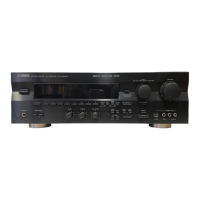
Yamaha RX-V596RDS - User Manual

Yamaha RX-V596RDS
70 pages
Print Icon
To Next Page IconTo Next Page
Loading...
YAMAHA ELECTRONICS CORPORATION, USA 6660 ORANGETHORPE AVE., BUENA PARK, CALIF. 90620, U.S.A.
YAMAHA CANADA MUSIC LTD. 135 MILNER AVE., SCARBOROUGH, ONTARIO M1S 3R1, CANADA
YAMAHA ELECTRONIK EUROPA G.m.b.H. SIEMENSSTR. 22-34, 25462 RELLINGEN BEI HAMBURG, F.R. OF GERMANY
YAMAHA ELECTRONIQUE FRANCE S.A. RUE AMBROISE CROIZAT BP70 CROISSY-BEAUBOURG 77312 MARNE-LA-VALLEE CEDEX02, FRANCE
YAMAHA ELECTRONICS (UK) LTD. YAMAHA HOUSE, 200 RICKMANSWORTH ROAD WATFORD, HERTS WD1 7JS, ENGLAND
YAMAHA SCANDINAVIA A.B. J A WETTERGRENS GATA 1, BOX 30053, 400 43 VÄSTRA FRÖLUNDA, SWEDEN
YAMAHA MUSIC AUSTRALIA PTY, LTD. 17-33 MARKET ST., SOUTH MELBOURNE, 3205 VIC., AUSTRALIA
Printed in Malaysia ID
V471930
OWNER’S MANUAL
MODE D’EMPLOI
BEDIENUNGSANLEITUNG
BRUKSANVISNING
MANUALE DI ISTRUZIONI
MANUAL DE INSTRUCCIONES
GEBRUIKSAANWIJZING
RX-V596RDS
Natural Sound AV Receiver
Ampli-tuner audio-vidéo
RX-V596RDS
G B
00RX-V596RDS-cv(ML) 2/29/0, 1:33 PM1

Questions and Answers

  • K
    Kayla JacksonJul 30, 2025
    Why does my Yamaha Receiver suddenly have no sound?
    • J
      Jennifer GravesJul 30, 2025
      If the sound on your Yamaha Receiver suddenly cuts off, it could be due to: * **Protection circuit activation:** A short circuit or similar issue may have triggered the protection circuit. To resolve this, set the unit to standby mode and then turn it back on to reset the protection circuit. * **SLEEP timer:** The SLEEP timer may have been activated. Turn the power on and play the source again.
  • X
    xmorrisonAug 9, 2025
    What to do if my Yamaha RX-V596RDS fails to turn on?
    • K
      Kevin ThomasAug 9, 2025
      If your Yamaha Receiver fails to turn on, or enters standby mode soon after being turned on: * **Power cord:** Ensure the power cord is firmly connected to the outlet. * **Impedance selector:** When the unit is in standby mode, check that the IMPEDANCE SELECTOR switch on the rear panel is fully set to the right or left position.
  • B
    Barbara MooreAug 14, 2025
    What to do if my Yamaha RX-V596RDS does not work normally?
    • V
      Victor MathisAug 14, 2025
      If your Yamaha Receiver is not working normally, it may be due to the internal microcomputer freezing. This can happen due to an external electric shock (like lightning or excessive static electricity) or a low voltage power supply. To resolve this, set the unit to standby mode, disconnect the AC power cord from the AC power outlet, wait about 30 seconds, then reconnect the power and operate the unit again.
  • K
    Kevin LambertAug 18, 2025
    Why is there sound only on one side of my Yamaha RX-V596RDS Receiver?
    • D
      David CampbellAug 18, 2025
      If you're only hearing sound from one speaker with your Yamaha Receiver, check the following: * **Cable connections:** Ensure all cable connections are correct and secure. If the issue persists, the cables themselves may be defective. * **BALANCE setting:** Verify that the BALANCE setting is adjusted to the appropriate position.
  • T
    Timothy SteinAug 25, 2025
    Why is there no sound from the effect speakers on my Yamaha RX-V596RDS?
    • R
      Randall JohnsonAug 25, 2025
      If you're not getting sound from the effect speakers on your Yamaha Receiver, consider the following: * **Sound effect setting:** Make sure the sound effect is turned on by pressing the EFFECT button. * **DSP program compatibility:** If you are using a Dolby Surround, Dolby Digital, or DTS decoding DSP program, ensure that the material you are playing is actually encoded with Dolby Surround, Dolby Digital, or DTS. If not, select another DSP program.
  • K
    Kelly CurtisNov 3, 2025
    What to do if my Yamaha RX-V596RDS Receiver has no sound and/or no picture?
    • D
      Don WadeNov 3, 2025
      If your Yamaha Receiver isn't producing sound or a picture, there are several potential causes: * **Incorrect cable connections:** Ensure all input and output cables are properly connected. If the problem continues, the cables may be defective. * **Incorrect input source:** Select the correct input source using the INPUT SELECTOR or TAPE/MD MON / EXT. DECODER (or the input selector buttons). * **Loose speaker connections:** Make sure the speaker connections are secure. * **SPEAKERS setting:** Verify that the SPEAKERS setting corresponds to the speakers you are using and is set to the ON position. * **Muted sound:** Check that the volume is not set to the “m” position and that MUTE is not activated. Adjust the volume accordingly. * **Incompatible digital signals:** Ensure that ...

Summary

Important Safety Precautions

Key Features

Getting Started

Checking Package Contents

Verifies all items included in the product package.

Remote Control Battery Handling

Instructions for inserting and replacing batteries in the remote control.

Using the Remote Control

Controls and Functions Overview

Front Panel Controls

Detailed explanation of buttons and indicators on the unit's front panel.

Display Indicators

Explanation of the various indicators shown on the unit's display.

Remote Control Operation

Guide to using the remote control for unit functions.

Preparation and Setup

Speaker Setup and Placement

Guidance on selecting speakers and their optimal placement.

Before Connecting Components

Important cautions and guidelines before making component connections.

Connecting Antennas

Instructions for connecting AM and FM antennas for optimal reception.

Connecting AM and Outdoor Antennas

Details on connecting AM loop and outdoor antennas.

Connecting Audio Components

How to connect turntables, CD players, and tape decks.

Connecting Video Components

Guidance for connecting video sources like DVD players and TVs.

Connecting Video and External Decoder

Connecting composite video, AUX video, and external decoders.

Connecting Speakers

Step-by-step guide for connecting various speaker systems.

Speaker Cable and Amplifier Connections

How to connect speaker cables and external amplifiers.

Impedance Selector and Power Cords

Setting impedance and connecting power supply cords.

Adjusting Speaker Balance

Basic Operation

Playing a Source

Steps to select and play audio/video sources.

Input Mode Selection

Setting input modes for DVD, TV, and cable sources.

DSP Program Selection

Guide to selecting and applying digital sound field processor programs.

Receiving RDS Stations

How to tune and display RDS radio data.

PTY SEEK and EON Functions

Searching stations by program type and using EON data.

Recording Sources

Instructions for recording audio/video to external devices.

Tuning Radios

Automatic and Manual Tuning Methods

Steps for automatic and manual tuning of radio stations.

Preset Tuning and Station Recall

Storing stations manually and recalling preset stations.

Exchanging Preset Stations

Procedure to swap the assignments of two preset stations.

Advanced Operation

Sound Field Program Details

Descriptions and features of various CINEMA DSP sound field programs.

SET MENU Configuration and Descriptions

Guide to adjusting system settings and item descriptions in the SET MENU.

Delay Time and Speaker Output Levels

Adjusting sound timing and speaker output levels for optimal surround.

Preset Remote Control Operation

How to set up and use the remote for unit and other components.

Sleep Timer Function

Setting and Canceling Sleep Timer

How to set and disable the timer to automatically turn off the unit.

Troubleshooting Guide

General Troubleshooting

Common issues and remedies for power, sound, and picture problems.

Tuner, Remote Control, and DTS Issues

Troubleshooting radio reception, remote control, and DTS playback.

Technical Specifications

Glossary of Terms

Yamaha RX-V596RDS Specifications

General IconGeneral
BrandYamaha
ModelRX-V596RDS
CategoryReceiver
LanguageEnglish

Related product manuals