30
LR
–+–+
2,4
Exchanging Preset Stations
You can exchange the assignment of two preset stations
with each other.
■ Example: If you want to exchange
preset station “E1” with “A5”
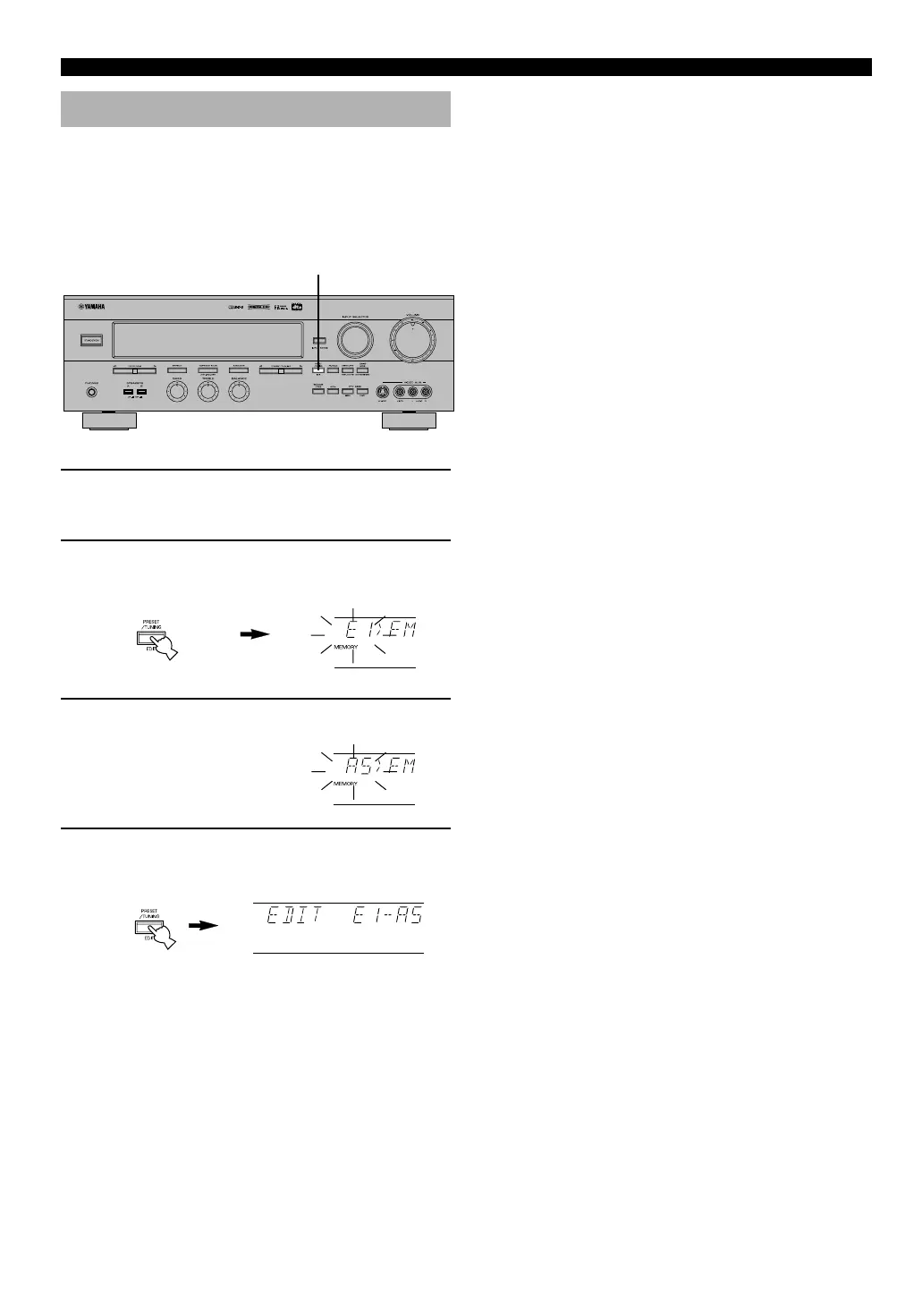
1 Recall preset station “E1”.
Refer to the procedure in the section “To Recall a
Preset Station” on page 29.
2 Hold down (PRESET/TUNING) EDIT for about
three second.
“E1” and the “MEMORY” indicator flash.
3 Recall preset station “A5” by using the buttons
on the front panel.
“A5” and the “MEMORY”
indicator flash.
4 Press (PRESET/TUNING) EDIT again.
The display shows the exchange of stations has been
completed.
TUNING
Flashes
Flashes
0105V596RDS27-30_EN 2/29/0, 3:29 PM30



 To Next Page