EasyManua.ls Logo

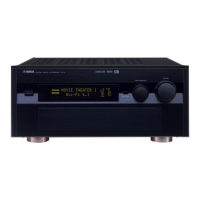
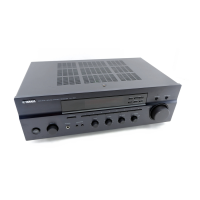
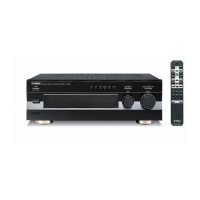
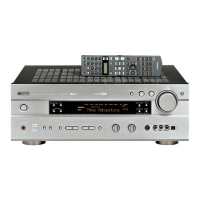
Yamaha RX-V730 - User Manual

Yamaha RX-V730
71 pages
Print Icon
To Next Page IconTo Next Page
Loading...
OWNER’S MANUAL
RX-V730
U
AV Receiver
0100V730(U)-cv1 12/27/01, 2:16 PM1

Table of Contents

Questions and Answers

  • D
    Darrell CopelandSep 23, 2025
    How to stop crackling and hissing noises on Yamaha Receiver?
    • J
      johnsontiffanySep 23, 2025
      To reduce continuous crackling and hissing noises on your Yamaha Receiver, use an outdoor antenna and a ground wire. These noises often result from lightning, fluorescent lamps, motors, thermostats, and other electrical equipment; while this helps, complete elimination is difficult.
  • K
    Katrina McintoshAug 25, 2025
    How to fix no sound on Yamaha Receiver?
    • N
      nicholasblairAug 25, 2025
      If your Yamaha Receiver is producing no sound, try the following: 1. Ensure all input and output cables are correctly connected; replace any defective cables. 2. Select the appropriate input source using INPUT l / h, 6CH INPUT, or the input selector buttons. 3. Check and secure the speaker connections. 4. Select the correct main speakers with SPEAKERS A and/or B. 5. Increase the volume. 6. Deactivate mute by pressing MUTE or any operation button and adjust the volume. 7. Ensure the source signals are reproducible by the unit.
  • C
    Christopher ClarkAug 25, 2025
    Why Yamaha Receiver remote control is not working?
    • M
      Maria HigginsAug 26, 2025
      If your Yamaha Receiver's remote control isn't working, ensure you are within a 6 m (20 feet) range and no more than 30 degrees off-axis from the front panel. Also, replace weak batteries with new ones and ensure the manufacture code is correctly set.
  • A
    Andrew HowardAug 27, 2025
    What to do if sound suddenly goes off on Yamaha Receiver?
    • H
      Hayley MoyerAug 27, 2025
      If the sound suddenly goes off on your Yamaha Receiver, check that the IMPEDANCE SELECTOR switch is in the correct position and then power the unit back on. Also, ensure the sleep timer hasn't activated and that the sound is not muted by pressing MUTE or any operation buttons to cancel mute and adjust the volume.
  • E
    Eugene LeachAug 27, 2025
    Why Yamaha Receiver has no sound from effect speakers?
    • M
      Mr. Richard HoodAug 27, 2025
      If there is no sound from the effect speakers on your Yamaha Receiver, press STEREO/EFFECT to turn the sound effect on. If you are using a Dolby Surround, Dolby Digital, or DTS decoding DSP program with material not encoded with these formats, select another DSP program.
  • M
    Michael LevySep 14, 2025
    Why does Yamaha Receiver suddenly turn into standby mode?
    • K
      Kimberly GutierrezSep 14, 2025
      If your Yamaha Receiver suddenly turns into standby mode, wait for it to cool down, as the internal temperature may be too high, activating the overheat protection circuitry, then turn it back on.
  • A
    Amanda OrrSep 12, 2025
    What to do if Yamaha Receiver does not operate properly?
    • W
      William LopezSep 12, 2025
      If your Yamaha Receiver does not operate properly, disconnect the AC power cord from the outlet, then plug it back in after about 30 seconds. This can resolve issues caused by external electric shocks or low voltage.
  • M
    Michael PerezSep 13, 2025
    How to stop noise interference on Yamaha Receiver?
    • A
      Andrea ObrienSep 13, 2025
      If you are getting noise interference from digital or high-frequency equipment with your Yamaha Receiver, move the unit further away from such equipment.
  • J
    Joseph MaddenSep 4, 2025
    How to fix no picture on Yamaha Receiver?
    • M
      Matthew CrossSep 4, 2025
      If your Yamaha Receiver displays no picture, ensure that the output and input for the picture are connected to the same type of video jacks (S VIDEO, VIDEO (composite), or COMPONENT VIDEO) for both input and output.
  • J
    John JamesSep 2, 2025
    What to do if 'CHECK SP WIRES' appears on Yamaha Receiver?
    • B
      Brenda BruceSep 2, 2025
      Ensure all speaker cables are correctly connected to resolve the 'CHECK SP WIRES' message on your Yamaha Receiver's front panel display, as this indicates a short circuit in the speaker wires.

Summary

Owners Manual

Safety Instructions

Safety Precautions and Warnings

General warnings and cautions for safe operation and preventing hazards like fire or shock.

Graphical Symbols Explanation

Explains the meaning of graphical symbols used in the manual to alert users to potential dangers.

Features

Getting Started

Package Contents and Battery Installation

Verifying package contents and properly installing batteries in the remote control.

Controls and Functions

Front Panel Controls

Describes the buttons and indicators located on the front panel of the AV receiver.

Controls and Functions

Remote Control Operation

Explains the functions of various buttons on the remote control for operating the unit.

Controls and Functions

Front Panel Display Indicators

Details the various indicators and displays on the front panel, showing unit status and information.

Speaker Setup

Speaker Placement Guidelines

Provides guidance on optimal placement of main, center, rear, and subwoofer speakers for best sound.

Speaker Setup

Connecting Speaker Cables

Instructions for preparing speaker wires and connecting them to the unit's speaker terminals.

Speaker Setup

Impedance Selector Switch Usage

Details the function and correct setting of the impedance selector switch for speaker compatibility.

Connections

Antenna Connection

Instructions for connecting AM loop and FM indoor antennas, including ground connection.

Connections

Connecting Video Components

Explains how to connect various video sources like monitors, DVD players, VCRs, and game consoles.

Connections

Connecting Audio Components

Details how to connect audio sources like CD players, CD recorders, MD recorders, and turntables.

Connections

Connecting Power Supply Cords

Instructions for connecting the AC power cord and using switched AC outlets.

Adjusting Speaker Output Levels

Using the Test Tone

Explains how to use the built-in test tone generator to balance speaker output levels for optimal sound.

On-Screen Display (OSD)

Selecting the OSD Mode

Describes how to choose between full display, short display, or display off modes for on-screen information.

Speaker Mode Settings

Basic Playback

Input Modes and Indications

Explains how to select input sources and the meaning of different input mode indicators.

Basic Playback

BGV (Background Video) Function

Allows enjoying video with audio from separate sources, creating a background video display.

Muting the Sound

Instructions on how to mute the audio output temporarily and how to resume playback.

CINEMA-DSP

Sound Design of CINEMA-DSP

Explains how CINEMA-DSP recreates movie sound design by integrating DSP with surround sound technologies.

CINEMA-DSP

CINEMA-DSP Programs

Lists available CINEMA-DSP programs and their suitability for different input signal formats.

Digital Sound Field Processing (DSP)

Understanding Sound Fields

Explains what a sound field is and how reflections create the acoustic environment.

Tuning

Automatic and Manual Tuning

Describes two methods for tuning radio stations: automatic search and manual frequency selection.

Tuning

Presetting Stations

Instructions for automatically and manually storing FM and AM radio stations for easy access.

Sleep Timer

Setting the Sleep Timer

How to set the unit to automatically turn off after a specified time, useful for sleeping.

Canceling the Sleep Timer

Instructions on how to deactivate the sleep timer function.

Recording

Recording Considerations

General notes and cautions regarding recording adjustments and copyright laws.

DTS Software Recording

Special considerations for recording sources with DTS digital signals to avoid noise.

SET MENU

Adjusting SET MENU Items

Guides on navigating and adjusting various settings within the SET MENU using the remote control.

SET MENU

SPEAKER SET (Speaker Mode Settings)

Configures speaker settings like size and availability (center, rear, subwoofer) for optimal sound.

SET MENU

Main Speaker Mode Settings (Large;Small)

Sets the size of the main speakers (Large/Small) and directs low-frequency signals.

Rear Speaker Mode Settings (LRG;SML;NON)

Sets the size of rear left/right speakers (Large/Small/None) and directs low-frequency signals.

LFE;Bass Out Mode Settings

Directs LFE signals to subwoofer, main speakers, or both based on system configuration.

SET MENU

Main Speaker Level Adjustments (MAIN Lv)

Adjusts the output level of effect speakers relative to the main speakers for better balance.

LFE Level Adjustments

Adjusts the output level for the LFE (low-frequency effect) channel for Dolby Digital or DTS sources.

Speaker Delay Time (SP DLY TIME)

Adjusts the delay time for center and rear center channels to improve sound localization.

SET MENU

Dynamic Range Adjustment (D. RANGE)

Adjusts the dynamic range, effective when decoding Dolby Digital signals.

Left;Right Balance Adjustment (L;R BALANCE)

Adjusts the balance of output levels between the main left and right speakers.

Headphone Tone Control (HP TONE CTRL)

Adjusts bass and treble levels for headphone listening.

SET MENU

Input Rename and Assignment

Renaming input sources and assigning input/output jacks to components.

Input Mode and Display Settings

Setting the initial input mode for digital sources and configuring on-screen display options.

SET MENU

Memory Guard Function (MEM. GUARD)

Protects settings from accidental changes by locking OSD, SET MENU items, and levels.

Remote Control Features

Setting Manufacturer Codes

Guides on setting manufacturer codes to enable the remote to control other A/V components.

Remote Control Features

Changing Source Names

Allows customizing source names displayed on the remote control for better component identification.

Remote Control Features

Clearing Renamed Source Names and Setup Codes

Resets source names, manufacturer codes, or both to factory settings.

Remote Control Features

Controlling Other Components

Explains how to use the remote to operate connected components after setting manufacturer codes.

Adjusting the Level of the Effect Speakers

Adjusting Effect Speaker Output Levels

Guides on adjusting the individual output levels of center, rear, and subwoofer speakers.

Sound Field Program Parameter Editing

Changing Parameter Settings

Instructions on how to modify parameters of DSP programs to customize sound fields.

Digital Sound Field Parameter Descriptions

INIT. DLY (Initial Delay)

Adjusts the apparent distance from the source by controlling the delay between direct sound and first reflection.

ROOM SIZE

Adjusts the apparent size of the surround sound field by controlling reflection timing.

Digital Sound Field Parameter Descriptions

LIVENESS

Adjusts the reflectivity of virtual walls by controlling the decay rate of early reflections.

S. DELAY (Surround Delay)

Adjusts the delay between direct sound and surround sound.

Digital Sound Field Parameter Descriptions

REV. TIME (Reverberation Time)

Adjusts how long reverberation sound takes to decay, affecting perceived acoustic environment size.

REV. DELAY (Reverberation Delay)

Adjusts the time difference between direct sound and the start of reverberation.

REV. LEVEL (Reverberation Level)

Adjusts the volume of the reverberation sound, affecting its strength.

Digital Sound Field Parameter Descriptions

Channel Level Adjustments (for 6 ch Stereo)

Adjusts volume levels for center, rear left, rear right, and rear center channels in 6-channel stereo.

PANORAMA

Extends the front stereo image to include surround speakers for a wraparound effect.

DIMENSION

Gradually shifts the soundfield towards the front or rear.

Glossary

Surround Sound Technologies (Dolby, DTS)

Explains Dolby Surround, Dolby Digital, Pro Logic II, and DTS digital surround sound systems.

DSP and Headphone Technologies (CINEMA DSP, SILENT CINEMA)

Describes YAMAHA's DSP technologies for movie soundtracks and headphone listening.

Bass and Signal Channels (LFE 0.1 Channel)

Explains the dedicated channel for reproducing low bass signals.

Glossary

Virtual CINEMA DSP and PCM Signals

Describes DSP without rear speakers and the PCM digital audio signal format.

Video Signal Types (S-video, Component)

Explains S-video and Component video signals for improved image quality.

Troubleshooting

General Problems

Common issues like unit not turning on, no display, or no sound, with remedies.

Tuner Problems

Solutions for FM/AM reception issues such as noise, distortion, or tuning difficulties.

Remote Control Problems

Troubleshooting steps for when the remote control does not function properly.

Specifications

Yamaha RX-V730 Specifications

General IconGeneral
TypeAV Receiver
Channels6.1
Total Harmonic Distortion (THD)0.09%
THD0.09%
Frequency Response10 - 100000 Hz
Input Impedance47k ohms
Input Sensitivity200mV
Signal to Noise Ratio100dB
Signal-to-Noise Ratio100 dB
Speaker load impedance6 ohms
Video ConnectionsComposite, S-Video
Speaker TerminalsBinding Post
Dimensions435 x 171 x 413 mm
Weight29 lbs
Surround SoundDolby Digital, DTS, Dolby Pro Logic II
Digital inputs2 (optical), 1 (coaxial)
Video Inputs3x composite, 3x S-Video, 2x component

Related product manuals