EasyManua.ls Logo

Yamaha AX-890 - User Manual

Yamaha AX-890
14 pages
Print Icon
To Next Page IconTo Next Page
Loading...
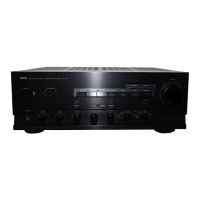
Natural Sound Stereo Integrated Amplifier
Préampli/ampli de puissance stéréo de la série “Natural Sound”
Natural Sound Stereo-Verstärker
Natural Sound Integrerad Stereo Förstärkare
Amplificatore integrato stereo a Suono Naturale
Amplificador integrado estéreo de Sonido Natural
Natural Sound Geïntegreerde Stereo Versterker
AX-890
OWNER’S MANUAL
MODE D’EMPLOI
BEDIENUNGSANLEITUNG
BRUKSANVISNING
MANUALE DI ISTRUZIONI
MANUAL DE INSTRUCCIONES
GEBRUIKSAANWIJZING

Questions and Answers

  • J
    jenniferroseJul 26, 2025
    Why is there no sound coming from my Yamaha AX-890?
    • H
      holly54Jul 26, 2025
      There could be several reasons for the absence of sound from your Yamaha Amplifier. Check the following: * Ensure the output cords are correctly connected. If the problem continues, the cords might be faulty. * Verify that you've selected the appropriate input source using the INPUT selector. * Confirm that the SPEAKERS switch corresponding to your speakers is in the ON position. * Make sure the speaker connections are secure.
  • D
    Danielle McbrideJul 31, 2025
    Why is the Yamaha AX-890 remote control range decreased?
    • S
      Steven ReynoldsJul 31, 2025
      If the remote control's range for your Yamaha Amplifier has decreased, the batteries in the remote might be weak. Replace them with new ones.
  • J
    Jasmine SmithAug 5, 2025
    Why does my Yamaha AX-890 sound hum?
    • N
      Nicholas FosterAug 5, 2025
      A humming sound from your Yamaha Amplifier can be due to a couple of reasons. First, check that the audio plugs are firmly connected; if the hum persists, the cords may be defective. Second, ensure there's a GND (ground) connection between your turntable and the unit.
  • S
    Sarah LewisAug 10, 2025
    Why does only one speaker work on my Yamaha AX-890?
    • M
      mitchellreyesAug 10, 2025
      If only one speaker is producing sound on your Yamaha Amplifier, the BALANCE control might be incorrectly set; adjust it to the appropriate position. Also, incorrect cord connections could be the issue; ensure the cords are properly connected, and if the problem persists, the cords may be defective.
  • J
    Jill EllisAug 15, 2025
    What to do if the Yamaha AX-890 Amplifier sound is distorted while playing a record?
    • J
      Jessica CrossAug 15, 2025
      If the sound level is low or distorted when playing a record on your Yamaha Amplifier, first check if the LOUDNESS control is active. If so, set it to the FLAT position. Also, verify that the PHONO (MM/MC) switch is set to the proper position.
  • D
    Danielle JonesAug 19, 2025
    Why do tone controls not work on my Yamaha AX-890 Amplifier?
    • M
      Michele PetersAug 20, 2025
      If the BASS, TREBLE, BALANCE, LOUDNESS controls, and SUBSONIC FILTER switch aren't affecting the tone on your Yamaha Amplifier, the PURE DIRECT switch may be ON. Switch the PURE DIRECT switch to OFF to enable these controls.

Summary

FEATURES

CONNECTIONS

CONNECTING SPEAKERS

OPERATIONS

CD DIRECT AMPLIFIER

Special amplifier path for pure CD sound, bypassing tone controls.

OPERATING CONTROLS

ADJUSTING THE BALANCE CONTROL

Compensates for sound imbalance between left and right speakers.

SELECTING THE SPEAKER SYSTEM

Allows selection of speaker system A, B, or both.

ADJUSTING BASS AND TREBLE CONTROLS

Adjusts low (bass) and high (treble) frequency response.

ADJUSTING LOUDNESS CONTROL

Compensates for low-volume sensitivity loss in high/low frequencies.

REMOTE CONTROL TRANSMITTER

TROUBLESHOOTING

SPECIFICATIONS

Yamaha AX-890 Specifications

General IconGeneral
TypeIntegrated Amplifier
Power Output145 watts per channel into 8Ω (stereo)
Total Harmonic Distortion0.008%
Frequency Response10 Hz to 100 kHz
Signal-to-Noise Ratio87dB (MM), 110dB (line)
Input sensitivity2.5mV (MM), 150mV (line)
Damping factor200
Dimensions435 x 151 x 391.5mm
Weight12.3kg
Channel separation70dB (1kHz)
Speaker load impedance4Ω to 16Ω
Input Impedance47 kΩ

Related product manuals