Smartphone Connectivity System
5-2
5
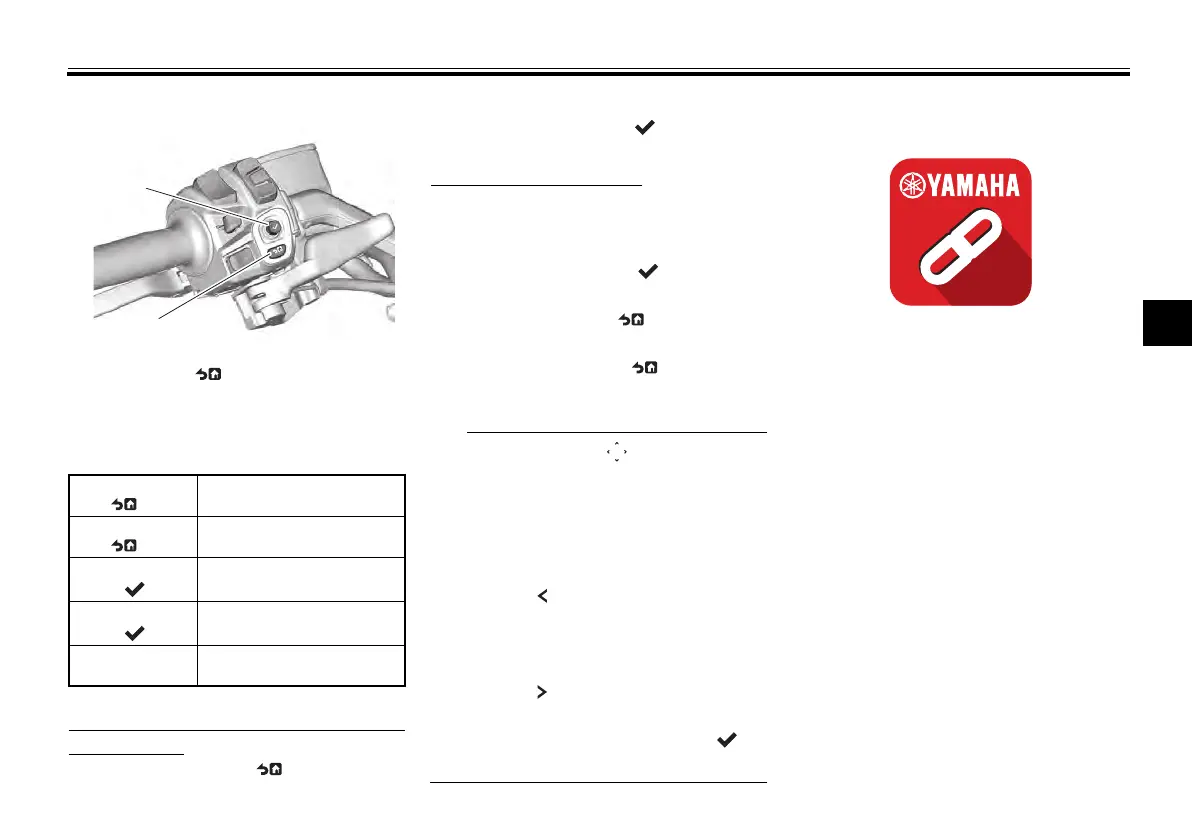
Joystick/Home button
This manual uses the following terms
to describe the usage of the joy-
stick/home button:
To open the pop-up menu from the
main display:
Short press HB “ ”
Operate the joystick left-right
Short press enter “ ”
Menu system operation:
Operate the joystick left-right-up-
down to select and adjust menu
items.
Short press enter “ ” to execute
a selection.
Short press HB “ ” button to re-
turn to the previous screen.
Long press HB “ ” button to
close the menu system.
When arrows “ ” appear high-
lighting a menu item, operating the
joystick in the direction of the ar-
rows will adjust the highlighted
function.
Some menu pages have a back
arrow “ ”. If so, operate the joy-
stick left to return to the previous
screen.
Some menu items have a forward
arrow “ ” next to them. While the
item is highlighted, operate the
joystick right or press enter “ ” to
open that module.
MyRide - Link app
The MyRide - Link app is needed to
complete the connection between the
CCU and your smartphone device, es-
pecially for navigation, SNS notifica-
tions and weather.
Additionally, the following functions
and features are included.
Language setting
Select which apps can send notifi-
cations to the vehicle (android on-
ly)
Volume control (android only)
Sort the order in which app icons
are displayed
Map of last parking location
1. Joystick
2. Home Button “ ”
Short press
HB “ ”
Briefly press the home
button
Long press
HB “ ”
Press the home button for
1 second
Short press
enter “ ”
Briefly press the joystick
straight inward
Long press
enter “ ”
Press the joystick straight
inward for 1 second
Operate joy-
stick
Move the joystick up-
down-right-left
UBBVE0E0.book Page 2 Tuesday, February 8, 2022 7:29 AM



 To Next Page