Smartphone Connectivity System
5-8
5
EAU96114
Navigation system: Garmin
Motorize
EWA21401
Always stop the vehicle before
operating the navigation sys-
tem.
Always concentrate on riding by
keeping your eyes and mind on
the road.
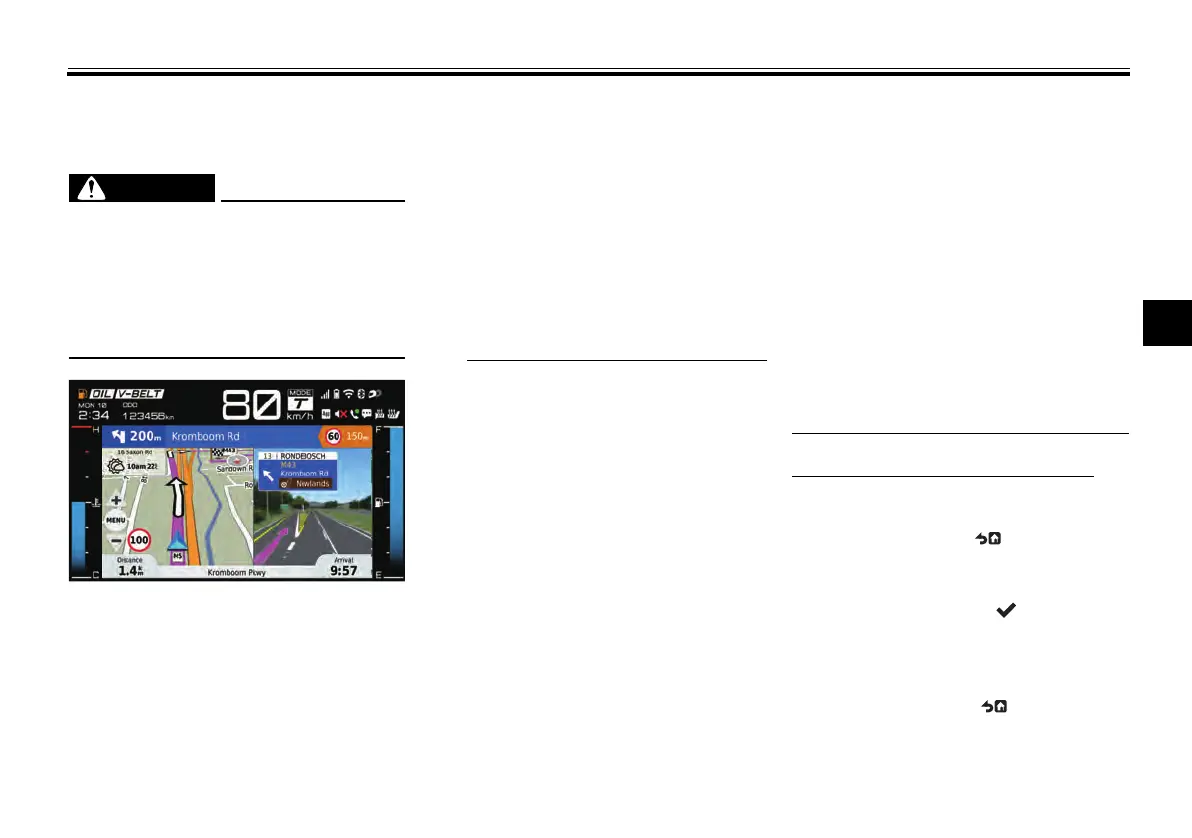
This vehicle is equipped with a naviga-
tion system which provides visual and
audio (Bluetooth headset required)
route guidance. To use the navigation
system, you must first download the
Garmin Motorize app from an applica-
tion store onto your smartphone de-
vice and then register for its paid
service.
Navigation also requires the following:
smartphone device connection to
the CCU via Wi-Fi or USB
MyRide - Link app connection via
Bluetooth
headset connection via Bluetooth
(audio route guidance)
Use of the Garmin Motorize app is
subject to your agreement to the
Garmin Motorize terms of use.
Yamaha shall not be liable for any
damages resulting from the use of
the Garmin Motorize app.
Please note that there is a charge
(30 days free trial available).
The smartphone device must re-
main unlocked and the Garmin
Motorize app must be kept in the
foreground in order to ensure the
phone does not sleep (lock). If an-
other app’s function moves the
Garmin Motorize app to the back-
ground (phone call, alarm, etc.)
the phone may sleep (lock) and
the navigation may stop.
The Garmin Motorize app’s GPS
access permissions must be set
to “Always allow” on your smart-
phone device’s settings.
The Garmin Motorize app may not
work on all smartphone devices or
OS (operating system) versions.
iOS smartphones do not require
the MyRide - Link app for the nav-
igation system when connected
via USB.
How to use the navigation system:
The navigation system is controlled us-
ing the joystick/home button:
Long press HB “ ” to access the
navigation system from the main
display.
Short press enter “ ” to open the
navigation system menu
Operate the joystick up-down to
control the map zoom
Long press HB “ ” to exit navi-
gation and return to the main dis-
play.
UBBVE0E0.book Page 8 Tuesday, February 8, 2022 7:29 AM



 To Next Page