Smartphone Connectivity System
5-11
5
EAU96880
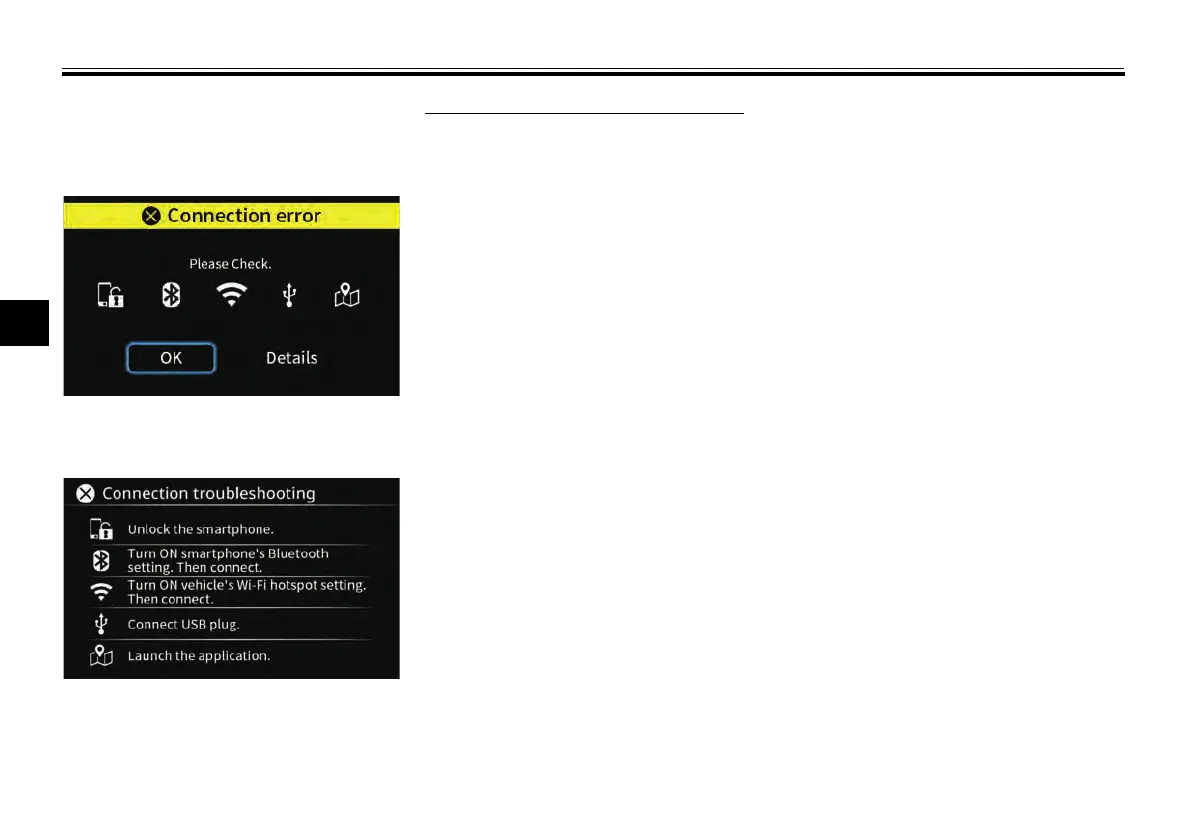
Connection troubleshooting
If an error occurs the following screen
is displayed.
Select “Details” and check the connec-
tion as instructed on the screen.
If the error persists, try the following:
1. Turn OFF the vehicle power. After
30 seconds, turn ON the vehicle
power again.
2. Disconnect the USB plug. After 10
seconds, connect the USB plug
again.
3. Turn OFF the smartphone devic-
es’s Bluetooth. Then turn ON
again.
4. Delete Bluetooth pairing informa-
tion from both smartphone and
vehicle.
5. Reboot applications.
UBBVE0E0.book Page 11 Tuesday, February 8, 2022 7:29 AM



 To Next Page