Instrument and control functions
6-2
6
EAU97550
Engine stop switch “ / ”
Set this switch to “ ” before starting
the engine. Set this switch to “ ” to
stop the engine in case of an emergen-
cy, such as in the event of an overturn
or if the throttle is stuck.
EAU95661
Power on/Starter switch “ ”
With the smart key turned on and with-
in range, press the “ /LOCK” section
of the center switch to turn on the pow-
er to the vehicle. Then with the side-
stand up and while applying the front
or rear brake, push this switch to crank
the engine with the starter. See page
8-2 for starting instructions prior to
starting the engine.
If the power does not turn on when
pressing the “ /LOCK” section of the
center switch, try using the “ ”
switch.
EAU95651
Hazard switch “ ”
With the vehicle power is on, use this
switch to turn on the hazard lights (si-
multaneous flashing of all turn signal
lights).
The hazard lights are used in case of an
emergency or to warn other drivers
when your vehicle is stopped where it
might be a traffic hazard. Hazard lights
can be turned on/off only when the ve-
hicle power is on.
ECA10062
Do not use the hazard lights for an
extended length of time with the en-
gine not running, otherwise the bat-
tery may discharge.
EAU84251
Cruise control switches (XP560D)
See page 6-5 for an explanation of the
cruise control system.
EAU84260
Drive mode switch “MODE”
See page 6-26 for an explanation of
the drive mode.
EAU95874
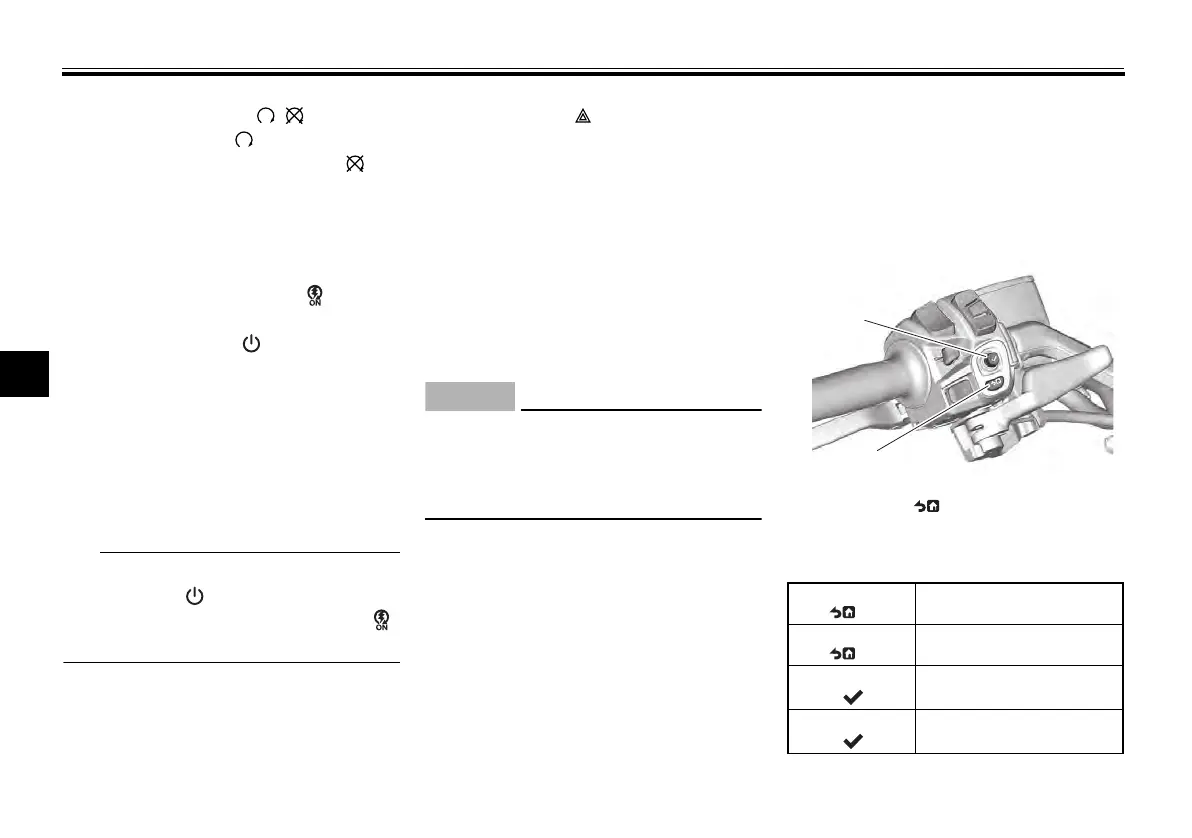
Joystick and Home Button
The joystick/home button located on
the left handlebar is used to control the
pop-up menu system, navigation sys-
tem, and the vehicle information dis-
play.
This manual uses the following terms
to describe operations:
1. Joystick
2. Home Button “ ”
Short press
HB “ ”
Briefly press the home
button
Long press
HB “ ”
Press the home button for
1 second
Short press
enter “ ”
Briefly press the joystick
straight inward
Long press
enter “ ”
Press the joystick straight
inward for 1 second
UBBVE0E0.book Page 2 Tuesday, February 8, 2022 7:29 AM



 To Next Page