Connections
Registering a Bluetooth device (pairing)
When first connecting this product to a Bluetooth device, follow the steps below to register (pair) this
product with that device.
1 Set this product to pairing mode.
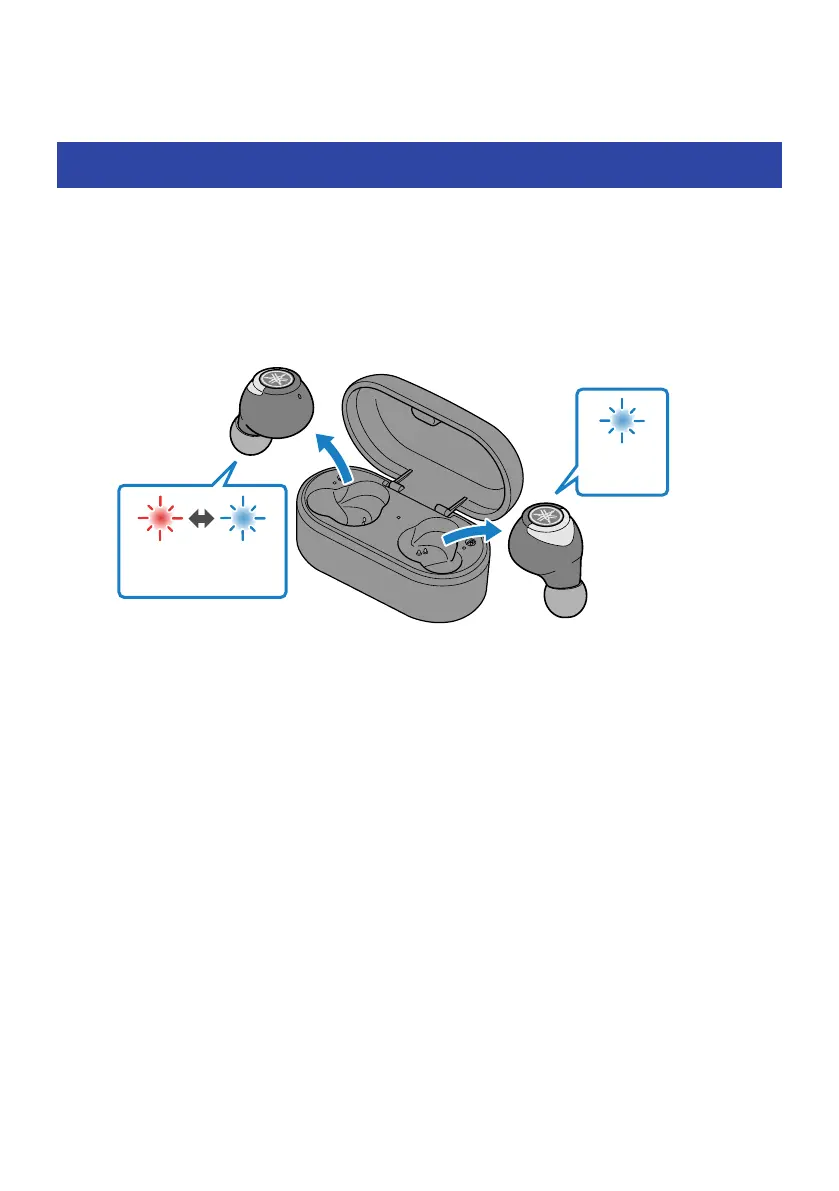
First, remove the earphone (L) and wait until the LEDs are lit as shown in the illustration
below. Next, remove the earphone (R). The earphone (L) will enter pairing standby mode.
Flashes alternately
Red Blue
Blue
20 sec
NOTE
If both earphones are alternately flashing red/blue, they cannot be successfully registered (paired). Place both earphones
back into the charging case and take them out again.
2 Activate the Bluetooth function on the Bluetooth device.
A list of Bluetooth devices that can be connected will be shown.
21
Connections > Registering a Bluetooth device (pairing)



 To Next Page