19
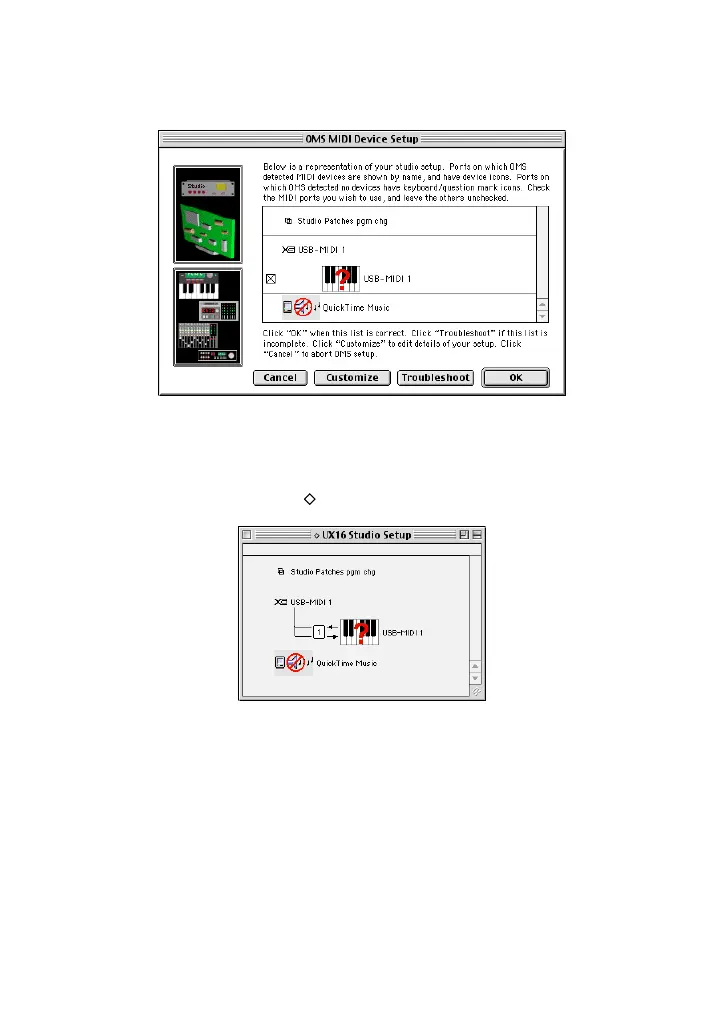
8. Make sure that “USB-MIDI 1” is displayed in the “OMS MIDI Device Setup” dia-
log and put the check box on it.
Click [OK].
9. The system displays a dialog box that enables you to save the setup file. Enter
the file name and click [Save].
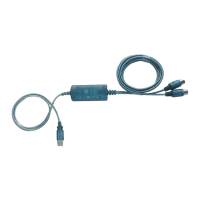
10.After you save the file, the system displays the following window.
The setting is complete if a “” mark appears before the file name.
The driver installation and OMS setup is now complete.
For more information, refer to the included “OMS_2.3_Mac.pdf.”


 To Next Page