EasyManua.ls Logo

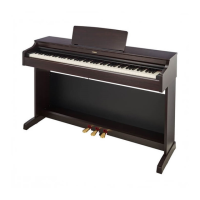
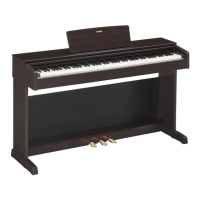
Yamaha YDP143R - User Manual

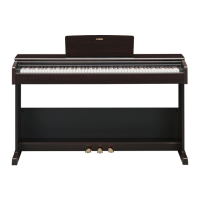
Yamaha YDP143R
36 pages
Print Icon
To Next Page IconTo Next Page
Loading...
EN
YDP
-
163
YDP
-
143
Owner’s Manual
Before using the instrument, be sure to read “PRECAUTIONS” on pages 5-7.
For information on assembling the instrument, refer to the instructions at the end of this
manual.

Questions and Answers

Summary

PRECAUTIONS

AC Adaptor Safety

Safety precautions for the AC adaptor.

Warnings for YDP-163;YDP-143

Safety warnings specific to the instrument's power, handling, and environment.

Manuals and Accessories

Manuals Overview

Explains the available manuals and how to obtain them.

Included Accessories

Lists items included with the instrument.

Panel Controls and Terminals

Control Layout and Functions

Identifies and explains the function of each control and terminal.

Basic Operations

Setting Up: Key Cover and Music Rest

Instructions for opening/closing the key cover and adjusting the music rest.

Setting Up: Power and Volume

Steps to turn the instrument on and adjust the master volume.

Auto Power Off and Headphones

How to manage auto power off and use headphones.

Playing the Piano

Intelligent Acoustic Control (IAC)

Adjusts sound quality based on volume for clear audio.

Using the Pedals

Explains the function of damper, sostenuto, and soft pedals.

Damper Resonance Effect

Simulates grand piano sustain sound.

Touch Sensitivity and Confirmation Sounds

Adjusting key response and operational sounds.

Using the Metronome

Instructions for using the metronome for practice.

Advanced Operations

Selecting Instrument Voices

How to choose different instrument sounds.

Listening to Demo Songs

Playing built-in songs to showcase voices.

Adding Sound Variations (Reverb)

Applying reverb effects to enhance sound ambience.

Pitch Adjustment

Transposing and fine-tuning the instrument's pitch.

Layering and Duo Modes

Combining voices and playing with a partner.

Song Playback and Practice

Listening to Preset Songs

Playing and practicing with built-in preset songs.

One-Hand Part Practice

Practicing songs with individual hands.

Quick Play Feature

Controls immediate playback from the first note or measure.

Recording Your Performance

Recording Keyboard Performance

How to record user songs and performances.

Song Settings and Data Deletion

Modifying recorded songs and deleting data.

Data Management and Initialization

Data Maintenance and Backup

Information on data retained and saving user songs.

Initializing Instrument Settings

Restoring the instrument to factory default settings.

Appendix

Troubleshooting Common Issues

Solutions for problems encountered during operation.

Keyboard Stand Assembly

Assembly Instructions

Step-by-step guide for assembling the keyboard stand.

Moving and Transporting the Instrument

Guidelines for safely moving and transporting the assembled unit.

Specifications

Technical Specifications

Detailed technical data of the instrument.

Yamaha YDP143R Specifications

General IconGeneral
TypeDigital Piano
Number of Keys88
Key ActionGraded Hammer Standard (GHS)
Polyphony192
Voices10
Reverb4 Types
Chorus4 Types
Intelligent Acoustic Control (IAC)Yes
Stereophonic OptimizerYes
Damper ResonanceYes
RecorderYes
MetronomeYes
TransposeYes
TuningYes
USB to HostYes
Amplifiers20W x 2
Speakers12 cm x 2
Auto Power OffYes
Touch SensitivityHard/Medium/Soft/Fixed
Pedals3 (Damper, Soft, Sostenuto)
Weight38 kg
Sound SourceAWM Stereo Sampling
HeadphonesYes (2)
Included AccessoriesOwner's Manual

Related product manuals