EasyManua.ls Logo

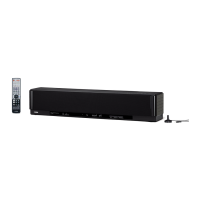
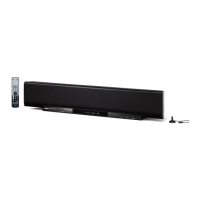
Yamaha YSP-1 - User Manual

Yamaha YSP-1
70 pages
Print Icon
To Next Page IconTo Next Page
Loading...
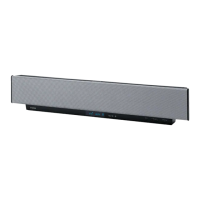
YSP-1
Digital Sound Projector
OWNER'S MANUAL
UBTK
01EN_YSP-1_UB-cv1.fm Page 1 Friday, November 12, 2004 6:36 PM

Table of Contents

Other manuals for Yamaha YSP-1

Questions and Answers

  • D
    Devin DyerSep 4, 2025
    Why on-screen display does not appear on Yamaha YSP-1?
    • D
      David HardySep 4, 2025
      If the on-screen display (OSD) isn't appearing on your Yamaha Speaker System, here are a couple of things to check: * Ensure that the OSD video cable is properly connected. * Make sure that TV is selected as the input source.
  • A
    Allen MorrisSep 18, 2025
    Why cursor buttons do not work during SET MENU operation on Yamaha Speaker System?
    • E
      Eric ColemanSep 18, 2025
      If the cursor buttons aren't working during SET MENU operation on your Yamaha Speaker System, it might be because you pressed an input selector button. Try pressing TEST once.
  • M
    Mr. Samuel Welch Jr.Sep 16, 2025
    How to stop noise interference from digital equipment on Yamaha YSP-1 Speaker System?
    • M
      Margaret SantosSep 16, 2025
      If you're experiencing noise interference from digital or high-frequency equipment with your Yamaha Speaker System, it could be that the unit is too close to the equipment. Try moving the Yamaha unit further away from the source of the interference.
  • G
    gregory45Sep 14, 2025
    What to do if Yamaha Speaker System does not operate properly?
    • X
      xbakerSep 14, 2025
      If your Yamaha Speaker System isn't operating properly, it's possible the internal microcomputer has frozen due to an external electric shock or a power supply with low voltage. Try disconnecting the AC power cable from the outlet and plugging it back in after about 30 seconds.
  • K
    Krystal ButlerSep 12, 2025
    Why no picture is displayed for external components on Yamaha Speaker System?
    • R
      Roger JohnsonSep 13, 2025
      If you're not seeing a picture from external components like a DVD player on your Yamaha Speaker System, here are a couple of things to check: * Make sure the video cable is properly connected. * Ensure that TV is selected as the input source.
  • K
    Kimberly BrownSep 12, 2025
    Why you can't operate external components with Yamaha Speaker System’s remote control?
    • L
      Lori PorterSep 12, 2025
      If you cannot operate external components with your Yamaha Speaker System's remote control, consider the following: * Ensure that the external component you're trying to control is selected as the input source. Use the INPUT button or the input selector buttons to choose the correct source. * Verify that the remote control code is correctly set. If not, set the remote control code correctly or try another code for the same manufacturer using the “LIST OF REMOTE CONTROL CODES”. * Even with the correct remote control code, some models may not respond. In this case, use the remote control that came with the external component.
  • V
    Veronica BlevinsSep 9, 2025
    Why surround sound effects are insubstantial on Yamaha Speaker System?
    • P
      powelljessicaSep 9, 2025
      If the surround sound effects from your Yamaha Speaker System seem weak, here are a couple of factors to consider: * The shape of your listening room can affect surround sound. Install the unit in a square or rectangular shaped room for best results. * If there's no wall in the path of the beam, place a flat object, like a board, in the beam's path.
  • P
    patrickcostaSep 7, 2025
    Why is there no sound from the subwoofer on my Yamaha YSP-1 Speaker System?
    • S
      Sarah CooperSep 7, 2025
      If you're not getting any sound from the subwoofer of your Yamaha Speaker System, and BASS OUT in SUBWOOFER SET is set to FRONT while playing a Dolby Digital or DTS signal, change the setting to SWFR or BOTH.
  • J
    John FitzgeraldSep 5, 2025
    How to fix low frequency sounds that are distorted on Yamaha Speaker System?
    • C
      Charles MercadoSep 6, 2025
      If you're experiencing distorted low frequency sounds with your Yamaha Speaker System, the CROSS OVER setting in SUBWOOFER SET might be incorrect. Make sure to set CROSS OVER correctly.
  • D
    donald67Aug 20, 2025
    Why is there no sound coming from my Yamaha YSP-1 Speaker System?
    • L
      lsaundersAug 21, 2025
      If your Yamaha Speaker System isn't producing any sound, there are several potential causes: * Check if the input or output cables are connected properly. If the connections are correct, the cables themselves may be defective. * Ensure that you've selected the appropriate input source using the INPUT button or input selector buttons. * Verify that the volume isn't turned down. Increase the volume to an audible level. * Confirm that the sound isn't muted. Press MUTE or VOLUME +/– on the remote control to resume audio output, and then adjust the volume. * Make sure the source component signals can be reproduced by your unit. Try playing a different source.

Summary

IMPORTANT SAFETY INSTRUCTIONS

CAUTION: READ THIS BEFORE OPERATING YOUR UNIT

OVERVIEW

CONTROLS AND FUNCTIONS

Front Panel Controls

Describes the buttons, indicators, and sensors located on the front of the main unit.

Front Panel Display

Explains the various indicators and information shown on the unit's front panel display.

Bottom Panel Connections

Details the input and output jacks located on the bottom panel of the unit.

PREPARATION

Installing the Unit in Your Listening Room

Guides on selecting an installation location and methods, including wall mounting, racks, and stands.

CONNECTIONS

PREPARING THE REMOTE CONTROL

BASIC OPERATION

STEPS TO ENJOYING SURROUND SOUND

EASY SETUP

ROOM TYPE (Room Type)

Setting the shape of your listening room (Square or Rectangle).

SP POSITION (Speaker Position)

Configuring the unit's installation position relative to the walls.

ROOM SIZE (Room Size)

Defining the dimensions (Small, Medium, Large) of your listening room.

VOLUME CONTROLS

PLAYBACK

Selecting an Input Source

Choosing which connected component's audio and video to play.

SELECTING A SURROUND MODE

Playback Sources and Their Available Surround Modes

Matching input sources to appropriate surround sound modes for optimal effect.

ADDITIONAL PLAYBACK MODES

ADJUSTING BEAM MODE SETTINGS

MANUAL SETUP

Sound Menu Settings

Adjusts audio parameters like subwoofer, speaker levels, dynamic range, and tone.

Beam Menu Settings

Manually adjusts listening room parameters and beam settings like position, angle, and tone.

Using SET MENU

Navigating and operating the various setup menus using the remote control.

SUBWOOFER SET (Subwoofer Set)

SPEAKER LEVEL (Speaker Level)

PARAMETER (Parameter Settings)

BEAM ADJ (Beam Adjustment)

INPUT MENU

INPUT RENAME (Input Rename)

SELECTING AN INPUT MODE

MANUALLY ADJUSTING OUTPUT LEVELS

REMOTE CONTROL FEATURES

TROUBLESHOOTING

General Troubleshooting

Solutions for common operational problems like power issues, no sound, or sudden muting.

Remote Control Troubleshooting

Diagnosing and resolving issues related to the remote control's functionality.

RESETTING THE FACTORY PRESETS

SPECIFICATIONS

Yamaha YSP-1 Specifications

General IconGeneral
BrandYamaha
ModelYSP-1
CategorySpeaker System
LanguageEnglish

Related product manuals