Yara N-Sensor V3.10 Operation Manual
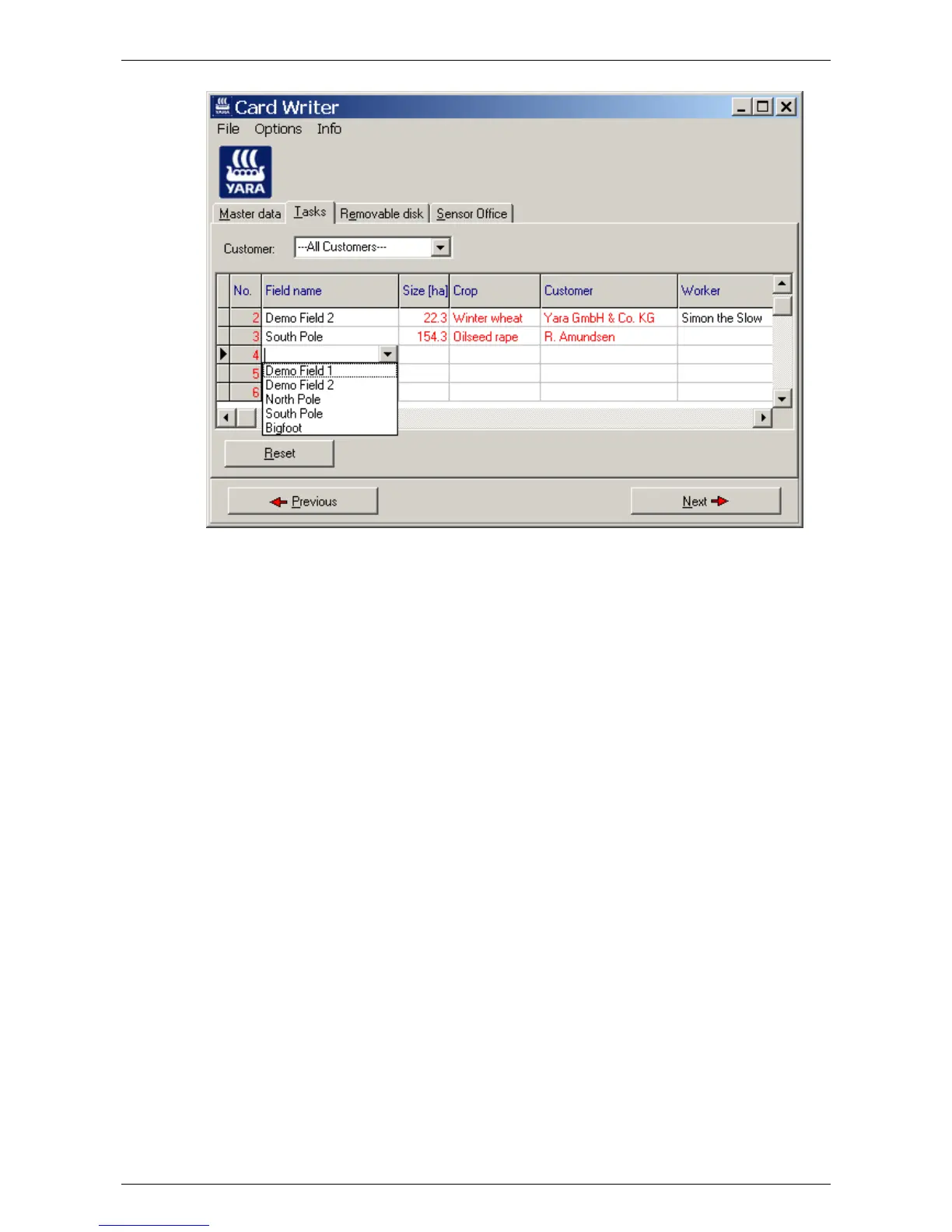
Related Crop, Customer and Comment columns are filled automatically according to the
data entered in the Master data tab and are read-only on this page. The Worker column
may be filled separately. Use the Raster map column to attach a prescription map to a
task. The raster map must be available in Surfer ASCII grid file format (*.grd) or in WTK
ADIS format (*.rst) and may be used to override and/or modify N-Sensor readings. For
further reading about raster maps refer to section
6.
7.2.3 Removable disk
To finally write the prepared task information to the removable disk, select the Remov-
able disk tab and press Write tasks. Note that all data on the root directory of the remov-
able disk will be deleted.
The removable disk can now be taken to the N-Sensor terminal. The prepared data will
be visible though the Tasks menu of the N-Sensor application (see section
4).
Last revised: 28.01.2009 14:39 Page 59 of 64



 To Next Page