- 13 -
ADJUSTING THE FLOW
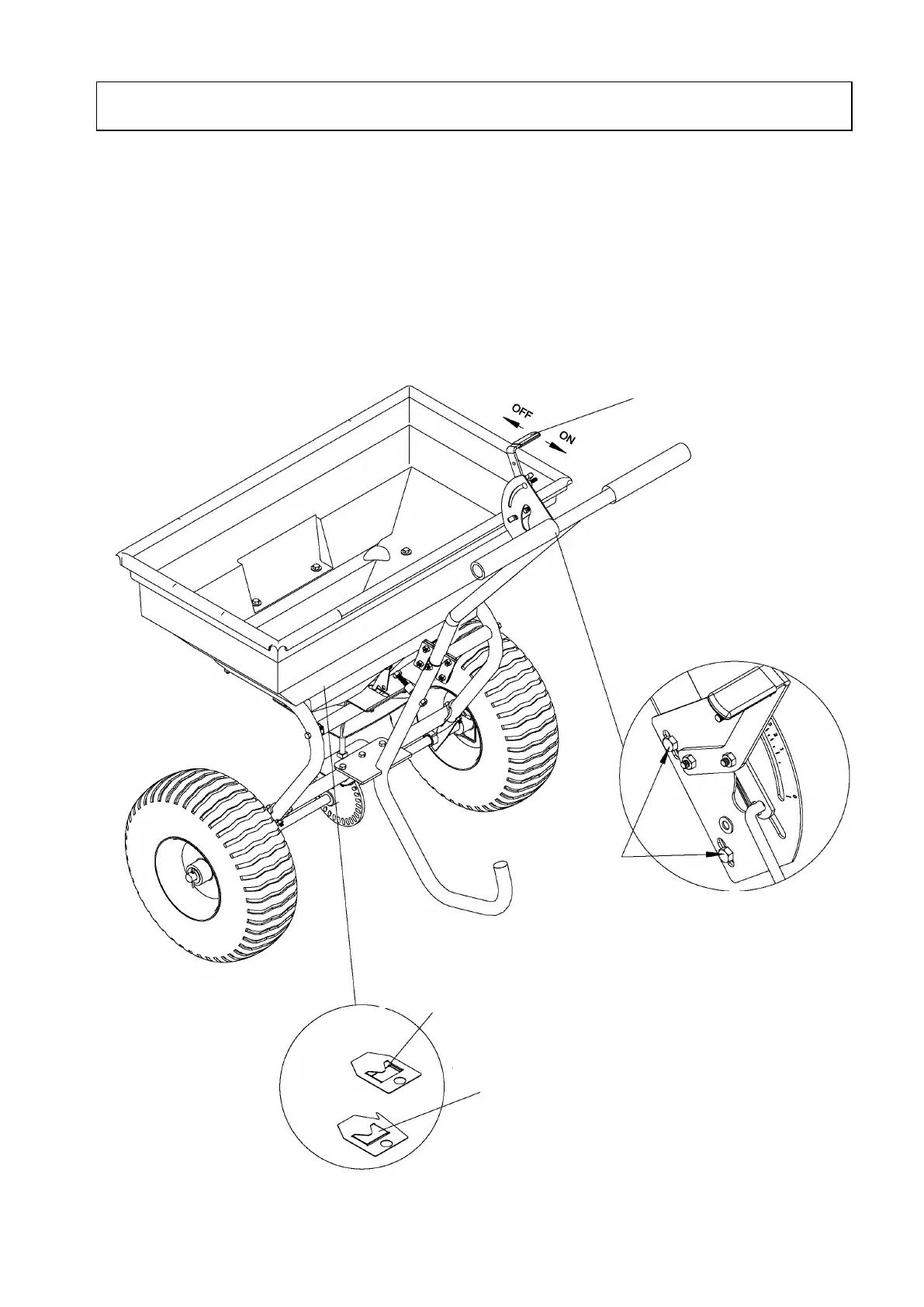
1. The handle adjusts the spreader setting. When the handle is moved to “30”, the adjustable plate is fully
open, when at “0”, it is fully closed.
2. Loosen the wing nut on the Bracket and move the adjustment lever handle up or down depending on
the amount of material required. Pushing the handle down will release more material and pulling the
handle up will stop the flow entirely.
3. Tighten the wing nut when the desired position is reached.
Adjust the handle as shown.
Adjust the handle to make sure the adjustable
plate is fully opened or closed. If it is not, please
loosen the 2 bolts shown in this diagram and
push the handle to the “0” position, then remove
the bracket a little to make sure the adjustable
plate is fully closed. Then tighten the 2 bolts.
moved to “30”, the
adjustable plate is
When the handle is moved to
“0”, the adjustable plate in
the hopper is fully closed.


 To Next Page