EasyManua.ls Logo

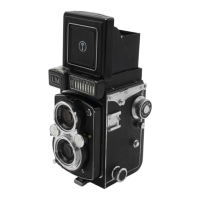
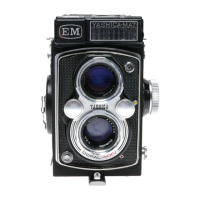
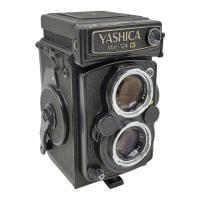
Yashica MAT-LM - Viewfinders and Focusing; Reflex Finder System Operation; Parallax Compensation Explained

Yashica MAT-LM
18 pages
Print Icon
To Next Page IconTo Next Page
To Previous Page IconTo Previous Page
Loading...
SIGHTING
THE
SUBJECT
AND
FOCUSING
Your
Yoshico
MAT-LM
is
a
tw
in-lens
reflex
camero.
The
lower
lens tokes
the
picture.
The
upper
lens
is
for
focusing and
com-
posing
on
the
ground
glass
viewing
screen.
111
Open
the
focusing
hood
by
li
fting
it
at
the
back,
and
now
point
your
Yashica
at
the
subjects.
(21
Ro
t
ate
the
Focusing
Knob
until
your
subject
on the gr
ound
glass screen
is
sharp.
The
bright
circle
in
the
center
of
the
ground
glass
viewing
screen enables
you
to
obtain
a
sharp
focus
and
should be
the
center
of
the
picture
you
eire
composing
on
the
screen.
The
red
lines
on
the
screen
help
you
to
judge
proportion
and
proper
composition.
Compose
your
subject
on
the
ground
gloss
as
you
would
like
to
see
it
in
the
final
picture
.
MAGNIFYING
GLASS
For critical focu
si
ng
(AI
Raise
the
Magnifying
Gloss
by
pressing
the
front
of
the
Focusing
Hood
Cover
inward,
holding
the
Focusing
Hood
so
that
it
does
not
close.
When
using the
Magnifying
Gloss
place
your
eye
as close
to
the
Magnifying
Glass as possible.
IBI
Always
make sure
that
you
have
first
lowered
the
Magnifying
Gloss
before
closing
the
Focusing H
ood.

Other manuals for Yashica MAT-LM

Related product manuals