EasyManua.ls Logo

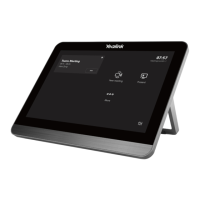
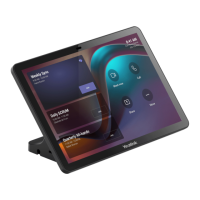
Yealink CTP18-STD - User Manual

Yealink CTP18-STD
24 pages
Print Icon
To Next Page IconTo Next Page
Loading...
www.yealink.com
Quick Start Guide (V1.0)
English | 简体中文|Deutsch | Español|Français
CTP18
Collaboration Touch Panel

Questions and Answers

  • A
    Adam SimpsonAug 20, 2025
    What to do if I forget the admin password for my Yealink Conference System?
    • R
      Robert ThompsonAug 20, 2025
      To regain access to advanced settings on your Yealink Conference System after forgetting the administrator password, reset your system.
  • O
    orodriguezAug 22, 2025
    Why can't the far site hear me on my Yealink Conference System?
    • R
      Robin AllenAug 22, 2025
      If the far site cannot hear your audio during a call using the Yealink Conference System, ensure your audio input device is correctly connected and that the speaker at the far site isn't covered or damaged. Also, check if your microphone is muted and ask the far site to verify their volume isn't set to 0.
  • D
    David LongAug 25, 2025
    Why is the voice quality poor on my Yealink Conference System?
    • T
      thomas73Aug 25, 2025
      If you are experiencing poor voice quality, such as intermittent voice, echo, or other noise, with your Yealink Conference System, try adjusting your distance from the microphone. Ensure the audio pickup device is stationary. Network congestion or old cables may also be factors; contact your network administrator or replace old cables.
  • J
    Jessica MezaAug 26, 2025
    Why is the audio unclear on my Yealink Conference System during a call?
    • A
      april75Aug 27, 2025
      If you cannot hear the audio clearly during a call on your Yealink Conference System, try adjusting the speaker volume. If the audio from the far site is muffled, they may be in a highly reverberant room—advise them to speak closer to their phone. Check your audio codec priority, enable noise suppression, and ensure the device is clean and free of dust.
  • V
    Vicki DuncanAug 28, 2025
    Why can't I receive calls on my Yealink Conference System?
    • K
      Kyle ColeAug 28, 2025
      If you cannot receive calls on your Yealink Conference System, ensure your network is available or contact your network administrator. Also, verify that your account is registered and that Do Not Disturb (DND) mode is disabled.
  • V
    vmartinezAug 30, 2025
    How to fix Yealink Conference System remote control not working?
    • A
      antonio15Aug 30, 2025
      If your Yealink Conference System does not respond to the remote control, replace the batteries, ensure they are correctly installed, and aim the remote control directly at the sensor when performing tasks.
  • C
    Catherine RobinsonSep 1, 2025
    What to do if the picture is blank on my Yealink Conference System monitor?
    • M
      Michael ParkSep 1, 2025
      If the picture is blank on the monitor connected to your Yealink Conference System, press any key on the remote control to wake the system if it's in sleep mode. Ensure the system is powered on and that the HDMI cable is securely connected to both the system and the monitor, and that the monitor is also powered on.
  • A
    amanda45Sep 3, 2025
    How to prevent monitor burn-in on Yealink Conference System?
    • T
      Tara McculloughSep 3, 2025
      To prevent monitor burn-in on your Yealink Conference System, configure the automatic sleep time or use a screen saver. Additionally, decrease the monitor's sharpness, brightness, and contrast settings if they are set to their maximum values.
  • D
    Dominique MendozaSep 5, 2025
    Why can't I share content on my Yealink Conference System?
    • J
      James GuerreroSep 5, 2025
      If you cannot share content from your Yealink Conference System, ensure your PC is properly connected and turned on. If you're using a VCH50/VCH51 video conferencing hub or WPP20 wireless presentation pod, try replacing it. If using a WPP20, ensure it's connected to the video conferencing system to obtain the Wi-Fi profile and that the wireless AP feature of the video conferencing system is enabled.
  • A
    Alice AllenSep 7, 2025
    Why is the video quality poor on my Yealink Conference System?
    • M
      Maria RushSep 7, 2025
      If the video quality is poor on your Yealink Conference System, adjust the monitor resolution and camera parameters like brightness and white balance. Check call statistics for packet loss and contact your network administrator if necessary. Avoid high-intensity indoor light or direct sunlight on the camera.

Yealink CTP18-STD Specifications

General IconGeneral
Operating SystemAndroid
BluetoothBluetooth 4.2
Touch TechnologyCapacitive
ConnectivityWired / Wireless
Ethernet10/100/1000 Mbps
Wi-Fi802.11 a/b/g/n/ac
Power Input12V DC
ProcessorQuad-core
Memory2GB RAM
PortsUSB
Supported DevicesYealink video conferencing systems
Display Size8 inches
Resolution1280 x 800

Related product manuals