1
Package Contents
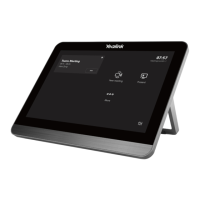
CTP18
Quick
Start Guide
7.5m
Ethernet Cable
Screwdriver
+
+
+
2
2
2
Mounting Bracket
and Accessories
3M VelcroCable lock box
Cable Lock Box
CTP18 Connection
PoE Adapter
(Optional)
Power Cord
Ethernet Cable
(2m CAT5E FTP cable)
PSE
Note:
The PoE adapter is only included in the MeetingBar endpoint product package.
We recommend that you use the accessories provided or approved by Yealink.
The use of unapproved third-party accessories may result in reduced performance.
Method 2. Connect the CTP18 with the endpoint by Wired LAN
Assemble your CTP18
Reset
MAC
SN
1
2
3
4
Method 1. Connect the CTP18 with endpoint directly
(It is only applicable to VCS endpoints and MeetingEye endpoints)
Reset
MAC
SN
VCH



 To Next Page
 Loading...