
 Need help?
Do you have a question about the Yealink MSpeaker and is the answer not in the manual?
Mount the MSpeaker on the wall if the TV is fixed on the wall, or place it on a flat surface.
Place the MSpeaker at the table edge closest to the TV for optimal sound output.
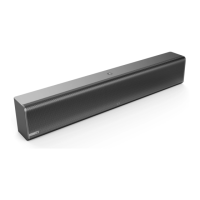
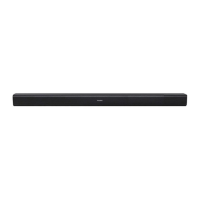
The Yealink Soundbar MSpeaker is an audio output device designed to enhance the sound experience in conference environments. It serves as a dedicated speaker solution, delivering clear and robust audio for meetings and presentations. The MSpeaker is engineered to integrate seamlessly with Yealink's conferencing systems, specifically the UVC80, UVC50, and VC800, acting as a primary audio output component.
The core function of the Yealink Soundbar MSpeaker is to provide high-quality audio output for video conferencing and other collaborative scenarios. When connected to a compatible Yealink conferencing system, it projects sound, ensuring that all participants in a physical meeting room can clearly hear remote participants, presentations, and any other audio content shared during a conference. This dedicated soundbar design aims to optimize the acoustic experience, making conversations more intelligible and multimedia content more impactful. By centralizing audio output through a purpose-built speaker, the MSpeaker helps to create a more immersive and professional meeting environment, reducing the need for less effective built-in display speakers or external, less integrated audio solutions. Its design focuses on delivering consistent sound quality across the meeting space, which is crucial for effective communication and collaboration.
The Yealink Soundbar MSpeaker offers several usage features that prioritize ease of installation, flexible placement, and straightforward connectivity.
The MSpeaker is designed for direct connection to the Line Out port of Yealink UVC80, UVC50, or VC800 conferencing systems. This ensures a dedicated audio path and optimized performance within the Yealink ecosystem. The connection is typically made using a 3.5mm AUX cable, which is provided with the device, simplifying the setup process. The manual provides a clear example of connecting the MSpeaker to a UVC80, illustrating the specific port and cable required. This direct integration means that once connected, the MSpeaker functions as the primary audio output for the conferencing system, requiring minimal additional configuration.
The MSpeaker offers multiple installation options to accommodate various room layouts and display setups. This flexibility ensures that the soundbar can be positioned optimally for sound delivery and aesthetic integration.
The package includes essential accessories to support these installation and connectivity options:
While the manual primarily focuses on installation and connectivity, the emphasis on using approved accessories indirectly points to a maintenance philosophy centered on reliability and performance.
A critical maintenance-related recommendation from Yealink is to "use the accessories provided or approved by Yealink." This guidance is crucial for ensuring the long-term performance and reliability of the MSpeaker. Using unapproved third-party accessories can lead to "poor performance," which could manifest as reduced audio quality, connectivity issues, or even potential damage to the device over time. By adhering to this recommendation, users can minimize the risk of operational problems and maintain the intended functionality of the soundbar. This also implies that the provided accessories are specifically designed and tested to work optimally with the MSpeaker, contributing to its overall durability and consistent operation.
Although not explicitly detailed as a maintenance feature, the design of a soundbar like the MSpeaker typically implies a robust and low-maintenance device. Soundbars generally do not have user-serviceable parts or require frequent adjustments. The focus is on a "set it and forget it" approach once installed correctly. The absence of complex controls or moving parts contributes to its reliability and reduces the need for ongoing maintenance. Regular cleaning of the exterior with a soft, dry cloth would likely be the extent of user-level physical maintenance required to keep the device in good condition.
In summary, the Yealink Soundbar MSpeaker is designed to be a reliable and effective audio output solution for Yealink conferencing systems. Its ease of connection, flexible installation methods, and emphasis on using approved accessories contribute to a user-friendly experience and sustained performance in various professional environments.
 General
| Signal to Noise Ratio | ≥ 70dB |
|---|---|
| Speakerphone | Yes |
| Impedance | 4Ω |
| Connectivity | USB |
| Speaker Type | Full-range speaker |



 To Next Page