For more information on customizing a logo file, refer to Customizing a Logo File Using
PictureExDemo on page 78.
Ask the distributor or Yealink FAE for the logo file, or you can customize a *.dob logo file.
Upload the logo file to the provisioning server and then specify the access URL in
configuration files:
####################################################
## Configure the access URL of the Logo File ##
####################################################
#(not applicable to SIP-T20P IP phones)
lcd_logo.url =
For example, enter “tftp://192.168.1.100/logo.dob” in the “lcd_logo.url =” field. During
the auto provisioning process, the phone connects to the provisioning server
“192.168.1.100”, and downloads the logo file “logo.dob”.
To use the custom logo, you also need to configure the following parameter:
#Configure the logo mode (not applicable to SIP-T20P IP phones).
#0-Disabled (Except for SIP-T28P IP phones), 1-System logo, 2-Custom logo
phone_setting.lcd_logo.mode = 2
To configure a text logo, you need to configure the following parameter:
#Enable or disable a text logo (only applicable to SIP-T20P IP phones).
#0-Disabled, 1-Enabled
phone_setting.lcd_logo.mode = 1
#Configure a text logo (only applicable to SIP-T20P IP phones).
phone_setting.lcd_logo.text =Yealink
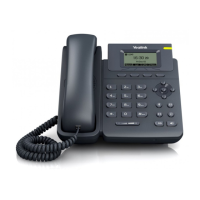
After auto provisioning, you will find that the custom logo or text logo appears on the
LCD screen.
#Delete all custom logo files (not applicable to SIP-T20P IP phones).
lcd_logo.delete = http://localhost/all


 To Next Page
 Loading...