Installation_Guide | 1 - Installation Guide | 29
2.
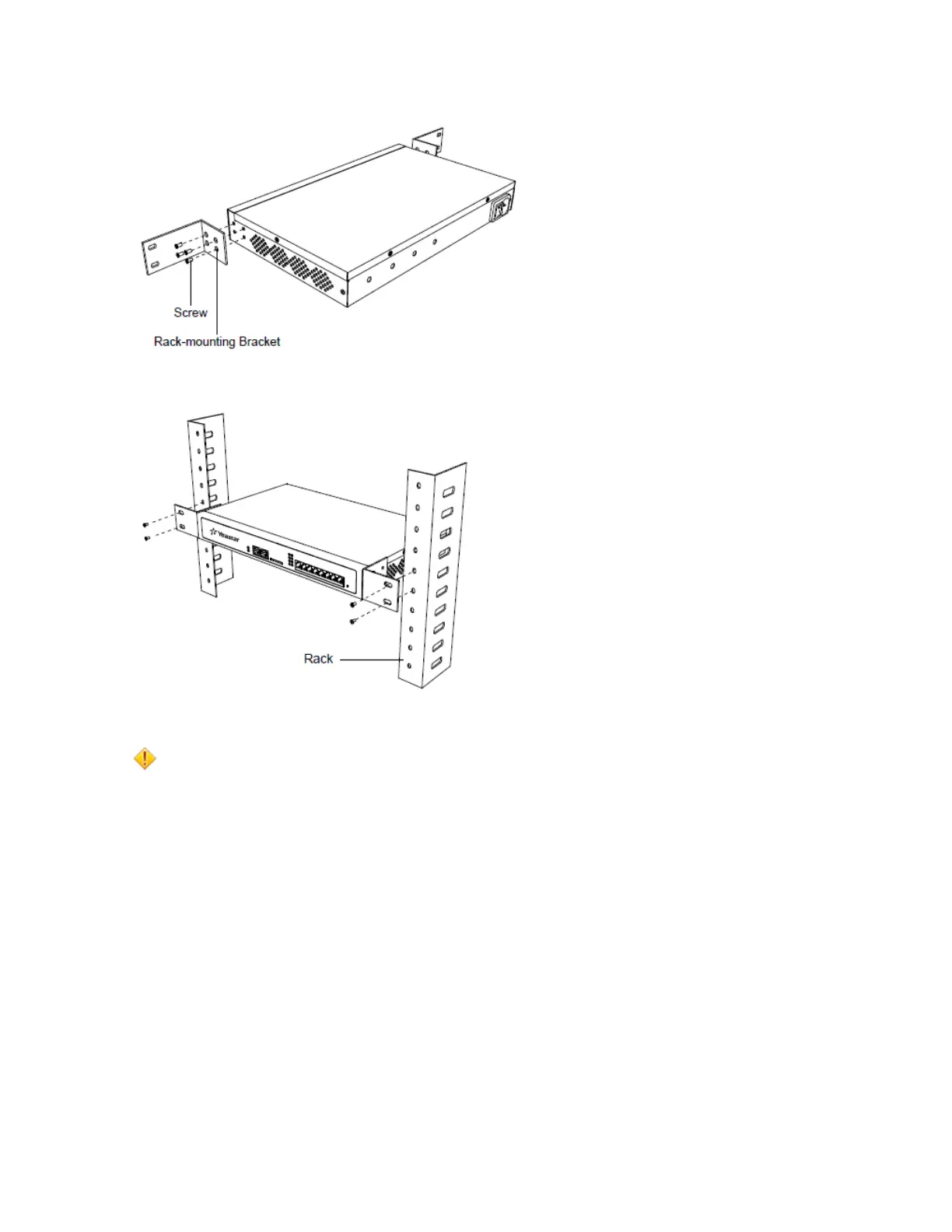
Place the PBX in the 19-inch rack and fix both brackets to the rack with the rack’s proprietary mounting
equipment.
Ground Connection
Caution:
• Proper grounding (connection to ground) is very important to reduce the risk of electrocution to the
user or protect the PBX from the bad effects of external noise in the case of a lightning strike.
• A permanent connection between ground and the ground terminal of the PBX must be made.
1. Tighten the provided screw stud into the Grounding port on PBX.
2. Insert an 18AWG grounding wire (user supplied).
3. Tighten the provided screw nut.
4.
Attach the grounding wire to the grounding terminal.


 To Next Page
 Loading...










