S-Series Extension User Guide
8
2) Import Blacklist/Whitelist
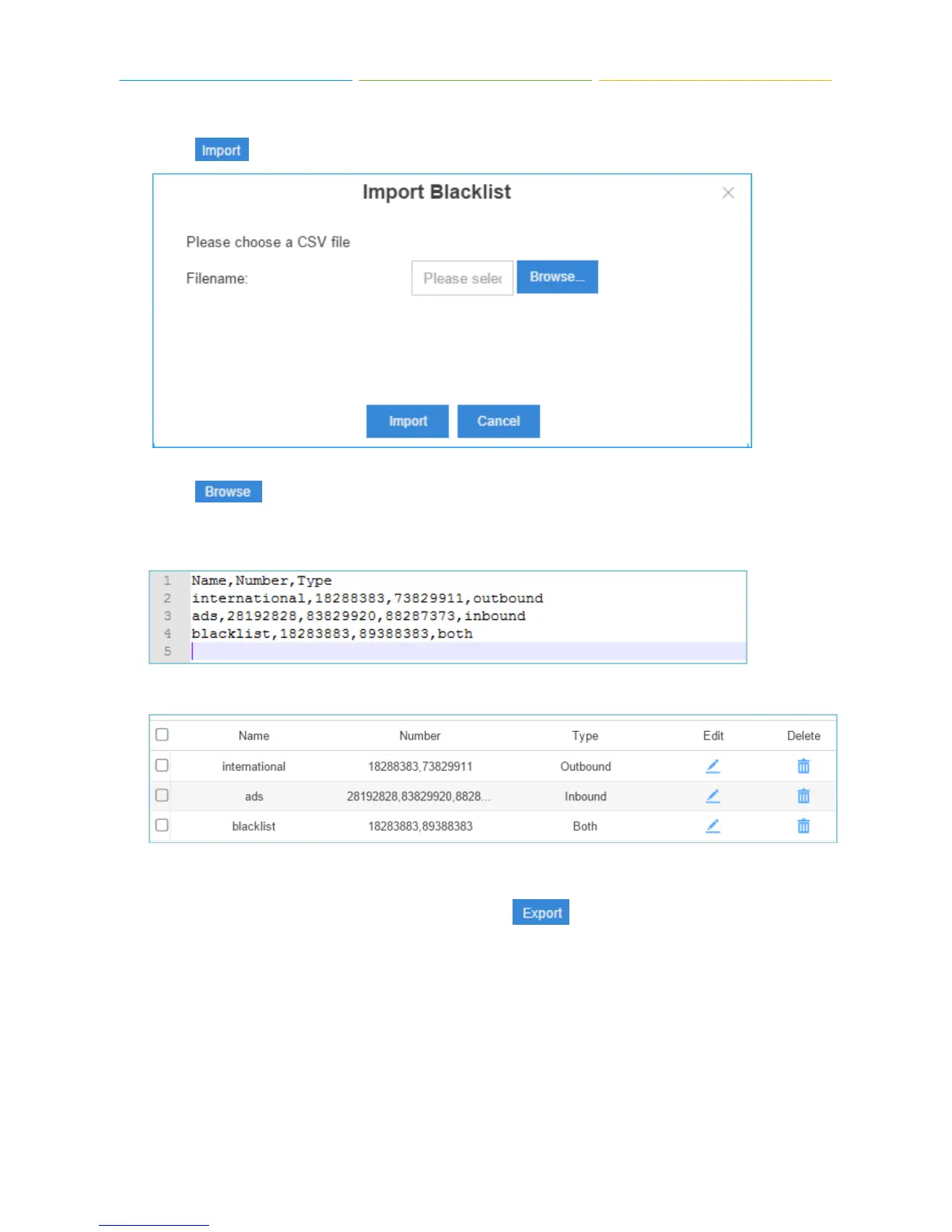
Click , you will see a dialog window shown as below.
Click and select the file to start uploading. The file must be a .csv file. Open the file
with notepad, check the sample below. You can export a blacklist/whitelist file from S-Series and
use it as a sample to start with.
The sample csv file will result in the following speed dial in Yeastar S-Series.
Export Blacklist/Whitelist
Select the checkbox of the blacklist/whitelist, click , the selected blacklist/whitelist will
be exported to your local PC.
1.2.3 Voicemail
Click Voicemail tab to check the voicemail messages.











 To Next Page