7. OPERATION
96
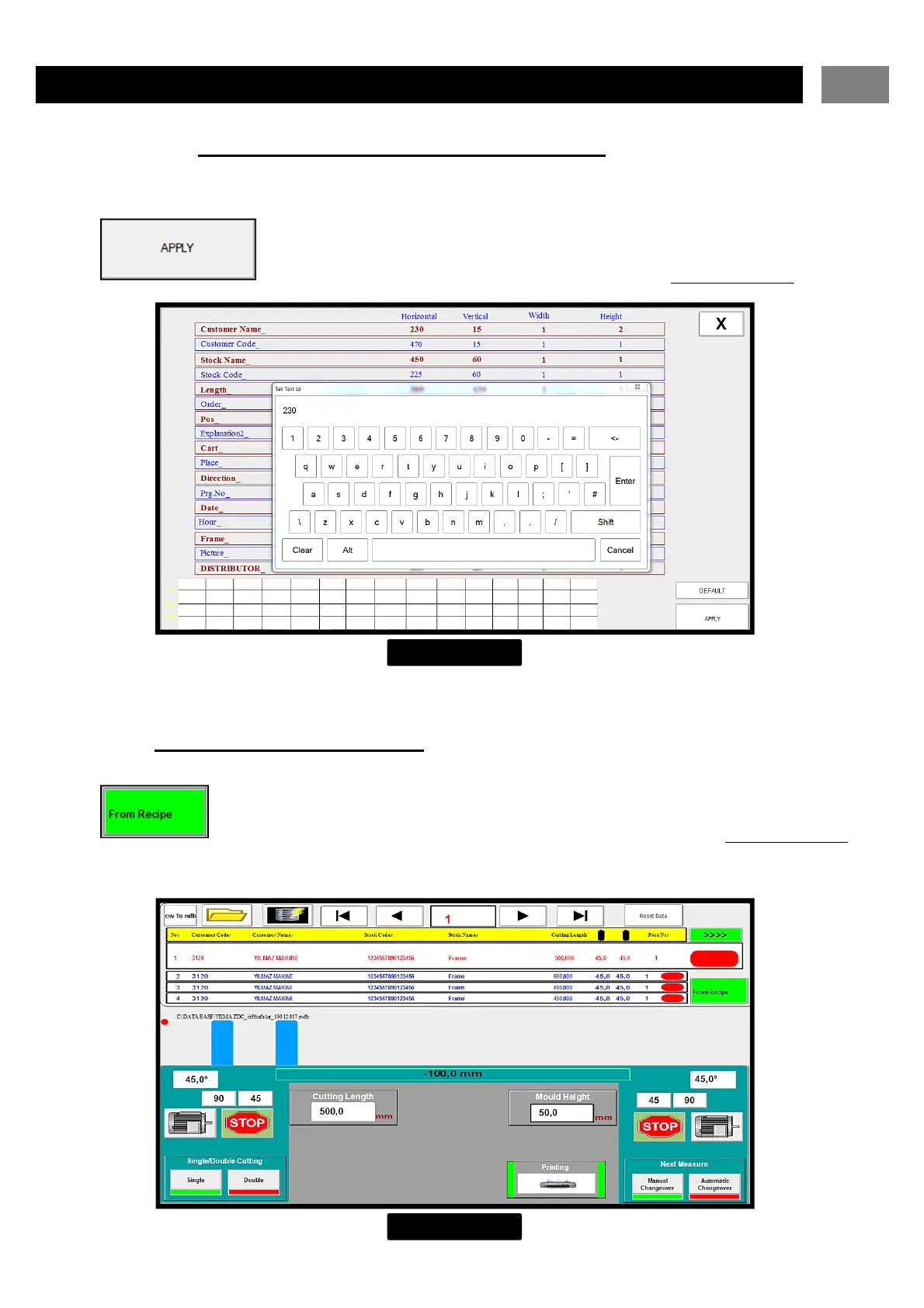
7.8.1.11 Changing the Positions on the Barcode
Click on the value you want to change and enter the desired value and press Enter.
The changes are saved by pressing the Apply button. ( FIGURE – 30 )
7.8.2 CUTTING FROM THE LIST
When the from recipe buton is pressed, the following page appears ( FIGURE – 31 )
FIGURE – 31
FIGURE – 30


 To Next Page