47
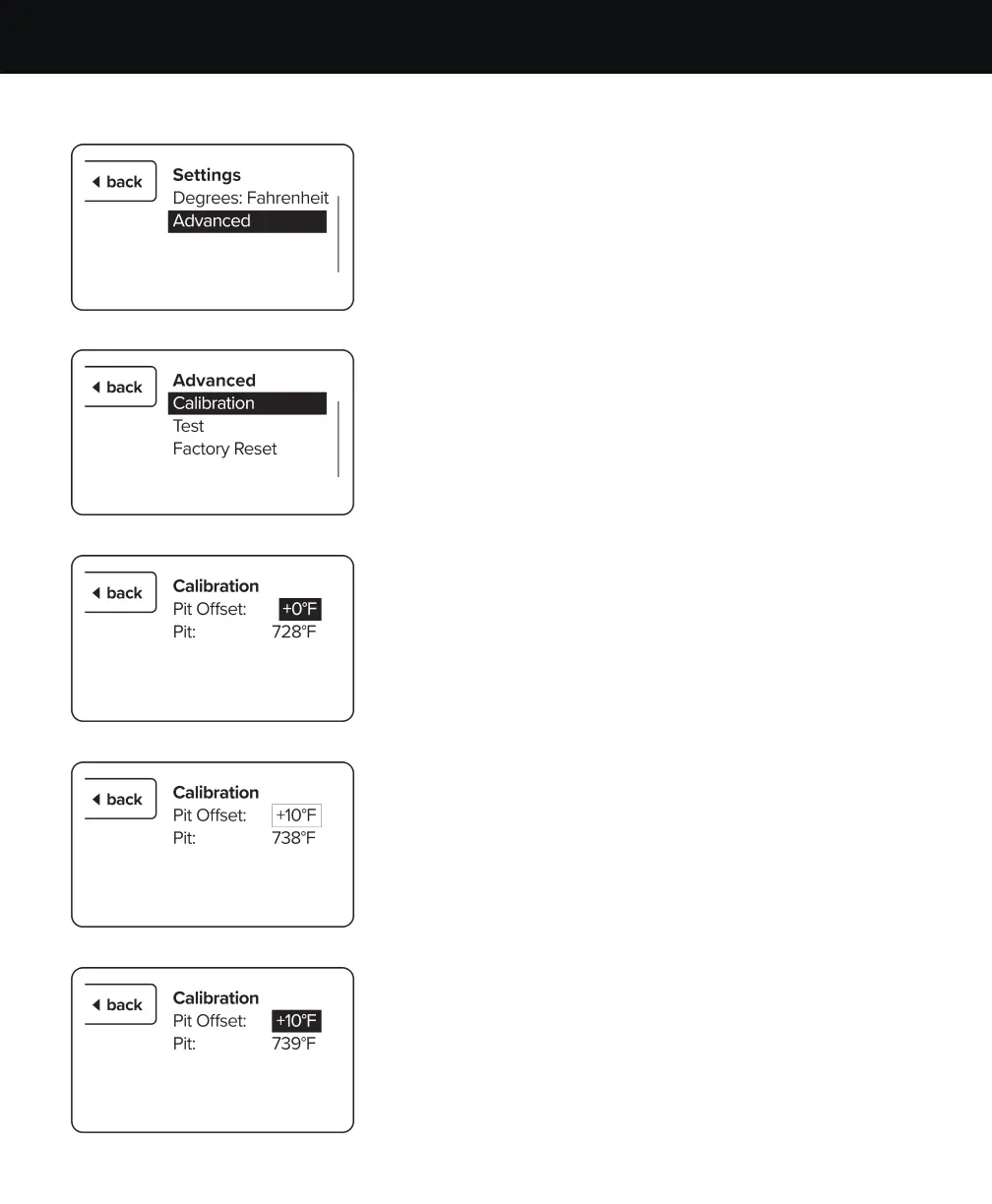
3. Rotate the selector knob clockwise to highlight
“Advanced” then press the selector knob to continue.
4. Press the selector knob when “Calibration” is highlighted.
5. You will see the Pit Oset temperature is highlighted.
To make the changes, press the selector knob.
6. You will no longer see the temperature highlighted.
Rotate the selector knob clockwise to increase the oset
and counterclockwise to decrease the oset. Press the
selector knob once you have the desired temperature
oset to confirm the changes.
7. The oset temperature will be highlighted to indicate
that it is entered. You may now press the back button
multiple times to return to the main screen.
ACS CONTROLLER OFFSETACS CONTROLLER OFFSET


 To Next Page