4.1.3 Connect the camera to Wi-Fi
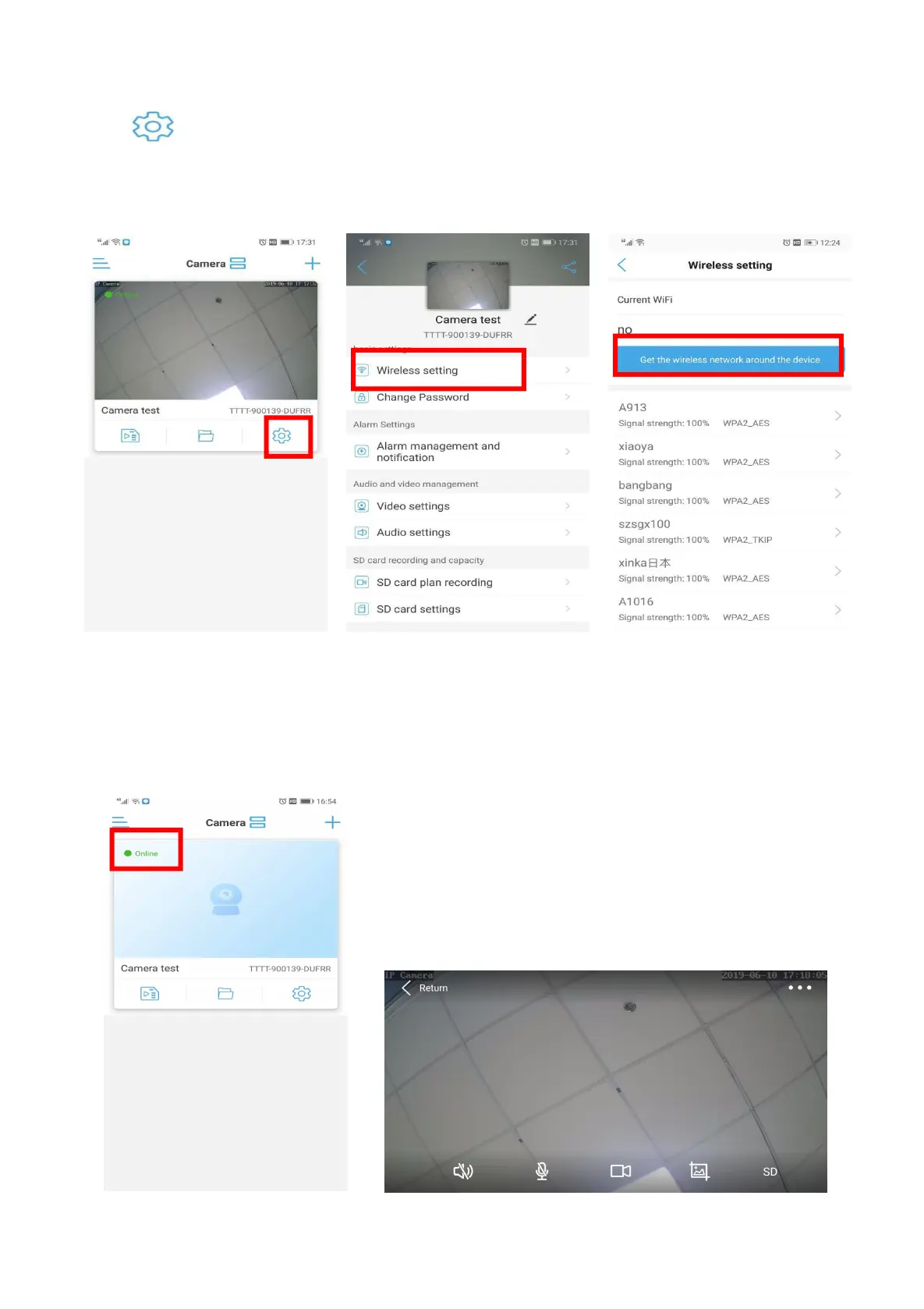
A) Click go to Setting page -- Wirless setting -- Get the wireless network around the device--
Select your Router’s Wi-Fi and enter the password.
Wait 20-30 seconds, Wi-Fi connection success.
B) Back to Camera device list, camera displayed online. Click camera for real-time preview.
C) NOTE: ①.Setup Wi-Fi should restart App. Please restart exit App.
②. After the camera connect to Wi-Fi, you cannot search the hot spot of the camera.


 To Next Page