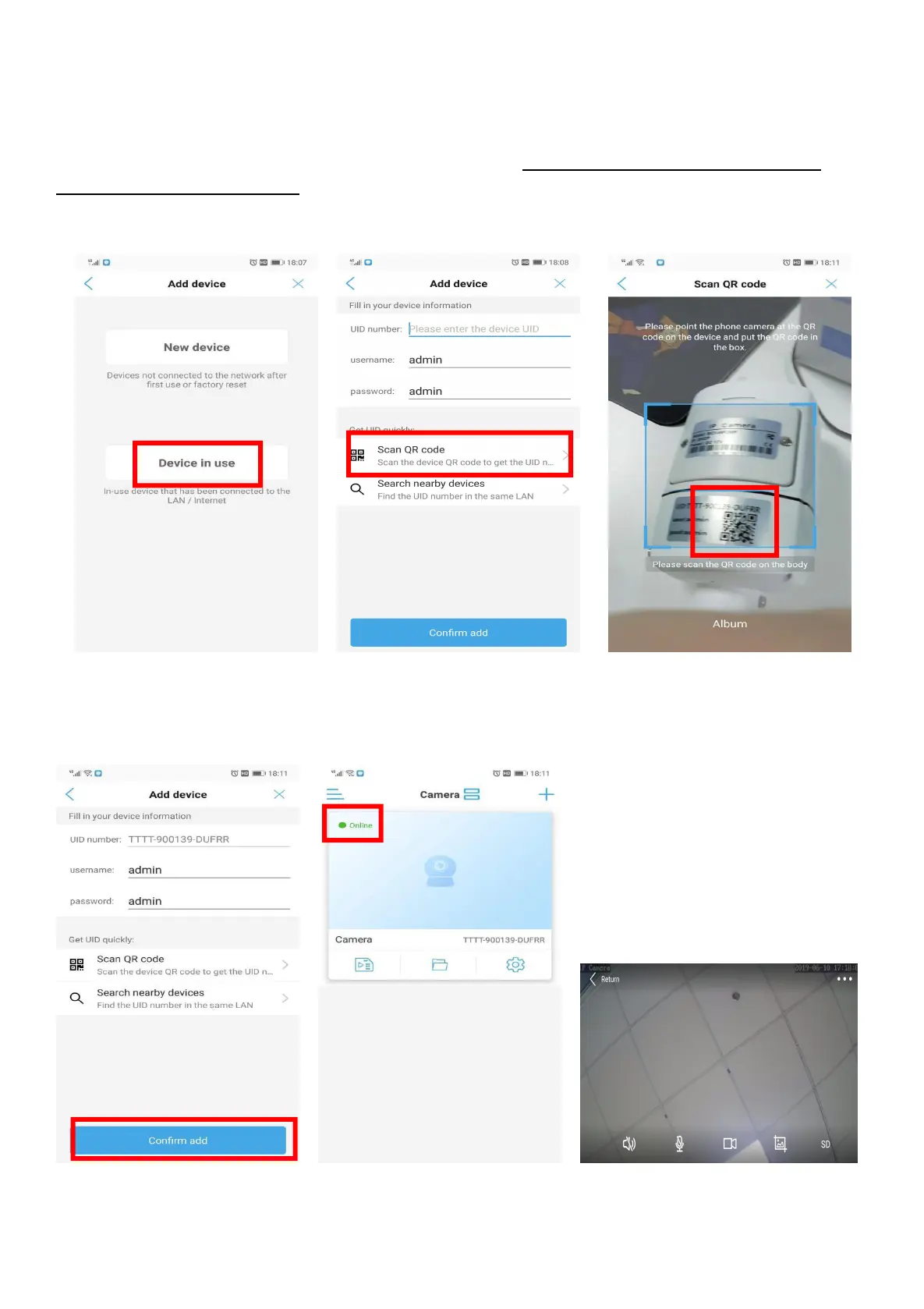
4.2 Connect the Camera by Scan QR Code
A) Power on Wi-Fi Camera by Power adapter 12V1A(BC5) / 12V2A(P1-4X) / 12V3A(P2-20X) and camera
will turn into the self-test mode. It will take about 15 seconds. Please make sure that the camera has
connected to your router’s Wi-Fi. (Guidance can be found in 4.1.4)
B) Device in use-- Scan QR code-- scan the QR code on the camera
C) After scanning , the UID number will be written automatically. Click “Confirm add” to back to
Camera device list. Camera displayed online. Click camera for real-time preview.


 To Next Page