4.4.1.4 Pre-set point and auto cruise(for PTZ)
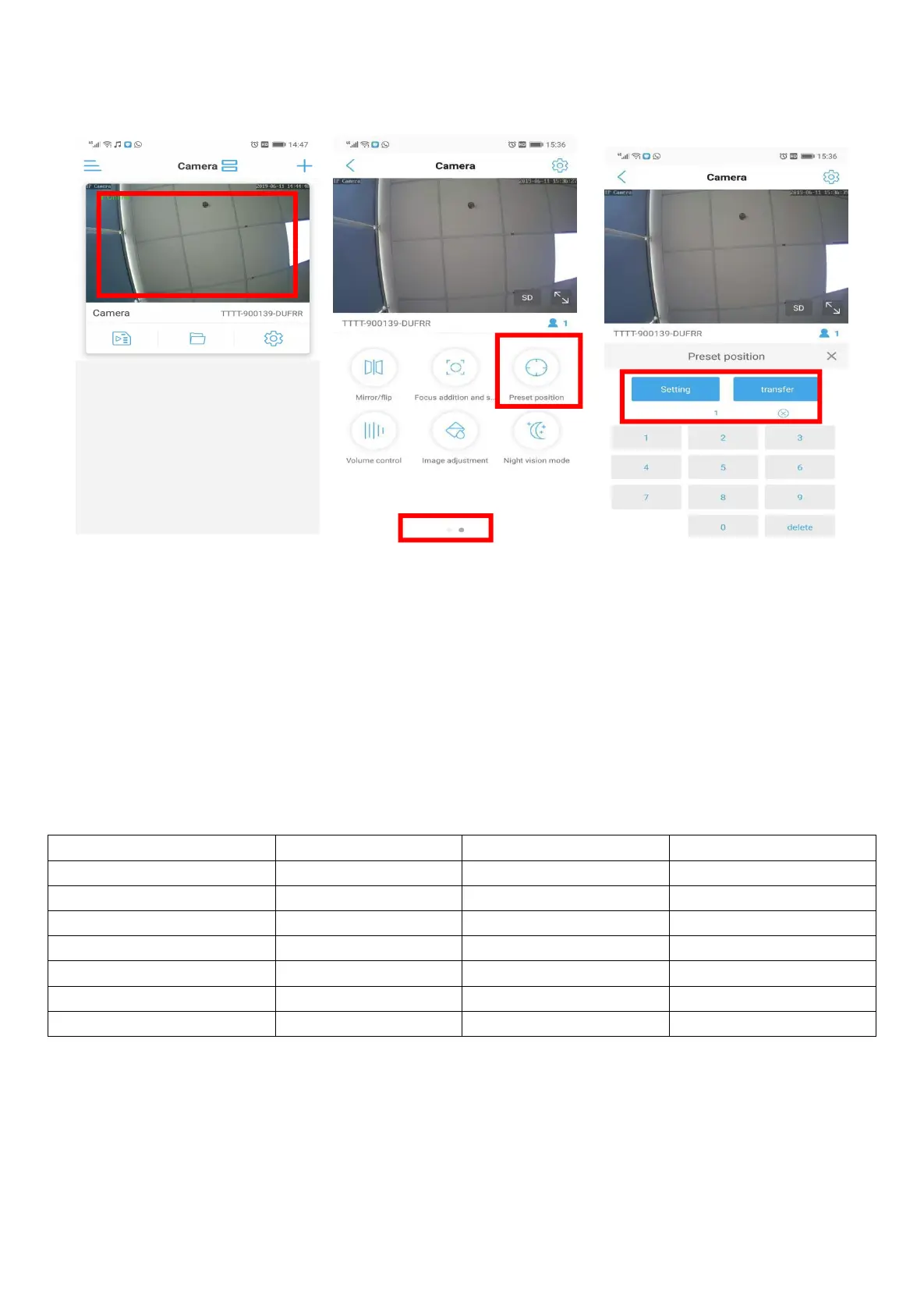
Click the camera into real-time monitor -- turn to next page -- preset position
Number 1-16 means 16 points you want to set up
Adjust the camera rotation to the first point you want to monitor on the app; input "1" and Setting;
Adjust the camera rotation to the second point you want to monitor on the app; input "2" and Setting;
……until set up 16 points……
After you set up 16 points, input "41" and transfer. The camera will auto cruise.
Input "41" and Setting, auto cruise will stop.
There are 8 cruise lines can be set.


 To Next Page