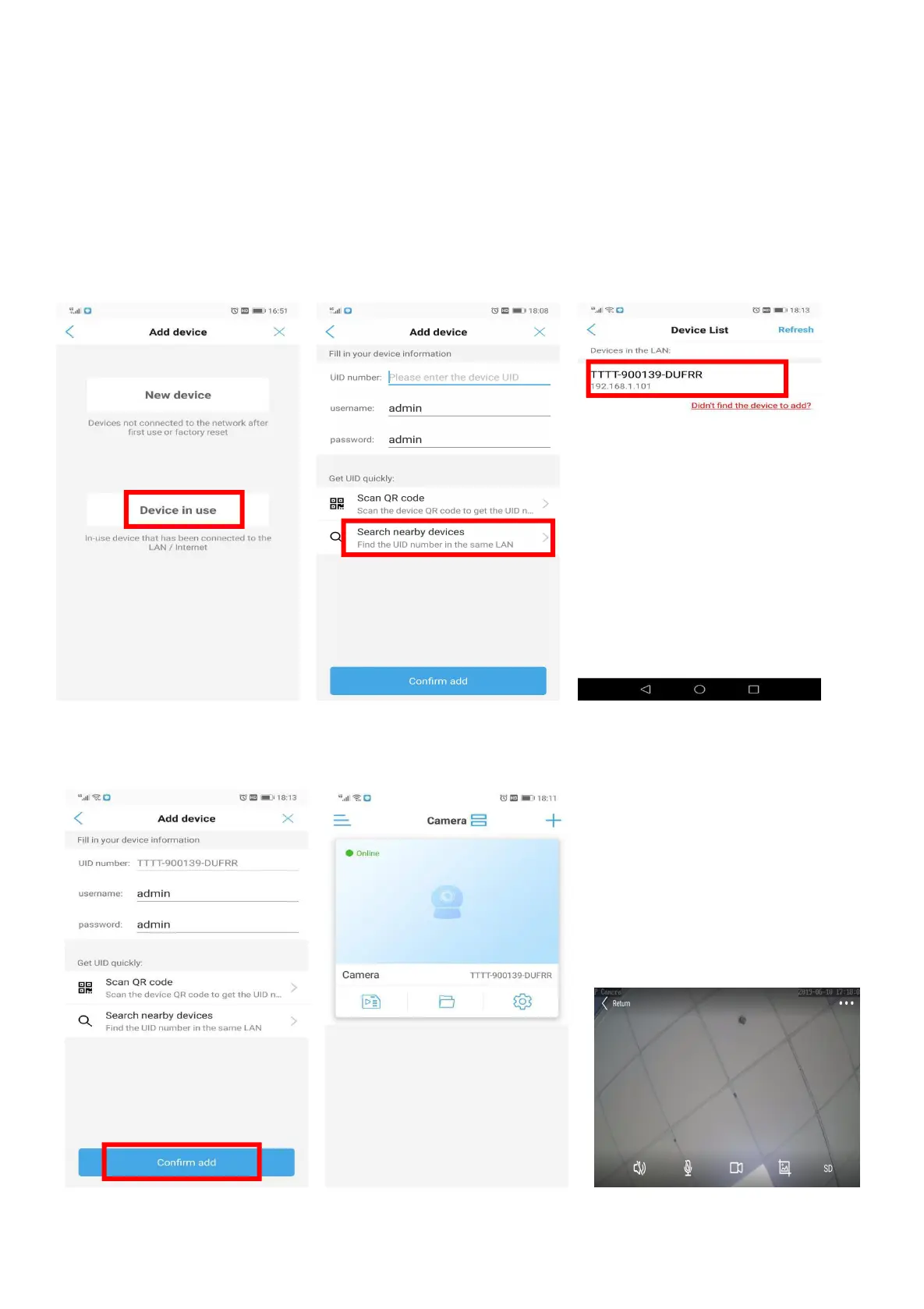
4.3 Connect the Camera by Search Nearby Devices
A)
①Power on the Wi-Fi Camera by Power adapter
②Please make sure that the camera has been connected to router’s Wi-Fi. (Guidance can be found in 4.1.4)
③Please make sure that your cell phone connects the same Wi-Fi as the camera connected.
B) Device in use -- Search nearby devices -- Click the device in the device List -- Confirm add
If there is no camera on the device list, please come close to the camera and refresh.
C) Go back to camera device list. Camera is displayed online, Click camera for real-time preview.


 To Next Page