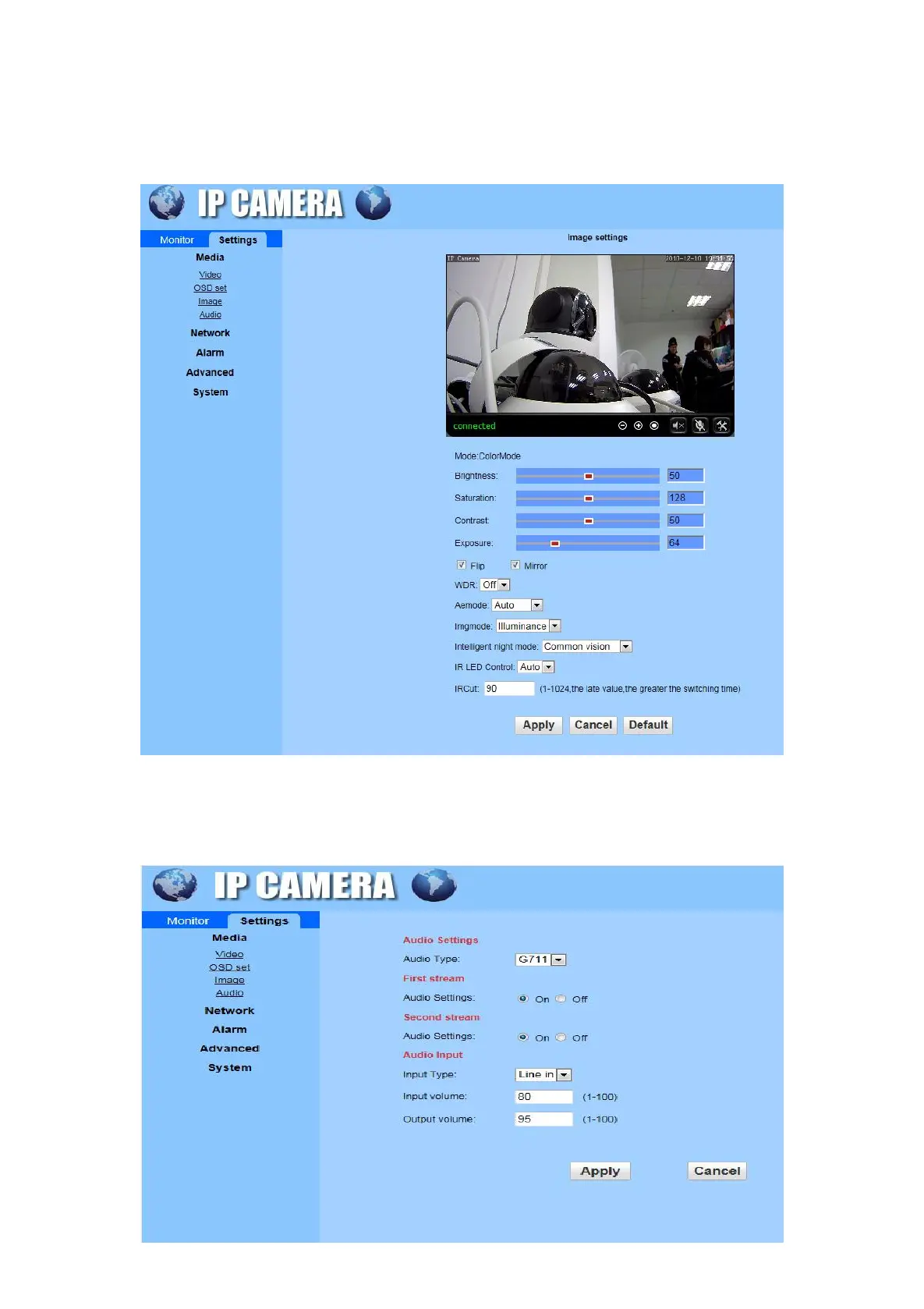
C) Image: Adjust the brightness, saturation, contrast, exposure parameter and set the WDR, Aemode,
Imgmode, Intelligent night mode, IR LED Control, IRCut in this interface. (The camera does not support
full colour night vision and smart night vision currently.)
D) Audio: audio type support G711 / 726 protocol, audio stream selection on/off, audio input type selection,
input / output volume adjustment


 To Next Page