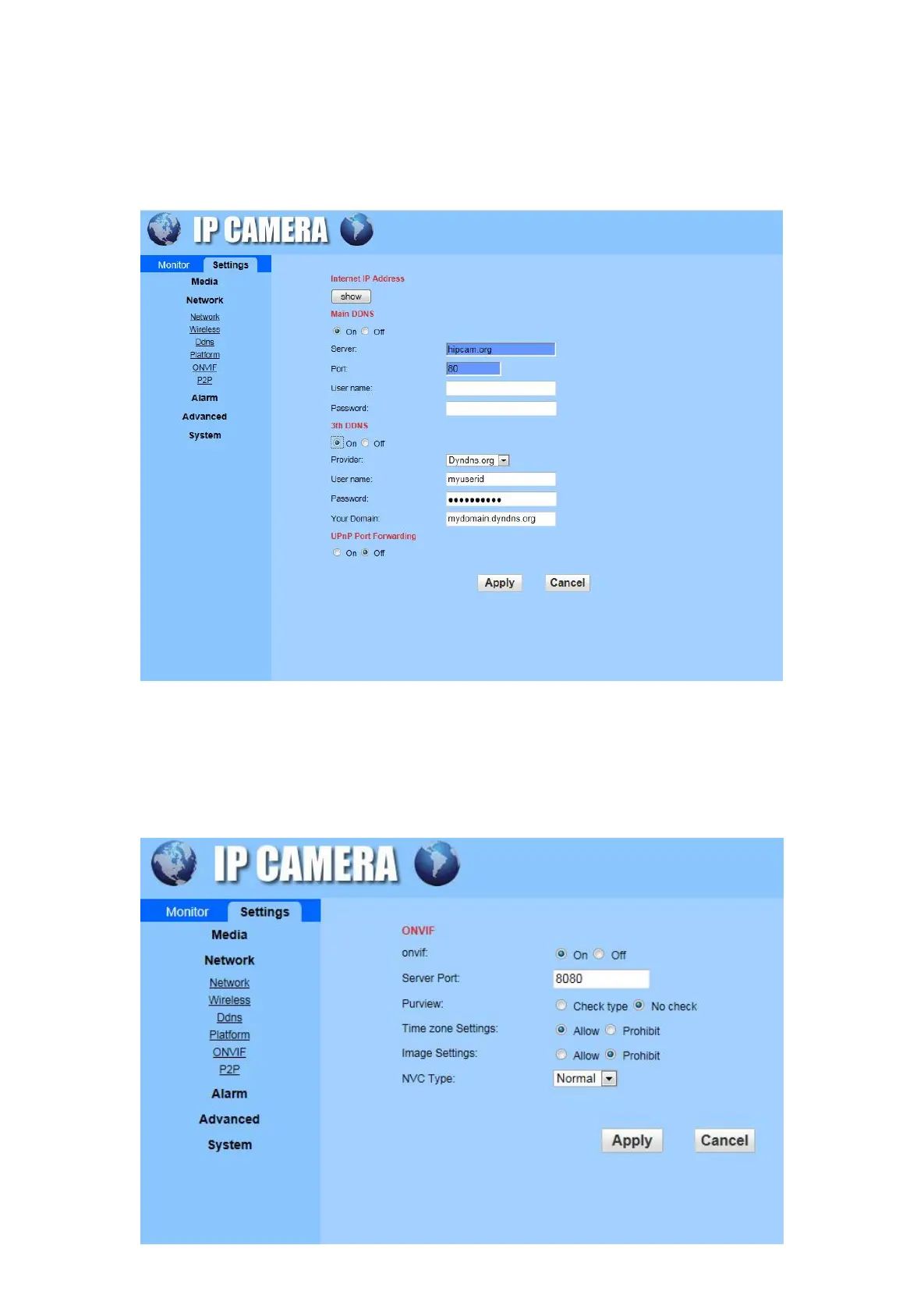
C) DDNS: To set up DDNS (Remote access), It is requesting an dynamic domain name to fill in the
username and password which provided by Service provider. To contact us to get the camera ID
number, each camera username and password will be different. Also you could use a third-party
domain name to set it up.
D) Platform: this function was replaced by P2P, please use P2P to complete your setting.
E) ONVIF: Set the Server Port, Preview, Time zone Setting, Image Setting, NVC Type in this interface.


 To Next Page