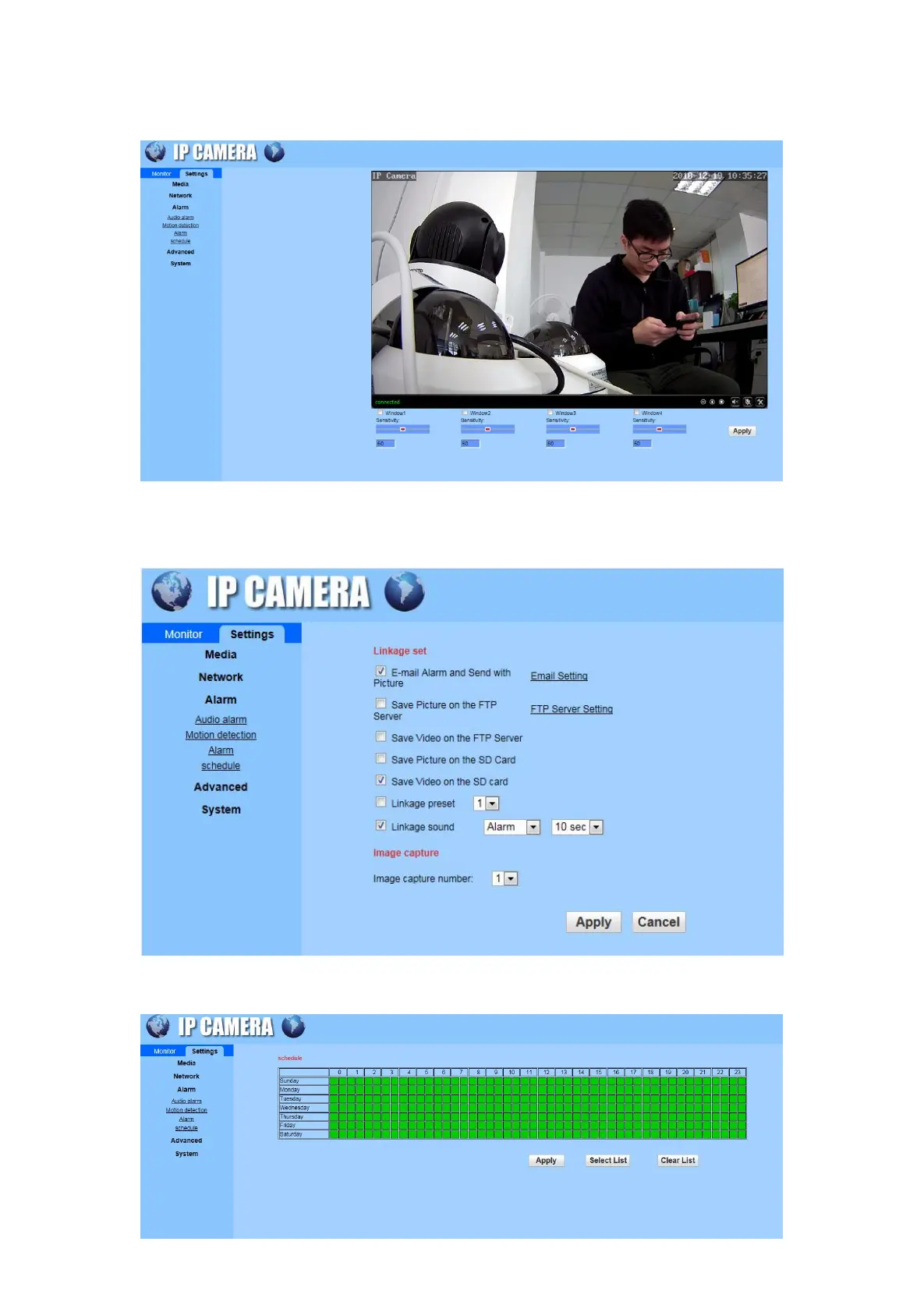
B) Motion detection: There are 4 windows selections under Motion Detection. Select different windows to
display different window positions. Drag the selected window to enlarge the window proportion.
Manually type the sensitivity value or swipe the sensitivity bar to adjust the sensitivity.
C) Alarm: Email setting method is the same as Phone APP. Set the FTP server setting and Image capture
in this interface.
D) Schedule: Select the time and click on the “Apply”.


 To Next Page