EasyManua.ls Logo

York 16 SEER - User Manual

York 16 SEER
10 pages
Print Icon
To Next Page IconTo Next Page
Loading...
Johnson Controls Unitary Products 898147-UUM-B-0713
USER’S INFORMATION MANUAL
SINGLE AND MULTI-ZONE DUCTLESS SYSTEM
AIR CONDITIONER OR HEAT PUMP
MODELS: 16 & 22 SEER
TABLE OF CONTENTS
GENERAL . . . . . . . . . . . . . . . . . . . . . . . . . . . . . . . . . . . . . . . . . . . . . . 1
SAFETY . . . . . . . . . . . . . . . . . . . . . . . . . . . . . . . . . . . . . . . . . . . . . . . . 2
DUCTLESS SYSTEM DEFFINITIONS . . . . . . . . . . . . . . . . . . . . . . . . 2
EQUIPMENT MODEL NUMBERS . . . . . . . . . . . . . . . . . . . . . . . . . . . . 2
DUCTLESS SYSTEM OPERATION . . . . . . . . . . . . . . . . . . . . . . . . . . 3
TYPICAL INSTALLATION . . . . . . . . . . . . . . . . . . . . . . . . . . . . . . . . . 3
REMOTE CONTROL OPERATION . . . . . . . . . . . . . . . . . . . . . . . . . . . 5
GENERAL OPERATION . . . . . . . . . . . . . . . . . . . . . . . . . . . . . . . . . . .6
REMOTE CONTROL BATTERIES REPLACEMENT . . . . . . . . . . . . .6
EMERGENCY OPERATION . . . . . . . . . . . . . . . . . . . . . . . . . . . . . . . .6
MAINTENANCE . . . . . . . . . . . . . . . . . . . . . . . . . . . . . . . . . . . . . . . . . .7
INSTALLATION AND MAINTENANCE OF HEALTHY FILTER . . . . .7
TROUBLESHOOTING . . . . . . . . . . . . . . . . . . . . . . . . . . . . . . . . . . . . .7
LIMITED WARRANTY . . . . . . . . . . . . . . . . . . . . . . . . . . . . . . . . . . . . .9
CONTACT INFORMATION
Go to website at www.york.com, then click on “Contact Us” and
follow the instructions.
Contact us by mail:
Johnson Controls Unitary Products
Consumer Relations
5005 York Drive
Norman, OK 73069
Read this manual and keep for future reference.
GENERAL
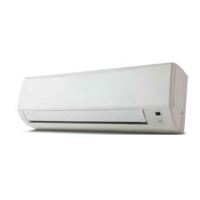
This Manual is a guide to help assist with the operation of this ductless
system. It does not contain the service procedures that have to be per-
formed by a qualified HVAC service technician.
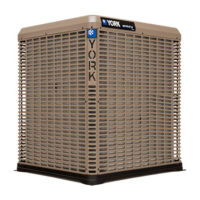
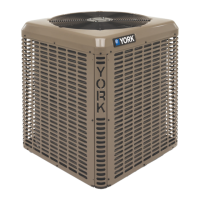
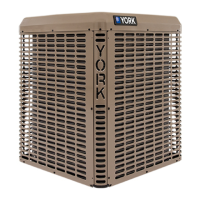
LX SERIES
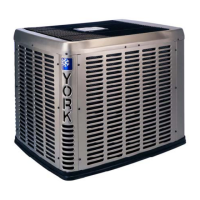
PREMIUM
SERIES
Make sure you read this manual before you start operating your
new ductless system.
After reading this manual, if you still need more information that
may not have been covered in this manual, please contact your
HVAC contractor.
To ensure comfort, make sure that temperature selection has
been properly set at the remote control. To ensure efficient oper-
ation, do not block air intake or outlet at either the indoor or out-
door unit. Also, do not stand nor put items on top of outdoor and
indoor units.
If any issues with your system were to arise, please contact your
HVAC contractor.
Make sure your windows and doors are shut when operating
your ductless system.
The refrigerant inside your ductless product uses PVE oil (Polyvinyl
Ether Oil) that readily absorbs moisture from the atmosphere. To limit
this “hygroscopic” action, the system should remain sealed whenever
possible. If a system has been open to the atmosphere for more than
4 hours, the compressor oil must be replaced. Do not break a vac-
uum with air and always change the driers when opening the system
for component replacement. For specific handling concerns with PVE
oil, contact your HVAC contractor. Failure to follow these recommen-
dations could result in equipment damage.

NOTICE

Questions and Answers

  • P
    paul43Aug 17, 2025
    Why is my York 16 SEER not cooling efficiently?
    • R
      Reginald SmithAug 17, 2025
      Inefficient cooling or heating in your York Air Conditioner can stem from several causes. First, check if the temperature setting is correct. Also, ensure that neither the air inlet nor the air outlet is blocked on either the outdoor or indoor unit. A dirty filter, low fan speed, or windows and doors not being properly shut can also cause this issue. Clean or replace the air filter, adjust the fan speed, and ensure all windows and doors are closed.
  • B
    Brandon MontesAug 20, 2025
    What to do if my York Air Conditioner unit is not operating?
    • M
      Mr. Jacob OlsenAug 20, 2025
      If your York Air Conditioner isn't operating, there are a few things to check. First, make sure the TIMER ON and TIMER OFF features are not being used incorrectly. Next, verify that power is connected and that the circuit breaker hasn't tripped. Finally, check if there is a power shutdown.
  • T
    Teresa HeathAug 23, 2025
    How to fix a York 16 SEER Air Conditioner wireless remote that is not working?
    • L
      lanenicholasAug 23, 2025
      If your York Air Conditioner wireless remote isn't working, first ensure it's pointing directly at the indoor unit's infrared receiver. Check the remote for any damage. If there's no visible damage, try replacing or resetting the batteries. Remove the batteries for 30 seconds, then reinsert them or replace them with new ones.
  • R
    Robert BurnsAug 26, 2025
    Why is the indoor fan on my York 16 SEER Air Conditioner not working?
    • D
      danielle07Aug 26, 2025
      There are several reasons why the indoor fan on your York Air Conditioner might not be working. If you have a heat pump unit in HEAT mode, a timed delay keeps the indoor fan off for two minutes to prevent unheated air from circulating. Wait for the 2-minute delay to complete. Also, in HEAT mode, cold outdoor temperatures and high humidity can cause frost to accumulate on the outdoor unit, initiating a defrost cycle lasting 3–12 minutes during which the indoor fan is off, which is normal. Finally, in DRY mode, the indoor fan may stop to prevent moist air from being delivered to the room; this is expected behavior.
  • A
    Anthony LeeAug 28, 2025
    Why doesn't my York 16 SEER Air Conditioner operate immediately after restarting?
    • K
      kbrightAug 28, 2025
      Your York Air Conditioner might not restart immediately due to a built-in 3-minute delay. The unit control initiates this delay at the end of each cycle to protect the compressor from damage. Wait for 3 minutes before attempting to restart the unit.
  • M
    Maria ReedAug 31, 2025
    How to stop water from leaking from the condensate line of my York 16 SEER Air Conditioner indoor unit?
    • D
      Douglas MooreAug 31, 2025
      If water is leaking from the condensate line at your York Air Conditioner's indoor unit, check the condensate line outside to ensure it is not obstructed. Clear any obstructions in the condensate line. Also, check the condensate line to ensure it hasn't been disconnected from the indoor unit; if it has, reattach it.
  • L
    lopezedwinSep 3, 2025
    Why is my York 16 SEER Air Conditioner leaking water from the outdoor unit?
    • C
      Cassie MurilloSep 3, 2025
      Water leaking from the outdoor unit of your York Air Conditioner can be a normal occurrence. During operation in high humidity, condensate can form on the cold outdoor refrigerant pipes. Additionally, if your unit is a heat pump operating in defrost mode, ice will thaw from around the outdoor coil, causing water to flow from the unit. Both of these situations are considered normal.
  • J
    Javier CoxSep 5, 2025
    What causes a whoosh or gurgling noise in my York Air Conditioner indoor unit?
    • A
      Angela HallSep 6, 2025
      A whooshing or gurgling noise in your York Air Conditioner's indoor unit can be caused by the sound of refrigerant in the indoor coil when the outdoor unit starts or stops. This is not a malfunction.
  • A
    Ana KleinSep 8, 2025
    Why is mist coming out of my York 16 SEER indoor unit?
    • A
      Amber MilesSep 8, 2025
      Mist coming from the indoor unit of your York Air Conditioner during cooling operation can occur when the indoor temperature and humidity are very high, and the air is being cooled quickly. The mist should disappear as the indoor temperature and humidity are lowered.
  • L
    Lisa AtkinsonSep 12, 2025
    Why does my York 16 SEER Air Conditioner make a creaking or popping noise when it starts or stops?
    • J
      joseph52Sep 12, 2025
      A creaking or popping noise from your York Air Conditioner when it starts or stops is normal. The plastic components of the indoor units sometimes expand and contract when they are heated and cooled, causing these noises.

Summary

Ductless System Definitions

Single Split System

Defines a system with one outdoor and one indoor unit controlled remotely.

Multi-Split System

Defines a system with one outdoor unit and two to five indoor units, each controlled separately.

Ductless System Operation

Multi-Split Application Operation

Explains operation for multi-split systems based on zone demand initiation.

Cooling Mode Operation

Describes how the indoor coil absorbs room heat and transfers it outdoors.

Heating Operation

Details how the outdoor coil absorbs outside heat and transfers it indoors.

Auto Mode Operation

Explains automatic mode where system switches between heating and cooling.

Fan Mode Operation

Describes operation when the system is set to fan mode only.

Dry Mode Operation

Explains operation in dry mode for indoor air moisture removal.

Typical Installation

Single Split Installation Diagram

Illustrates the typical installation of a single indoor and outdoor unit with components.

Remote Control Operation

Basic Control Functions

Covers power, mode, temperature, fan speed, and louver control.

Advanced Features

Details I FEEL, X-FAN, Sleep, Clock, and C/F unit switching.

Timer and Lock Functions

Timer ON;OFF Buttons

Explains how to initiate or cancel single timed ON or OFF events.

Remote Lock Function

Describes how to lock or unlock the remote control buttons.

Temperature and Light Buttons

Details using TEMP button for display and LIGHT for unit display.

Remote Control Batteries Replacement

Battery Replacement Procedure

Step-by-step guide to replace the two AAA batteries in the remote control.

Emergency Operation

Manual and Code Switch Operation

Explains how to operate the system using manual or code switches.

Maintenance

Outdoor Unit Maintenance

Covers cleaning, inspection, and checking connections for the outdoor unit.

Indoor Unit Maintenance

Details cleaning or changing filters, checking wiring, and cleaning coils.

Installation and Maintenance of Healthy Filter

Healthy Filter Installation

Instructions for lifting the front panel and attaching the healthy filter.

Healthy Filter Cleaning

Guidance on removing, cleaning, and drying the healthy filter.

Troubleshooting

Error Code Display

Explains how error codes are displayed and how to reset the system.

Common Problem Causes

Lists common issues and their possible causes for system operation.

Limited Warranty

Warranty Terms and Exclusions

Details warranty coverage, limitations, and conditions for the product.

Product Registration

Information on how to register the product to initiate the warranty period.

Warranty Service or Repair

Instructions on how to obtain warranty service or repair for the unit.

York 16 SEER Specifications

General IconGeneral
BrandYork
Model16 SEER
CategoryAir Conditioner
LanguageEnglish

Related product manuals