4. CHANNEL MON CONTROL
Each channel has a MON (monitor send) control which varies the
amount of channel signal being tapped off and sent to the monitor bus in
the
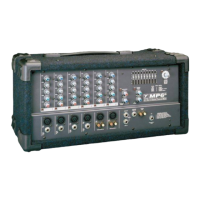
MP6D
. The MON signal is pre-fader and pre-EQ, in other words it is
taken before the GAIN and EQ controls so that the main mix can be
EQ'd independently of the monitor mix. As a result, channel EQ settings
do not affect the sound of the monitor signals, nor do the channel GAIN
controls regulate their volume. (Note: with an independent monitor mix,
it may be beneficial to connect a graphic equalizer to the MONITOR
output for feedback control. Also, remember that to turn a channel off
completely, you must turn off both the GAIN and MON controls).
5. CHANNEL EFX CONTROL
Each channel has an EFX (effects send) control which adjusts the level of
the channel signal being tapped off and sent to the
MP6D
effects bus.
This signal is post-fader and post-EQ; in other words both the channel
EQ controls and the channel GAIN control affect it. Normally, the output
signal from the effects bus is internally routed to the DIGITAL EFFECTS
PROCESSOR. In this situation, the EFX control would regulate the inten-
sity of the built-in effects as it is heard on that channel's sound through
the main PA system and the RECORD OUT jacks. In standard operating
mode with the built-in effects working, you would connect a regular
on/off footswitch (e.g. Yorkville model IFS-1A) to the EFX FOOTSWITCH/SEND jack to turn
the internal effects on and off. See the section on this feature later in the manual for more
information. Alternatively, this signal can be connected to the input of an external effects unit
and returned via channel to any channel. If the effects unit uses 1/4" plugs, you would connect
the output of the unit to any one of the BALANCED LINE IN jacks. In this mode, the internal
effect is not bypassed, so if you are not planning to use an internal effect, you must turn down
the MAIN EFFECTS and MONITOR EFFECTS Master controls. Also, if you do not require any
effects at all, the effects bus output signal can be connected to the input of an additional moni-
tor system or other amp/speaker system via the EFX FOOTSWITCH/SEND jack using a stan-
dard shielded patch cord. In this case, the EFX controls would act as send controls to achieve
a semi-separate mix (remember the channel GAIN controls will also affect this signal).
MASTER SECTION
1. MAIN MASTER CONTROL & CLIP LED
The MAIN MASTER control adjusts the overall level of the main mix and the PA volume.
Beside this control is a CLIP LED that indicates high signal levels within the main mixing bus.
Reduce the MAIN MASTER or the channel GAIN settings if the MAIN CLIP LED is more than
slightly active. (Note: to ensure maximum signal headroom and clarity, operate the mixer with
the MAIN MASTER set at around 7 or so. This way, you will be running the channel GAIN
controls at lower settings, which helps to ensure that the channels do not clip).
2. MONITOR MASTER CONTROL
The overall level of the monitor mix is adjusted with the MONITOR MASTER control. Beside it is a
CLIP LED that indicates high signal levels within this bus. Reduce the MONITOR MASTER or the
channel MON levels if the MONITOR CLIP LED is more than slightly active. (Note: as with the MAIN
MASTER, keep the MONITOR MASTER at a relatively high setting to prevent clipping the bus).
3. MAIN EFFECTS MASTER CONTROL
The MAIN EFX master control regulates the amount of signal going from the output of the
internal DIGITAL EFFECTS PROCESSOR to the MAIN mixing bus where it is mixed with the
dry signals direct from the channels. It controls overall effects intensity on the MAIN LINE
OUT signal and RECORD OUT signal, as well through the main PA speakers.
4. MONITOR EFFECTS MASTER
The MONITOR EFX master control regulates the amount of signal going from the output of the
internal DIGITAL EFFECTS PROCESSOR to the MONITOR mixing bus where it is mixed with
the dry signals direct from the channel MON send controls. It controls overall effects intensity
of the MONITOR LINE OUT signal.
2


 To Next Page
 Loading...