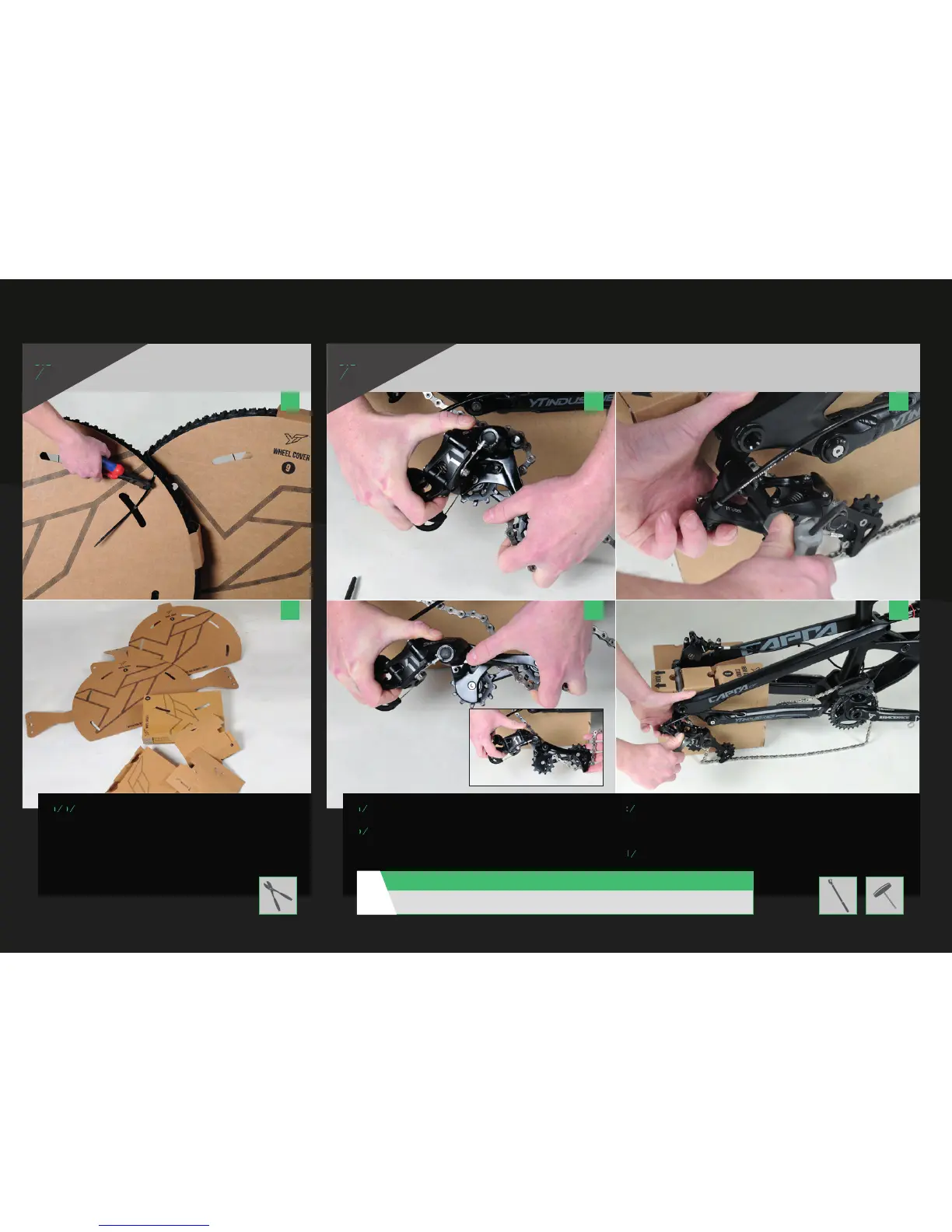
REMOVE WHEELS
FROM PACKAGING
INSTALLING THE REAR DERAILLEUR
a
Cut the cable ties using wire cutters and
remove the cardboard packaging.
a a c
b b d
a
Open the rear derailleur cage by holding the derailleur body with one hand,
and turning the cage forward with your other hand.
b
The rear derailleur cage is locked by pressing and holding the small button
with the lock symbol. The rear derailleur will then stay open.
c
Mount the derailleur using the Torx T25 (for 1x11) or 5 mm Allen wrench
(for 2x10) on the derailleur hanger.
Please make sure the bolt is perpendicular to the hanger to avoid damaging
the thread.
d
Tighten the rear derailleur by hand to the manufacturer’s torque spec.
ASSEMBLY INSTRUCTIONS
STEP
05
During assembly, please adhere to the torque specifi cations of the manufacturers: 8 - 10 Nm
CAUTION:
!



 To Next Page