PAIRING YOUR ZAGG Keyboard Case
Pairing the Keyboard Case with your G Pad is easy. The Keyboard Case should
only need to be paired once, using the following directions. If the connection
between your tablet and Keyboard Case is ever lost, simply repeat these steps.
1. On your tablet select: SETTINGS > BLUETOOTH > ON.
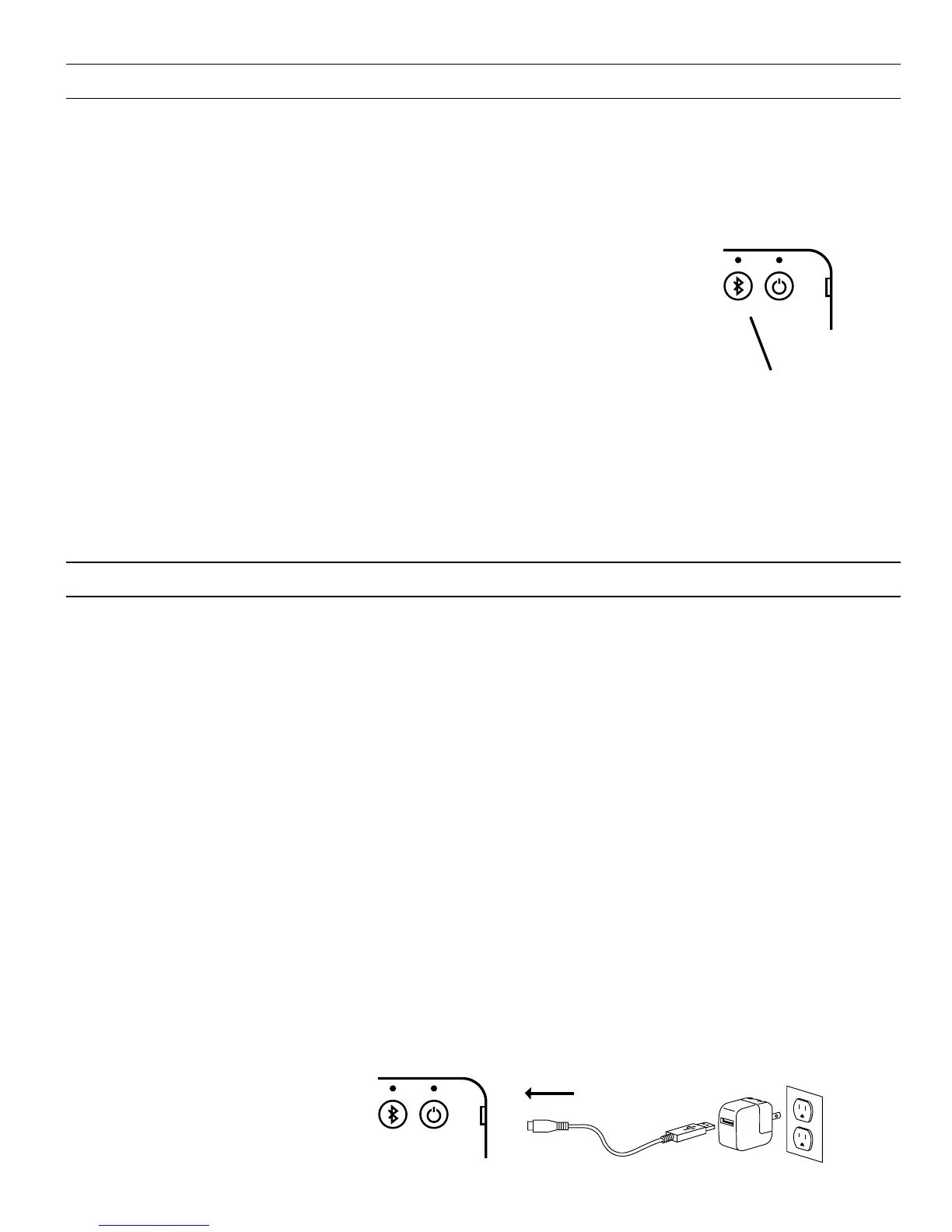
2. Press the Bluetooth button on your Keyboard Case —
the Bluetooth button is located in the upper right corner
next to the Power button. A blue LED above the Bluetooth
button will begin flashing and will continue
to flash until your Keyboard Case and tablet are paired.
3. Your tablet’s Bluetooth
menu will display “ZAGG Keyboard Case”
as an available device. Select it to complete pairing.
If your G Pad doesn’t show “ZAGG Keyboard Case”, select Scan on your
tablet’s Bluetooth menu to search for it.
2
CHARGING
Your Keyboard Case features a powerful lithium polymer battery that lasts up to
three months of normal use between charges*. It comes with a charging cable
you can use to charge it quickly and conveniently. To charge your Keyboard Case,
follow these steps:
1. Plug the micro USB end of the charging cable into the charging port located
on the side of the keyboard, just under the Power button.
2. Plug the USB end of the cable into any USB outlet (including a ZAGGsparq,
your computer, a wall outlet converter, etc.).
3. The LED above the Power button will illuminate to indicate the Keyboard
Case is charging. Wait until this light turns o, indicating a full charge. It
usually takes 2-4 hours to completely charge your Keyboard Case.
4. When your Keyboard Case is fully charged, remove the micro USB connector
and enjoy your Keyboard Case for up to three months before you need to
charge it again.
* Based on normal use of approximately 2-3 hours per day.
CHARGING PORT
POWER BUTTON
BLUETOOTH BUTTON



 To Next Page