6
BATTERY LIFE
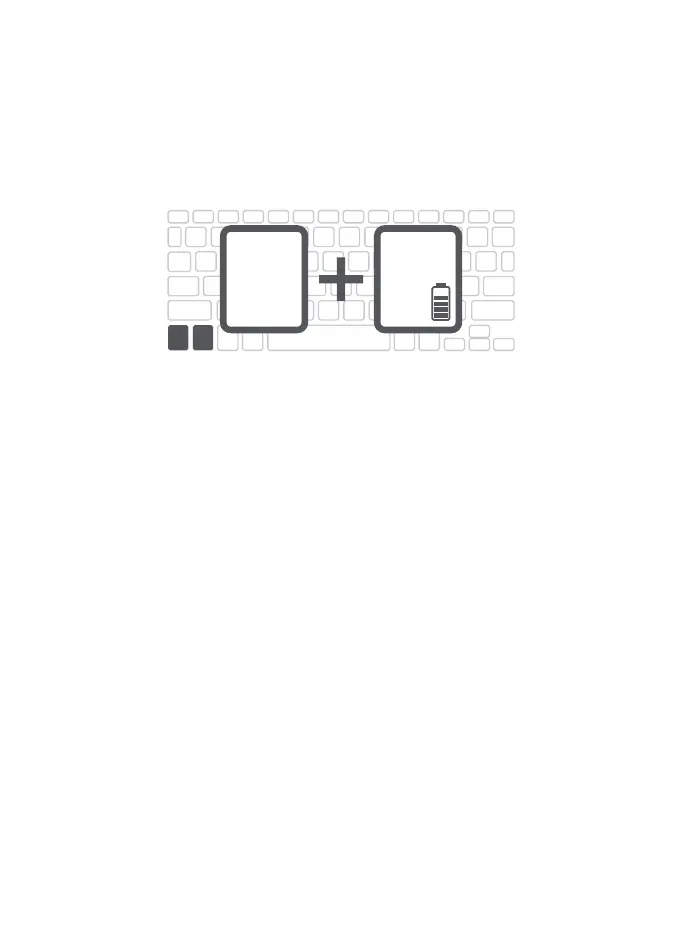
To check the remaining battery power on your Messenger Folio
2 keyboard, press fn + (battery key). The LED indicator will flash
one of three ways:
• 3 green flashes = 50% or more battery life
• 3 yellow flashes = 25-49% battery life
• 3 red flashes = less than 25% battery life
To help preserve battery life, the Messenger Folio 2 will enter sleep mode if left on
and not used for several minutes. Press any key to wake it. The Messenger Folio 2’s
battery has no memory and may be charged whenever you wish.
fn
ctrl



 To Next Page