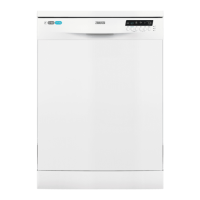
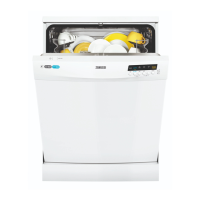
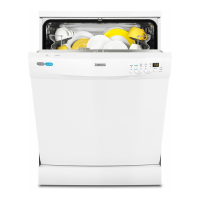
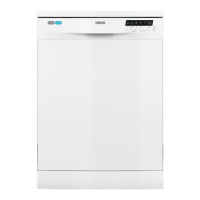
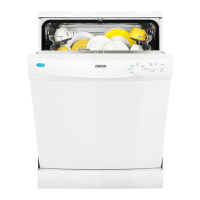
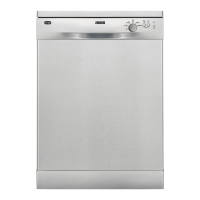
This document is a user manual for a Zanussi dishwasher, model ZDF26020XA, providing instructions for installation, safe operation, maintenance, and troubleshooting.
Function Description
The Zanussi dishwasher is designed for household use to clean crockery, cutlery, pots, and pans. It offers various washing programs tailored to different levels of soil and types of load, aiming for efficient water and energy consumption. The appliance features a water softener system to optimize washing results based on water hardness, and a rinse aid dispenser to prevent streaks and aid drying. An AirDry function is integrated to improve drying performance by automatically opening the appliance door during the drying phase. The dishwasher also includes indicators for salt and rinse aid levels, alerting the user when refills are needed.
Usage Features
The dishwasher operates through a control panel with an on/off button, a display, indicators, and program selection buttons.
Program Selection and Start:
To begin, the user enters the program selection mode by pressing the on/off button. The ECO program indicator flashes, and the display shows the program duration. Users can then select a program based on the soil level and load type. Available programs include:
- ECO: For normal soil, crockery, and cutlery, offering the most efficient use of water and energy.
- AUTO: Automatically adjusts temperature and water quantity based on soil level and load for all crockery, cutlery, pots, and pans.
- Heavy Soil: For heavily soiled crockery, cutlery, pots, and pans.
- 30' Quick Wash: For fresh soil, crockery, and cutlery, providing good washing results in a short time.
- Delicate: For normal or light soil, delicate crockery, and glassware.
Once a program is selected, any applicable options can be set, and the door is closed to start the cycle.
Detergent, Salt, and Rinse Aid:
Before starting a program, the user needs to load the baskets, add detergent, and ensure the salt and rinse aid containers are filled if their respective indicators are on. The manual advises using special salt and rinse aid for dishwashers. For multi-tabs, the water softener level should be adjusted to the lowest setting. If switching from multi-tabs to separate detergents, a specific procedure involving setting the water softener to the highest level, filling salt and rinse aid containers, and running a short rinsing program is recommended.
Options:
- Delay Option: Allows the user to set a delay for the program start, from 1 to 24 hours. The delay time flashes on the display, and the countdown decreases hourly until the program starts.
- XtraDry Option: Boosts drying performance. This is a permanent option for all programs except ECO and does not need to be selected in every cycle. It can be activated in program selection mode by pressing and holding specific buttons until the XtraDry indicator turns on.
Auto Off Function:
This function automatically deactivates the appliance to save energy. It activates 5 minutes after a program completes or if a program has not started within 5 minutes.
Opening the Door During Operation:
Opening the door while a program is running will pause the appliance, potentially affecting energy consumption and program duration. The appliance resumes from the point of interruption once the door is closed.
AirDry Function:
This feature improves drying by automatically opening the appliance door during the drying phase, keeping it ajar. While activated by default for most programs, it can be deactivated in user mode. A caution is provided regarding children's access when AirDry is active, as the open door may pose a danger.
Maintenance Features
Regular maintenance is crucial for optimal performance and longevity of the dishwasher.
Cleaning the Filters:
The filters (flat filter, main filter, and microfilter) should be checked regularly and cleaned if clogged, as dirty filters can decrease washing results. The manual provides step-by-step instructions for disassembling, cleaning, and reassembling the filters, emphasizing the importance of correct positioning to avoid damage and poor washing results.
Cleaning the Spray Arms:
The spray arms should also be checked for clogged holes. Any remaining soil can be removed with a thin pointed object. The manual states that the spray arms should not be removed for cleaning.
External Cleaning:
The appliance's exterior should be cleaned with a moist, soft cloth using only neutral detergents. Abrasive products, cleaning pads, or solvents should be avoided.
Internal Cleaning:
The interior, including the rubber gasket of the door, should be cleaned with a soft damp cloth. To prevent limescale deposits, it is recommended to run long-duration programs at least twice a month. Monthly use of a specific dishwasher cleaning product is also advised to maintain performance.
Adjusting the Water Softener:
The water softener level needs to be adjusted according to the local water hardness to ensure good washing results. This adjustment is done in user mode by pressing the ECO button repeatedly until the desired level is displayed, then confirming with the on/off button. The manual includes a water hardness table to guide users in setting the correct level.
Deactivating Rinse Aid Empty Notification:
If multi-tabs with rinse aid are used and the user is satisfied with the drying results, the rinse aid empty notification can be deactivated in user mode. However, using rinse aid is generally recommended for best drying performance.
Troubleshooting:
The manual includes a comprehensive troubleshooting section with common problems, alarm codes, and possible causes and solutions. This allows users to address issues like the appliance not starting, not filling or draining water, or displaying specific alarm codes (e.g., 10, 11, 20, 30). It also covers problems related to washing and drying results, such as poor cleaning, streaks, stains, wet dishes, and odors. For issues not covered or persistent problems, users are advised to contact an Authorized Service Centre.



 To Next Page
 General
 Weight and Dimensions