EasyManua.ls Logo

Zanussi ZDF26004XA - User Manual

Zanussi ZDF26004XA
20 pages
Print Icon
To Next Page IconTo Next Page
Loading...
GETTING
STARTED?
EASY.
User Manual
ZDF26004XA
ZDF26004WA
EN User Manual
Dishwasher

Other manuals for Zanussi ZDF26004XA

Questions and Answers

Summary

SAFETY INFORMATION

CHILDREN AND VULNERABLE PEOPLE SAFETY

Safety guidelines for children and vulnerable individuals using the appliance.

GENERAL SAFETY

General safety precautions and intended use of the appliance.

SAFETY INSTRUCTIONS

INSTALLATION

Instructions and warnings for the correct installation of the appliance.

ELECTRICAL CONNECTION

Guidelines for safe electrical connection, including earthing and plug usage.

WATER CONNECTION

USE

INTERNAL LIGHTING

SERVICE

DISPOSAL

CONTROL PANEL

INDICATORS

Explanation of the meaning and function of various indicator lights.

PROGRAMMES

Details on the available washing programmes and their characteristics.

INFORMATION FOR TEST INSTITUTES

SETTINGS

PROGRAMME SELECTION MODE

How to enter and use the programme selection mode.

CANCEL FUNCTION

Procedure to cancel a running programme or delay.

USER MODE

How to access and modify user-specific appliance settings.

ADJUSTING THE WATER SOFTENER

Guide to setting the water softener level based on water hardness.

THE WATER HARDNESS TABLE

Table correlating water hardness levels with water softener settings.

REGENERATION PROCESS

RINSE AID NOTIFICATION SETTINGS

AIRDRY SETTINGS

BEFORE FIRST USE

ADDING SALT

Instructions for filling the salt container before initial use.

ADDING RINSE AID

Instructions for filling the rinse aid dispenser before initial use.

DAILY USE

ADDING DETERGENT

How to add detergent for daily washing cycles.

ADDING MULTI-TABLETS

THE AUTO OFF FUNCTION

STARTING A PROGRAMME

XTRADRY OPTION

DELAY OPTION

OPENING THE DOOR WHILE THE APPLIANCE OPERATES

HINTS AND TIPS

GENERAL

Tips for efficient use, loading, pre-rinsing, and energy saving.

THE WATER SOFTENER

Detailed explanation of the water softener's function and adjustment.

USING SALT, RINSE AID AND DETERGENT

Recommendations on using specific cleaning agents for optimal results.

STOPPING MULTI-TABLETS USE

LOADING THE BASKETS

BEFORE STARTING A PROGRAMME

UNLOADING THE BASKETS

CARE AND CLEANING

CLEANING THE FILTERS

CLEANING THE SPRAY ARMS

EXTERNAL CLEANING

INTERNAL CLEANING

REMOVAL OF FOREIGN OBJECTS

TROUBLESHOOTING

WASHING AND DRYING RESULTS

TECHNICAL INFORMATION

ENVIRONMENTAL CONCERNS

Summary

SAFETY INFORMATION

CHILDREN AND VULNERABLE PEOPLE SAFETY

Safety guidelines for children and vulnerable individuals using the appliance.

GENERAL SAFETY

General safety precautions and intended use of the appliance.

SAFETY INSTRUCTIONS

INSTALLATION

Instructions and warnings for the correct installation of the appliance.

ELECTRICAL CONNECTION

Guidelines for safe electrical connection, including earthing and plug usage.

WATER CONNECTION

USE

INTERNAL LIGHTING

SERVICE

DISPOSAL

CONTROL PANEL

INDICATORS

Explanation of the meaning and function of various indicator lights.

PROGRAMMES

Details on the available washing programmes and their characteristics.

INFORMATION FOR TEST INSTITUTES

SETTINGS

PROGRAMME SELECTION MODE

How to enter and use the programme selection mode.

CANCEL FUNCTION

Procedure to cancel a running programme or delay.

USER MODE

How to access and modify user-specific appliance settings.

ADJUSTING THE WATER SOFTENER

Guide to setting the water softener level based on water hardness.

THE WATER HARDNESS TABLE

Table correlating water hardness levels with water softener settings.

REGENERATION PROCESS

RINSE AID NOTIFICATION SETTINGS

AIRDRY SETTINGS

BEFORE FIRST USE

ADDING SALT

Instructions for filling the salt container before initial use.

ADDING RINSE AID

Instructions for filling the rinse aid dispenser before initial use.

DAILY USE

ADDING DETERGENT

How to add detergent for daily washing cycles.

ADDING MULTI-TABLETS

THE AUTO OFF FUNCTION

STARTING A PROGRAMME

XTRADRY OPTION

DELAY OPTION

OPENING THE DOOR WHILE THE APPLIANCE OPERATES

HINTS AND TIPS

GENERAL

Tips for efficient use, loading, pre-rinsing, and energy saving.

THE WATER SOFTENER

Detailed explanation of the water softener's function and adjustment.

USING SALT, RINSE AID AND DETERGENT

Recommendations on using specific cleaning agents for optimal results.

STOPPING MULTI-TABLETS USE

LOADING THE BASKETS

BEFORE STARTING A PROGRAMME

UNLOADING THE BASKETS

CARE AND CLEANING

CLEANING THE FILTERS

CLEANING THE SPRAY ARMS

EXTERNAL CLEANING

INTERNAL CLEANING

REMOVAL OF FOREIGN OBJECTS

TROUBLESHOOTING

WASHING AND DRYING RESULTS

TECHNICAL INFORMATION

ENVIRONMENTAL CONCERNS

Overview

This document is a user manual for a Zanussi dishwasher, models ZDF26004XA and ZDF26004WA. It provides comprehensive instructions for installation, safe operation, maintenance, and troubleshooting, ensuring optimal performance and longevity of the appliance.

Function Description

The Zanussi dishwasher is designed for household use, offering efficient cleaning and drying of crockery, cutlery, pots, and pans. It features a water softener system to manage water hardness, which is crucial for achieving good washing results and protecting the appliance from limescale buildup. The appliance includes various wash programmes tailored to different soil levels and load types, such as "ECO" for normal soil, "AUTO" for mixed loads with varying soil levels, a heavy soil programme, a quick programme for fresh soil, and a prewash programme for rinsing off food remains. An "XtraDry" option is available to enhance drying performance, and an "AirDry" function automatically opens the door during the drying phase to improve results and reduce energy consumption.

Usage Features

The dishwasher's control panel includes an on/off button, a display, indicators for XtraDry, rinse aid, and salt, a delay button, and programme buttons. To begin, the appliance must be in programme selection mode, typically indicated by the "ECO" programme light and the programme duration on the display. If not, a "CANCEL" procedure can be performed by pressing and holding the "AUTO" and programme buttons until the appliance returns to selection mode. Users can select a programme by pressing the corresponding button, which will then flash, and the display will show the programme duration. Options like "XtraDry" and "Delay" can be set before starting a programme. The "Delay" option allows users to postpone the start of a programme by 1 to 24 hours. For optimal performance, it is essential to fill the salt container with special dishwasher salt and the rinse aid dispenser with special rinse aid. The water softener level should be adjusted according to the local water hardness to ensure effective cleaning and prevent limescale. The manual provides a water hardness table to guide this adjustment. Detergent should be added to the dispenser, with a small amount placed on the inner part of the door if a prewash phase is included in the selected programme. Multi-tablets can also be used, but the water softener level should be set to the lowest level when using them. Loading the baskets correctly is crucial for good washing results. Items should be arranged to ensure water can reach all surfaces, and sharp cutlery should be placed with points down or horizontally. Light items should be placed in the upper basket to prevent movement during the cycle. Opening the door during a programme will pause the appliance, potentially affecting energy consumption and programme duration. The "AirDry" function, when active, will automatically open the door during the drying phase. If the door is opened manually during the drying phase before "AirDry" activates, the programme will end after 30 seconds. If the door is closed after "AirDry" has opened it, the programme ends after 3 minutes. It is advised not to close the door within 2 minutes of "AirDry" activation to avoid damage.

Maintenance Features

Regular maintenance is vital for the dishwasher's performance and includes cleaning the filters, spray arms, and the appliance's interior and exterior. The filters, located in the sump, should be checked and cleaned regularly to prevent food residues or soil from affecting washing results. The manual provides detailed steps for disassembling, cleaning, and reassembling the filters. The spray arms should be checked for clogged holes, and any remaining soil can be removed with a thin pointed object. For external cleaning, a moist soft cloth and neutral detergents are recommended, avoiding abrasive products or solvents. Internal cleaning involves wiping the appliance, including the rubber gasket of the door, with a soft damp cloth. To prevent grease and limescale deposits, especially with frequent use of short programmes, it is recommended to run long-duration programmes at least twice a month or use a specific dishwasher cleaning product monthly, following the product's instructions. Foreign objects, such as glass pieces or toothpicks, should be removed from the filters and sump after each use to prevent damage to the drain pump and maintain cleaning performance. If objects cannot be removed, an Authorised Service Centre should be contacted. The water softener system undergoes a regeneration process automatically, which is part of normal operation. This process ensures the resin in the softener device remains effective. The manual explains how this process might affect programme duration and water/energy consumption. The manual also provides troubleshooting information for common issues, including alarm codes displayed on the appliance, and suggests solutions before contacting an Authorised Service Centre. It emphasizes that improper repairs can be dangerous and should only be performed by qualified personnel.

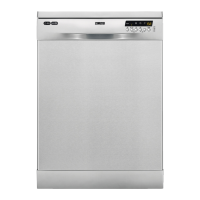
Zanussi ZDF26004XA Specifications

General IconGeneral
Door colorStainless steel
Water fillCold, Hot
Cord length1.5 m
Control typeButtons, Rotary
Product sizeFull size (60 cm)
Built-in displayYes
Appliance placementFreestanding
Cycle time227 min
Noise level49 dB
Delay start (max)24 h
Dishwashing programsAuto 45-70°C, Eco, Intensive, Pre-rinse, Quick
Number of place settings13 place settings
Number of washing programs5
Number of temperature settings4
Feet adjustment10 mm
Current10 A
Connected load1950 W
AC input voltage220 - 240 V
AC input frequency50 Hz
Energy efficiency scaleA to G
Power consumption (off)0.5 W
Water consumption per cycle11 L
Energy consumption per cycle1.039 kWh
Weight and Dimensions IconWeight and Dimensions
Depth625 mm
Width600 mm
Height850 mm

Related product manuals