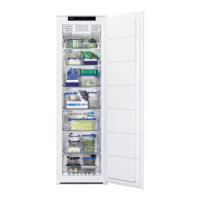
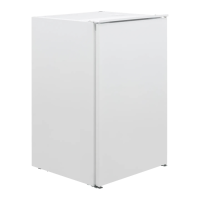
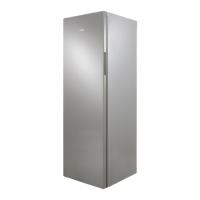
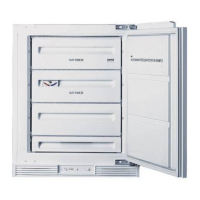
This document serves as a user manual for the Zanussi ZUNN26FW and ZUNN26FX freezer models, providing comprehensive information on installation, safe operation, daily use, maintenance, and troubleshooting. It emphasizes ease of use, as indicated by the "GETTING STARTED? EASY." slogan on the cover.
Function Description
The Zanussi ZUNN26FW and ZUNN26FX are freezer appliances designed for freezing fresh food and storing frozen and deep-frozen food for extended periods. The freezer compartment is frost-free, eliminating the need for manual defrosting as there is no build-up of frost on internal walls or food items during operation.
The appliance features a control panel with a display that shows the set temperature and various indicators for functions like FastFreeze, Timer, Alarm, ChildLock, and DrinksChill. It allows users to regulate the temperature within a range of -15°C to -24°C, with a default recommended setting of -18°C.
Usage Features
The manual highlights several key usage features to enhance convenience and food preservation:
- Temperature Regulation: Users can easily set the desired temperature for the freezer compartment using dedicated temperature regulators on the control panel. The display shows the current set temperature.
- FastFreeze Function: This function is designed for pre-freezing and fast freezing of fresh food. Activating FastFreeze accelerates the freezing process, helping to preserve the quality of fresh food and protect already stored items from undesirable warming. It is recommended to activate this function at least 24 hours before placing fresh food in the freezer. The function stops automatically after 52 hours but can be manually deactivated earlier.
- ChildLock Function: To prevent unintentional operation, the appliance includes a ChildLock function that locks the control panel buttons. This feature is activated and deactivated via the Mode and OK buttons.
- DrinksChill Function: This unique feature allows users to set an acoustic alarm for a preferred time, useful for cooling food products for a specific duration or as a reminder for items placed in the freezer for fast cooling. The timer can be set from 1 to 90 minutes.
- High Temperature Alarm: The appliance is equipped with an alarm system that activates if there is a significant temperature increase in the freezer compartment, for example, due to a power failure. The alarm indicator flashes, and an audible sound is emitted. Users can deactivate the sound by pressing any button, and the display will show the highest temperature reached before returning to the set temperature. The alarm indicator continues to flash until normal conditions are restored.
- Door Open Alarm: If the freezer door is left open for approximately 90 seconds, an audible alarm sounds, and the alarm indicator flashes. The alarm stops once the door is closed. The sound can be muted by pressing any button during the alarm.
- Storage of Frozen Food: The freezer drawers are designed for easy organization and retrieval of food packages. For storing large quantities, all drawers except the bottom one can be removed to ensure good air circulation. Food should be kept at least 15 mm from the door.
- Cold Accumulators: The appliance includes cold accumulators to extend storage time in the event of a power cut or breakdown. For optimal performance, these should be placed in the front top area of the appliance.
- Thawing Advice: The manual provides guidance on thawing deep-frozen or frozen food, suggesting thawing in the refrigerator or in a plastic bag under cold water, depending on the food type and available time.
- Shopping Tips: Recommendations are given for grocery shopping, such as checking packaging for damage, buying frozen goods last, transporting them in an insulated bag, and placing them immediately in the freezer upon returning home. It also advises against re-freezing partially defrosted food.
- Food Preservation Guidelines: The manual offers detailed shelf-life recommendations for various food types, including bread, fruits, vegetables, leftovers, dairy products, seafood, and meat, ranging from 1-2 months for cooked fish and leftovers with meat to 9-12 months for poultry and some fruits. It emphasizes proper wrapping to prevent water, humidity, or condensation from entering food.
Maintenance Features
Proper maintenance is crucial for the appliance's longevity and efficient operation:
- Cleaning the Interior: Before first use and for regular maintenance, the interior and all internal accessories should be washed with lukewarm water and a neutral soap, then thoroughly dried. Abrasive products, chlorine, or oil-based cleaners should be avoided as they can damage the finish. The accessories are not suitable for dishwasher cleaning.
- Door Seals: Regularly check and wipe the door seals clean to ensure they are free from debris, which helps maintain proper sealing and energy efficiency.
- Drain Examination: The drain of the appliance should be regularly examined and cleaned if necessary to prevent defrosted water from collecting at the bottom.
- Period of Non-Operation: If the appliance will not be used for a long period, it should be disconnected from the electricity supply, emptied of all food, cleaned, and the door left open to prevent unpleasant smells.
- Troubleshooting Guide: The manual includes a comprehensive troubleshooting section to help users identify and resolve common issues, such as the appliance not operating, being noisy, alarms activating, continuous compressor operation, door misalignment, and excessive frost. Solutions range from simple checks like ensuring the plug is connected to adjusting temperature settings or contacting an Authorized Service Centre for more complex problems.
- Door Gaskets: If the door gaskets are deformed or dirty, they should be cleaned or, if necessary, replaced by an Authorized Service Centre to ensure proper door closure.
- Rear Spacers: The appliance comes with rear spacers to maintain the minimum distance from the wall, ensuring proper ventilation. Instructions are provided for their installation.
The manual also provides safety information, emphasizing the importance of correct installation, electrical connection precautions, and safe handling of the appliance, particularly concerning children and vulnerable individuals. It highlights that the appliance contains flammable gas (isobutane R600a) and warns against damaging the refrigerant circuit. Environmental concerns are addressed with instructions for recycling packaging and disposing of the appliance responsibly.


 To Next Page
 General