DIAR
DIAR
Y
Y
4140
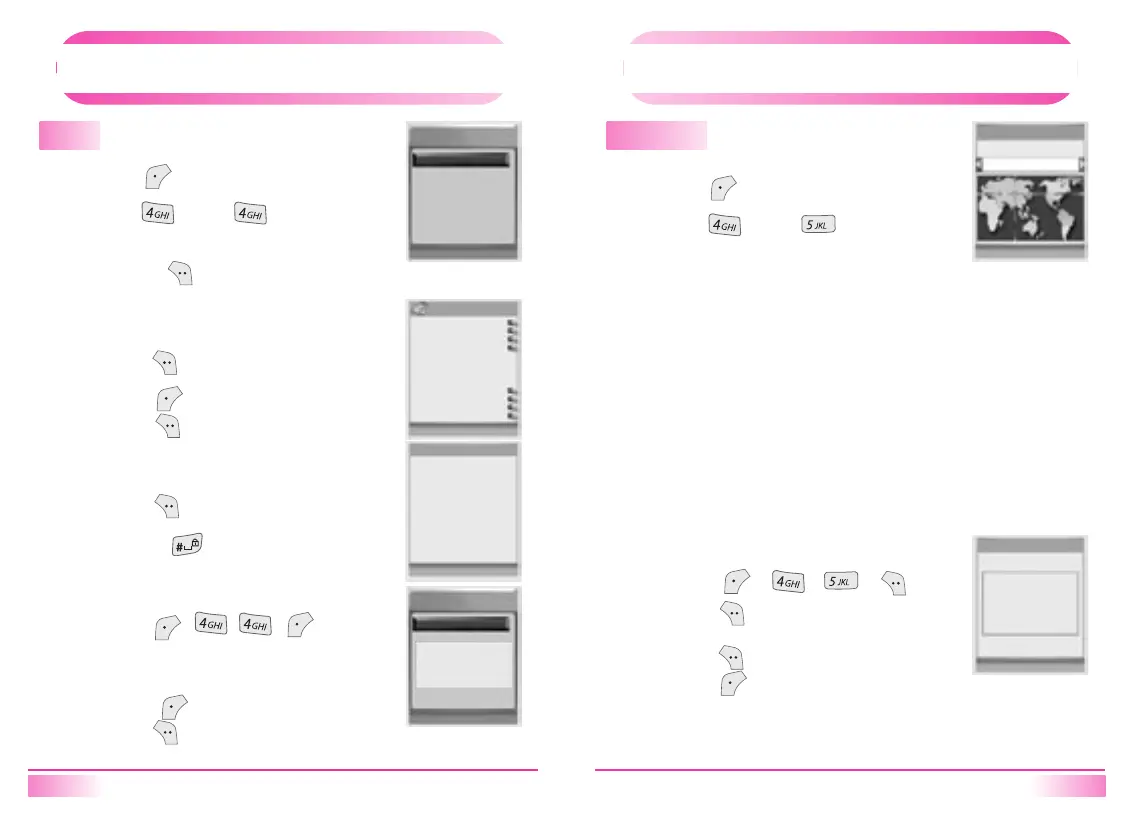
Memo
1.
1.
Press [ ].
2.
Press [ ], then [ ].
3.
Press [Navigation] key to select memo
and then [ ] to reord memo.
Press [ ] in memo list.
2.
Press [ ] to delete the memo or
press [ ] to edit the memo.
[ View Memo ]
Views registered memo.
1.
Press [ ] to save the memo.
•
Press
[ ] to enter text mode.
[ Record Memo ]
Records Memo.
1.
Press [ , , , ].
2.
Enter Lock Code.
3.
Press [ ] to cancel or
press [ ] to delete all memos.
[ Delete All Memos ]
Deletes all memo data.
Mome
Mome view
Mome view
T9Ro
01. [Empty]
Del All Select
Mome
01. AD
02. [Empty]
No Yes
Del Edit
T9 OK
Delete
All Memos?
DIAR
DIAR
Y
Y
World Time
1.
1.
Press [ ].
2.
Press [ ], then [ ].
3.
Press [Navigation] key to change the city.
A : Athene, Auckland
B : Bangkok, Beijing, Bucharest
C : Chicago
D : Denver
H : Hong kong, Honolulu
J: Jakarta
L : London, Los Angeles
M : Mexico City, Moscow
N : New York, New Delhi, Nairobi
P : Paris
S : San Paulo, Sydney, Seoul
T : Tokyo, Toronto
V : Vancouver
Press [ ][ ][ ][ ].
2.
Press [ ] to display selected city &
time on idle screen.
Press [ ] to display dual time.
Press [ ] not to display dual time.
[ Dual Time Display ]
Displays current time of cities.
Dual Time will be displayed in case of Digital Clock Idle Mode.
World Time
Stop Watch
Display
Dual Time?
Bucharest
Nov 19 4:23M
Cancel Select
No Yes



 To Next Page