7
English
Add more charging stations to your address
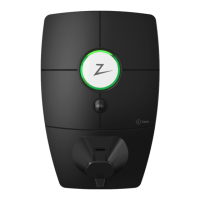
Contact a Zaptec Certified Installer to arrange for installation of another
Zaptec Go 2. To make the process as smooth as possible, you'll need to give
them permission to access your existing installation. In the Zaptec app, tap
Installations, select your installation and tap Access. If your Service Partner
is listed, then they already have access.
You can connect up to
three Zaptec Go 2 charging
stations per address.
If you don’t see them listed, proceed as follows:
1. Ask the installer to tell you their 4-character Zaptec Lookup Key. This is an easy
way for you to securely identify a Zaptec Certified Installer.
2. In the Zaptec app, under Installations→ Installation→ Access, tap
+Addaccess.
3. Tap Partner and enter the 4-character Lookup Key.
4. Tap Search, and if the details are correct tap Next.
5. Check Service permission and tap Save.
That’s it! Your Certified Installer can now configure your new Zaptec Go 2
to share power automatically with your existing charging station(s).



 To Next Page