Page 18 | ZvSync-NA User’s Manual www.zeevee.com
3 Installation 'Wizard'
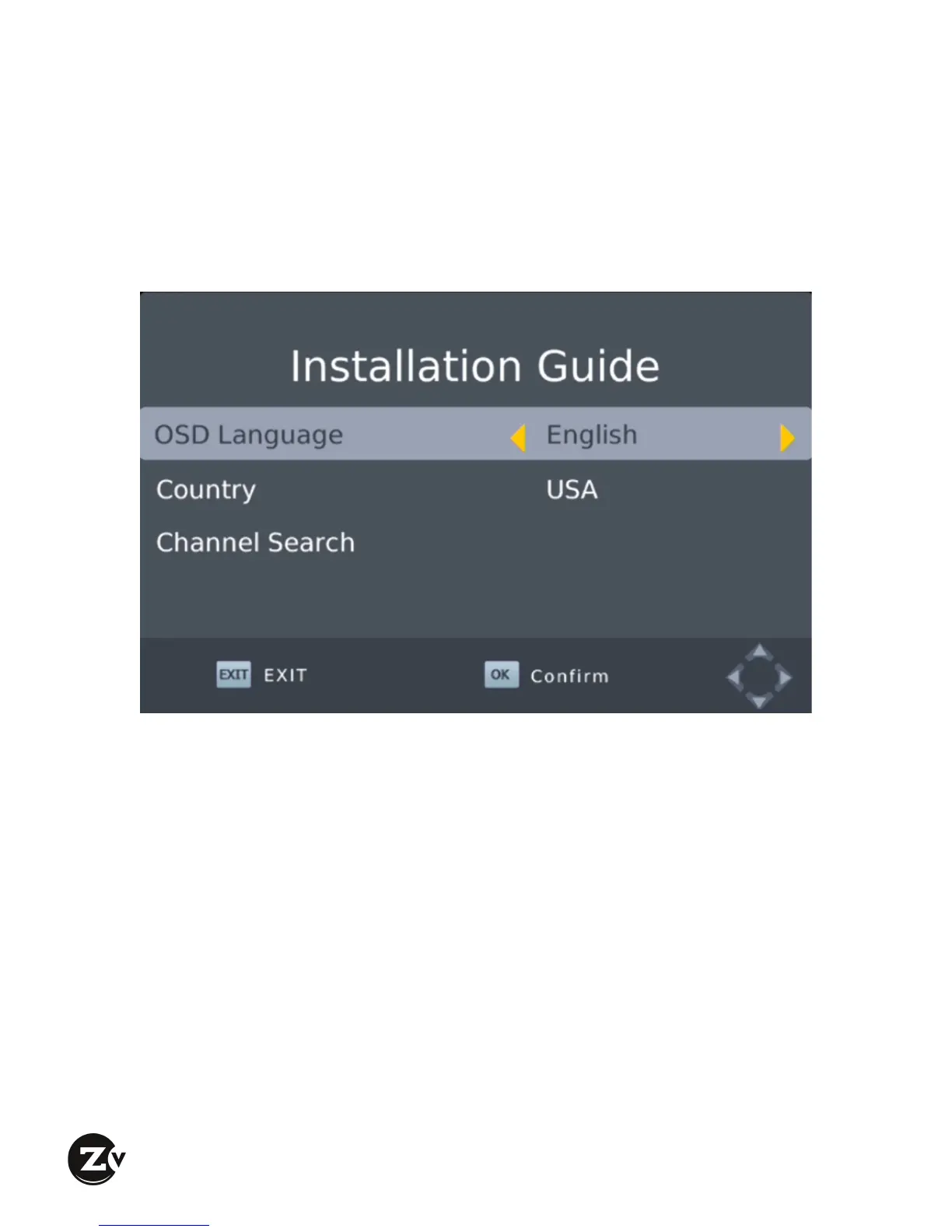
If you are using the receiver for the first time, or have restored it to factory
defaults, the Installation Guide Menu will appear on your screen.
! Select the desired language for the On Screen Display interface
! If the ZvSync Receiver/Decoder is being used for CABLE reception (or
channels being generated by ZeeVee encoder/modulator products),
navigate to the “Channel Search” option and press “OK”.
o The ZvSync unit will then begin searching for channels. Allow it to
run to completion.
o Once the scan is complete, the ZvSync is ready for normal
operation.
! If the ZvSync-NA Receiver/Decoder is being used for Over-theAir
(antenna) reception, Press the “Exit” button on the remote control.


 To Next Page