Page 6 | ZvSync-NA User’s Manual www.zeevee.com
1 Before'Using'the'Product'
This section provides detailed descriptions of the product and included
accessories.
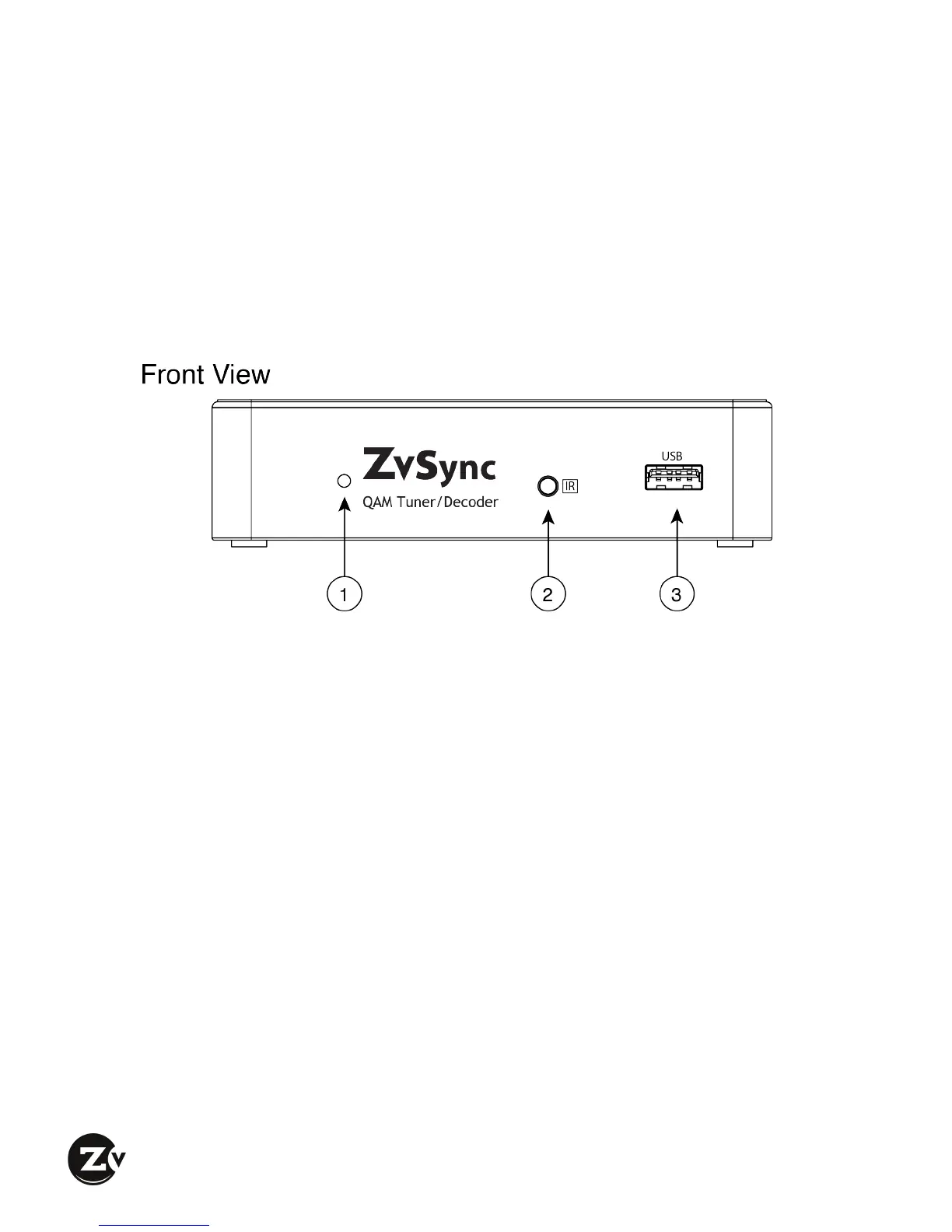
1.1 Front'Panel'
q LED Status Indicator – Indicates state of unit.
RED – Power is available, but unit is DEACTIVATED
GREEN – Unit is powered-up and ACTIVATED
w Infrared Jack – Jack for the installation of the remote Infrared Sensor.
e USB – Jack for installation of USB storage device used for firmware upgrade
or activation of the advanced media functions. Use is strictly optional.


 To Next Page