Click the "ok"
button to zoom in on the waveform. After zooming in, click
to return to the homepage
Click the " Menu"
button to return to the oscilloscope window.
7.5
Click the " Menu-
The signal amplitude is
the other waves are 1Mhz
Click the " Stop
Click the "Func
Click the "s" and "ns
triangle wave, etc.
Click "Menu" to exit
Square wave
can adjust the duty cycle, other waveforms do not work.
Note:
The generator frequency error is about ±0.
jitter in the square wave.
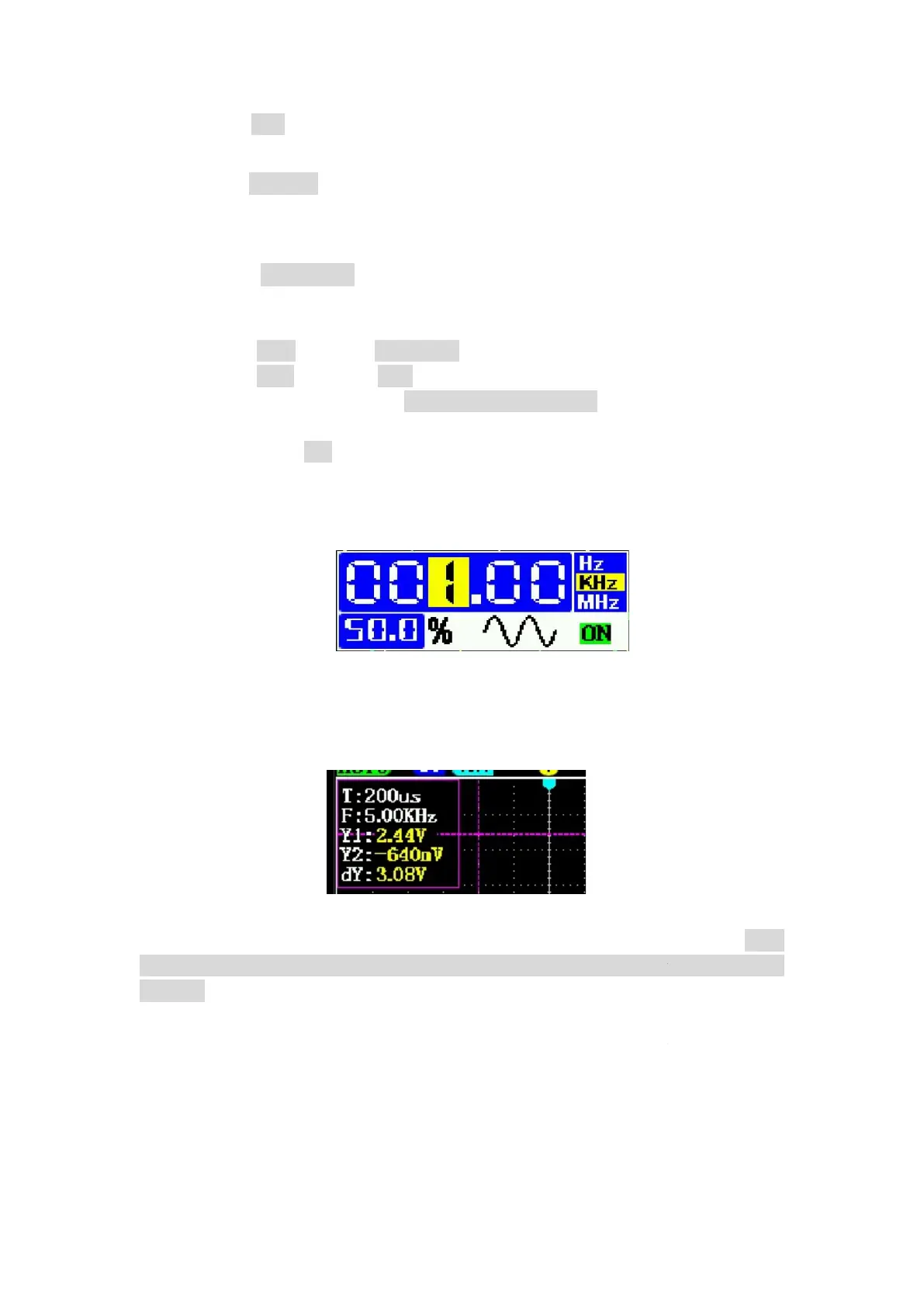
7.6 Cursor
Press the “Func” key
Press the “Func” key
Press the left and right arrow keys directly to move the horizontal
and hold the Func
key, then press the left and right arrow keys to move the horizontal
cursor 2
. The same goes for vertical cursors.
For vertical cursors, Y1: The voltage at the dashed line above. Y2: The voltage at
the dashed line below.
dashed lines.
10
button to zoom in on the waveform. After zooming in, click
button to return to the oscilloscope window.
" button to call up the window
V, the maximum frequency of the sine wave is
turn on/off the signal generator output.
reset the number to: 1.00Khz, 50%
switch the waveform type
: sine wave, square wave,
can adjust the duty cycle, other waveforms do not work.
The generator frequency error is about ±0.
2
Hz, and there may be little
then press
"s" key to turn the horizontal cursor on/off.
then press "n
s"key to turn the vertical cursor on/off
Press the left and right arrow keys directly to move the horizontal
key, then press the left and right arrow keys to move the horizontal
. The same goes for vertical cursors.
For vertical cursors, Y1: The voltage at the dashed line above. Y2: The voltage at
-Y2, which is the voltage difference
button to zoom in on the waveform. After zooming in, click
"ok"
V, the maximum frequency of the sine wave is
5Mhz, and
: sine wave, square wave,
can adjust the duty cycle, other waveforms do not work.
Hz, and there may be little
"s" key to turn the horizontal cursor on/off.
s"key to turn the vertical cursor on/off
.
Press the left and right arrow keys directly to move the horizontal
cursor 1. Press
key, then press the left and right arrow keys to move the horizontal
For vertical cursors, Y1: The voltage at the dashed line above. Y2: The voltage at


 To Next Page
 Loading...