EasyManua.ls Logo

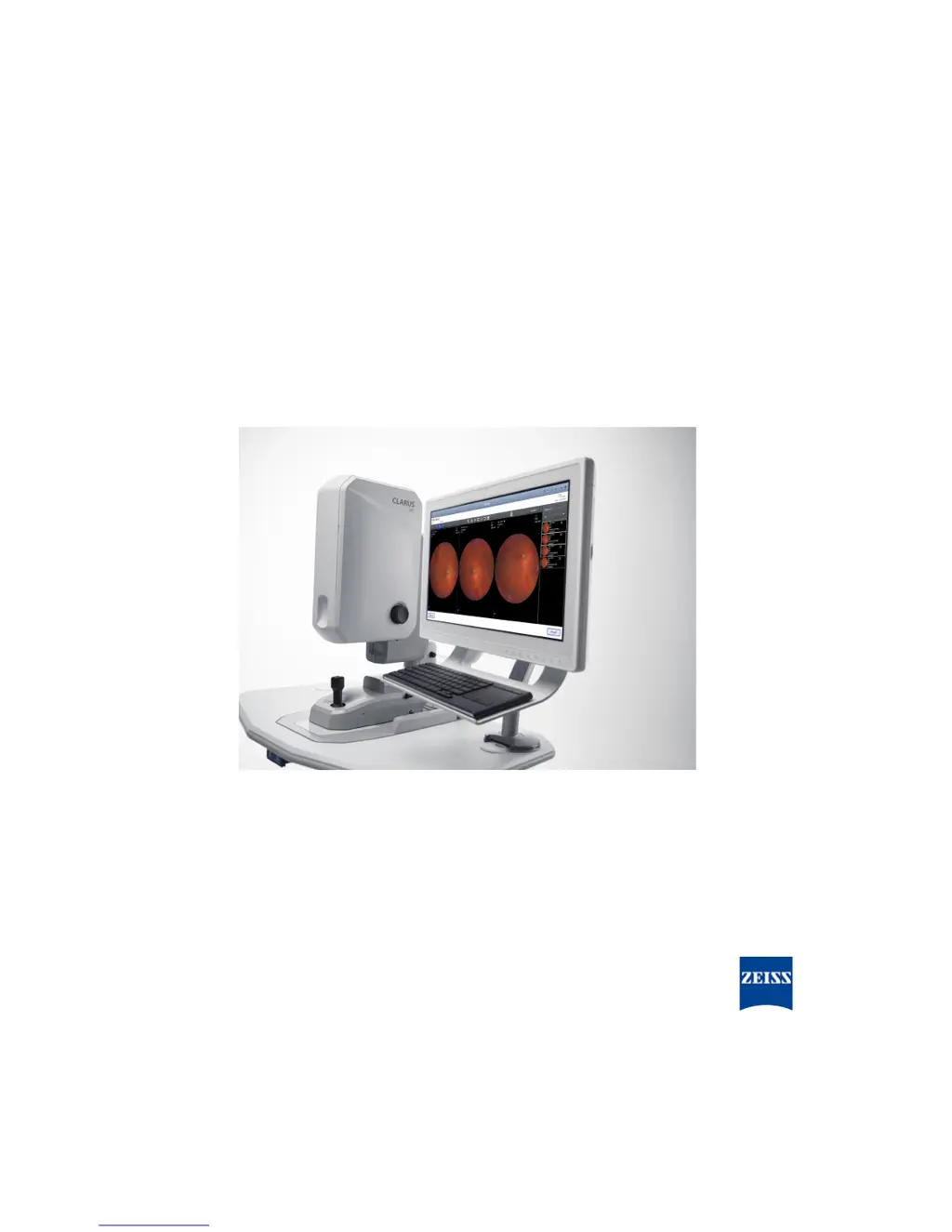
Zeiss CLARUS 500 - User Manual

Zeiss CLARUS 500
192 pages
Print Icon
To Next Page IconTo Next Page
Loading...
CLARUS® 500
Instructions for Use

Table of Contents

Questions and Answers

  • W
    William NguyenAug 16, 2025
    What to do if Zeiss Medical Equipment review software does not launch properly?
    • R
      ryan92Aug 16, 2025
      If the Zeiss Medical Equipment review software doesn't launch, it might be due to your antivirus software incorrectly identifying and quarantining necessary files. To resolve this, configure your antivirus software to exclude the folders "C:\Program Files\CZM \CLARUS" and "C:\Program Data\Carl Zeiss Meditec \Review" from both on-access and on-demand scanning.
  • M
    Michael HerringAug 19, 2025
    What to do if an error occurs while importing exam data on Zeiss CLARUS 500?
    • C
      Curtis CooperAug 19, 2025
      If an error occurs while importing exam data on your Zeiss medical equipment, this is due to a system malfunction. You should call for service.
  • M
    mestradaAug 22, 2025
    Why does Zeiss Medical Equipment software shut down when clicking on the patient's name?
    • J
      James GonzalezAug 22, 2025
      The unexpected software shutdown of Zeiss Medical Equipment when clicking on a patient's name may be caused by antivirus software falsely identifying CLARUS® 500 installation files as a potential threat, leading to a failed CLARUS® 500 Review Software installation. You can temporarily suspend on-access virus scanning during the installation of CLARUS® 500 Review Software to avoid this.
  • K
    Kenneth LopezAug 26, 2025
    What to do if a connectivity exception occurs while exporting an exam on Zeiss CLARUS 500 Medical Equipment?
    • M
      Mathew FrankAug 26, 2025
      If you experience a connectivity exception while exporting an exam on Zeiss medical equipment, it is due to a system malfunction. The suggested solution is to call for service.
  • T
    Tammy MillerAug 28, 2025
    How to fix a database error that occurred while importing exam data on Zeiss Medical Equipment?
    • D
      Daniel ClarkAug 28, 2025
      A database error during exam data import on Zeiss medical equipment signifies a system malfunction. The suggested solution is to call for service.
  • M
    Matthew RussellAug 30, 2025
    What to do if a component error occurred while importing exam data on Zeiss CLARUS 500?
    • J
      Jillian AdamsAug 31, 2025
      If a component error occurs during the import of exam data on your Zeiss medical equipment, it indicates a system malfunction. The suggested solution is to call for service.
  • T
    tmaloneSep 3, 2025
    How to resolve an export process stopped due to incorrect IOD data on Zeiss CLARUS 500 Medical Equipment?
    • A
      Amber MartinezSep 3, 2025
      If the export process is stopped due to incorrect IOD data on your Zeiss medical equipment, this is caused by a system malfunction. The suggested solution is to call for service.
  • C
    Cynthia GarciaSep 5, 2025
    What does it mean when a 'mapper not found' error occurs while importing exam data on Zeiss Medical Equipment?
    • D
      David TaylorSep 6, 2025
      A 'mapper not found' error during exam data import on Zeiss medical equipment indicates a system malfunction. The suggested solution is to call for service.
  • C
    Christine MoralesSep 8, 2025
    What to do if path does not contain dcm files error appears on Zeiss CLARUS 500?
    • W
      William VaughanSep 8, 2025
      If you receive a 'path does not contain dcm files' error on your Zeiss medical equipment, it indicates a system malfunction. The suggested solution is to call for service.
  • S
    Scott JenkinsSep 12, 2025
    What to do if there is not enough space for Montage on Zeiss CLARUS 500?
    • M
      Mr. Derek WeaverSep 12, 2025
      If there is not enough space for a montage, and you're prompted to remove images from the Montage Bin on your Zeiss medical equipment, it is due to a system malfunction. The suggested solution is to call for service.

Summary

1 Safety and Certifications

1.3 Warnings, Cautions, and Notes

Defines and lists all warnings, cautions, and notes for safe operation.

1.3.2 Warnings

Lists critical safety warnings regarding device operation and modification.

2 Introduction

2.6.3.3 Acquire Window

Details the functions and controls within the Acquire window for image capture.

3 Installation

3.1 Hardware Installation

Details the steps and safety precautions for hardware installation.

5 Configuration

7 Operation

7.1 Safety During Operation

Highlights safety precautions that must be followed during instrument operation.

7.4 Acquire Images

Covers the process of capturing various types of images with the CLARUS® 500.

7.5 Analyze Images

Covers the analysis of captured images, including proofing and reviewing.

9 Troubleshooting

9.1 Safety During Troubleshooting

Highlights safety precautions to be observed during troubleshooting procedures.

9.5 Image Quality Troubleshooting

Addresses common issues affecting image quality and their solutions.

10 Specifications

12 Accessories and User Replaceable Spare Parts

Zeiss CLARUS 500 Specifications

General IconGeneral
Color ImagingYes
Light SourceLED
ResolutionHigh Resolution
Image ModalitiesColor, Red-Free, Autofluorescence
Patient ComfortErgonomic design for patient and operator
ConnectivityDICOM
Image CaptureDigital
Camera TypeFundus camera
Image FormatsJPEG, DICOM
WeightVariable based on configuration

Related product manuals