
 Need help?
Do you have a question about the Zenitel Vingtor Stentofon AlphaCom and is the answer not in the manual?
Overview of the IP Desktop Master Station, including its components and controls.
Overview of the CRM-V and IP OR Master Stations, detailing their features and layout.
Details the Analog Desktop Master Station, its features, and controls.
Information on the Dual Display IP/Analog Station, including its interface and functions.
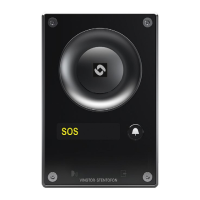
Overview of the Turbine IP Station models TFIE-1 and TFIX-1, their features and controls.
Guide on initiating and terminating handsfree intercom calls using the station.
Instructions for making calls using the handset of the intercom station.
How to set the station to private mode for call privacy and its implications.
Techniques for clear communication in noisy environments using the intercom.
Steps to adjust the audio volume on different station models for optimal listening.
How to mute and unmute the microphone during a conversation.
Options when the intended recipient is unavailable at their station.
Procedure for waiting when a called station is busy.
How to re-dial the last dialed number or program it to a DAK.
How to initiate a voice page to a group of stations or all stations.
Using the recall function to record and broadcast a message before connecting.
How to answer a voice paging call initiated by another station.
Utilizing a pre-programmed search list for call transfers.
Explanation of priority features like Private/Message Override, Busy Notify, and Busy Override.
How station priority levels affect outgoing call behavior.
How to leave a prerecorded absence message on your own station.
Procedure to leave an absence message on your station from a different location.
Steps to delete existing absence messages from the station.
How to leave a call-back message for another station.
How to receive and respond to call-back messages.
Sending voice or text messages to a remote station.
Instructions for playing back and deleting messages left on the station.
Accessing and managing messages remotely.
Information on the built-in voice help system for guidance.
How to make an inquiry call to a third party while on another call.
Process of transferring an ongoing call to another station.
Setting up call forwarding for incoming calls to another station or phone.
How to activate and cancel the 'Follow Me' call forwarding feature remotely.
How to select and play audio programs on the station.
Steps to turn off or toggle an audio program.
Navigating through the list of available radio or music programs.
How to set up or turn off audio programs for other stations or groups.
Guide to setting up and participating in simplex conference calls.
Instructions for establishing and participating in duplex handsfree conferences.
How to add other stations to an ongoing duplex conference call.
Procedure for making internal calls using the telephone gateway.
Guide to making external calls via the telephone gateway.
How telephone users can call specific intercom stations.
How to answer and end incoming telephone calls on the intercom.
How to page someone and wait for their response.
Sending a page without waiting for an immediate answer, for text or voice messages.
Directly paging a pager without first calling a station.
How to answer a page based on the paging type and exchange setup.
Details on the information displayed on IP and Analog station screens.
What is displayed on the station when it is in idle mode.
How to navigate and select options from the station's menu.
Performing a name search to find and call contacts.
Searching for names within the subscriber directory on IP and Dual Display stations.
How to check the identity and technical details of a station.
Guide on assigning numbers or functions to DAKs for quick access.
Steps to remove programmed numbers or functions from DAKs.
Understanding the text displayed for DAK functions on Dual Display stations.
How to edit the text labels associated with DAKs on Dual Display stations.
Examples illustrating how LED indicators on CRM-V stations convey status.
 General
| Type | Intercom System |
|---|---|
| Dimensions | Varies by Model |
| Weight | Varies by Model |
| Communication Protocol | SIP |
| Audio Quality | HD Voice |
| Audio Codecs | G.711, G.722, G.729 |
| Power Supply | PoE or external power supply |
| Integration | API Available for Integration with Other Systems (e.g., Access Control, Video Management) |
| Networking | Ethernet |
| Operating Temperature | +55°C |
| Communication | Full Duplex |
| Audio Channels | Multiple |
| Supported Protocols | SIP |
| Interfaces | Ethernet |
| System Type | IP Intercom System |
| Scalability | Highly Scalable, Supports Large Number of Stations |



 To Next Page