
 Need help?
Do you have a question about the Zenitel ITSV-2 and is the answer not in the manual?
Attaches the stand spacers to the slots on the back of the unit.
Attaches the wall mount spacers to the unit and secures the handset.
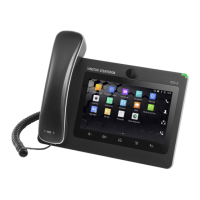
Connects the handset, LAN port, and power adapter, then waits for boot-up.
Navigates settings, configures accounts, network, and widgets via the touch screen.
Connects via IP address, logs in, and configures accounts and general settings.
Sets up account registration parameters like Account Active, SIP Server, and User ID.
Configures audio and video codecs for SIP phones, selecting G722 and H264.
Configures video streaming, service type, display name, and system ringtone.
Configures account registration for the Edge Controller, including SIP server and user ID.
Sets up video streaming from the TCIV+ camera, enabling automatic video start.
 General
| Brand | Zenitel |
|---|---|
| Model | ITSV-2 |
| Category | Intercom System |
| Language | English |



 To Next Page