6
1. Ensure your ITSV-2 is properly powered up and connected to the Internet.
2. To nd the IP address of the ITSV-2, use the touch screen and tap Settings >
Status > status > IPv4 address
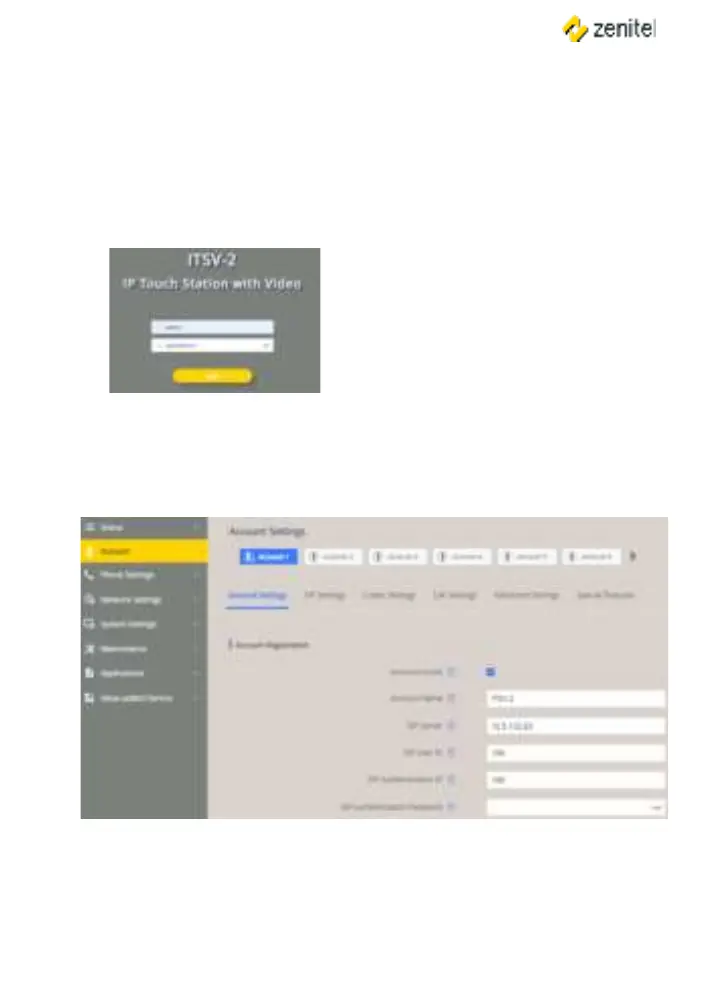
3. Enter the IP address of the ITSV-2 into your browser.
4. Log in by entering the default username / password: /
5. To register an account on the ITSV-2:
● Select > > General Settings
6. Set , SIP Server (ICX-AlphaCom or IC-EDGE), SIP
User ID (Directory Number), (if required) and SIP
(if required).
Note: For changes to take immediate eect, it may be necessary to temporarily disable
the account. First uncheck the box for , then click Save and Apply (button
appears in yellow bar at top of browser). Once this is done, re-enable the account by
checking the box for followed by Save and Apply again.
Note:
After logging in for the very rst time,
you will be prompted to change the
password.




 To Next Page