9
IC-EDGE Conguration
The ITSV-2 has to be manually added to the Edge Controller.
● Log on to the Edge Controller
● Select Edge Controller > >
● Under click the + button to select
from the dropdown list
For further information on the configuration of IC-EDGE, please see Zenitel Wiki
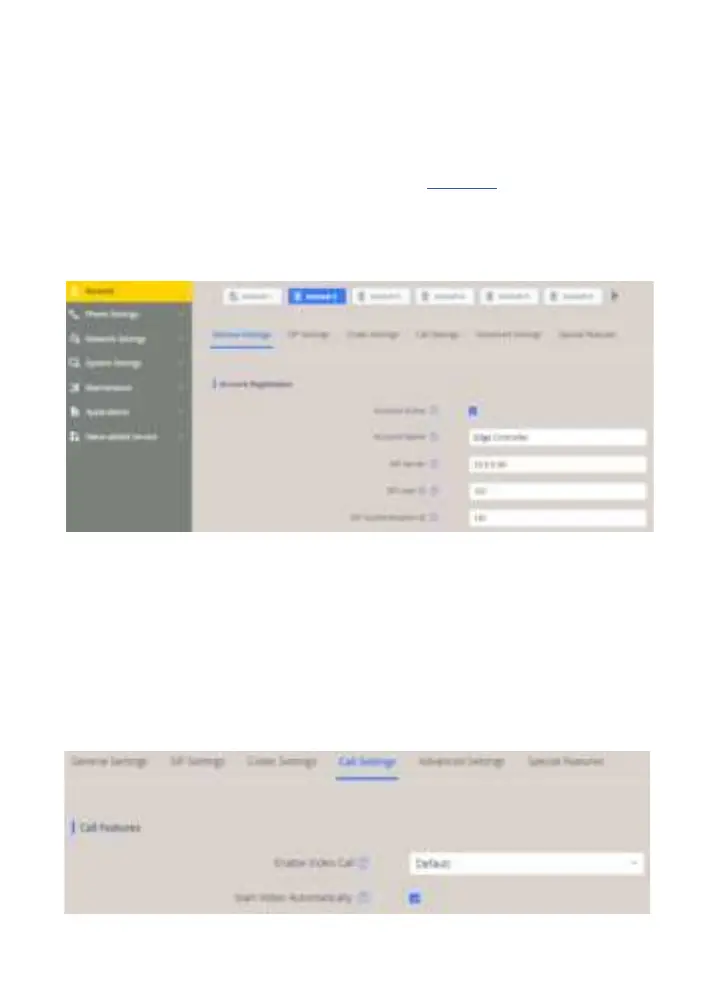
● Log into the ITSV-2 by entering default username / password: /
● Select >> General Settings
● Enter values for the parameters
Check Yes box
SIP Server: IP address of intercom station set as Edge Controller
SIP User ID: Directory Number of the ITSV-2
Same as SIP User ID
The video is streamed directly from the TCIV+ camera to the ITSV-2. The TCIV+
camera must have a static IP address.
● Select > Call Settings
● Check the box for




 To Next Page