EasyManua.ls Logo

Zenith 12 - Page 16

Zenith 12
28 pages
Print Icon
To Next Page IconTo Next Page
To Previous Page IconTo Previous Page
Loading...
With
the
camera
still
pointed
at
the
subject
turn
the
Shutter
Speed
Indicator
Dial
t15bj
until
the
ring
ot
the
Exposure
Meter
Cursor
[19b]
is
centred
over
the
Exposure
Meter
Needle
[19al.
Read
off
possible
combinations
of
speed
and
aperture
opposite
each
other
on
the
two
dials.
Only
those
speeds
in
white
may
be
set
directly
on
the
camera;
of
the
others,
2-15
represent
fractions
of
a
second
and
are
for
information
only
but
the
figures
1-30
are
whole
seconds
which
may
be
used
in
a
time
exposure.
Choose
the
most
suitable
combination.
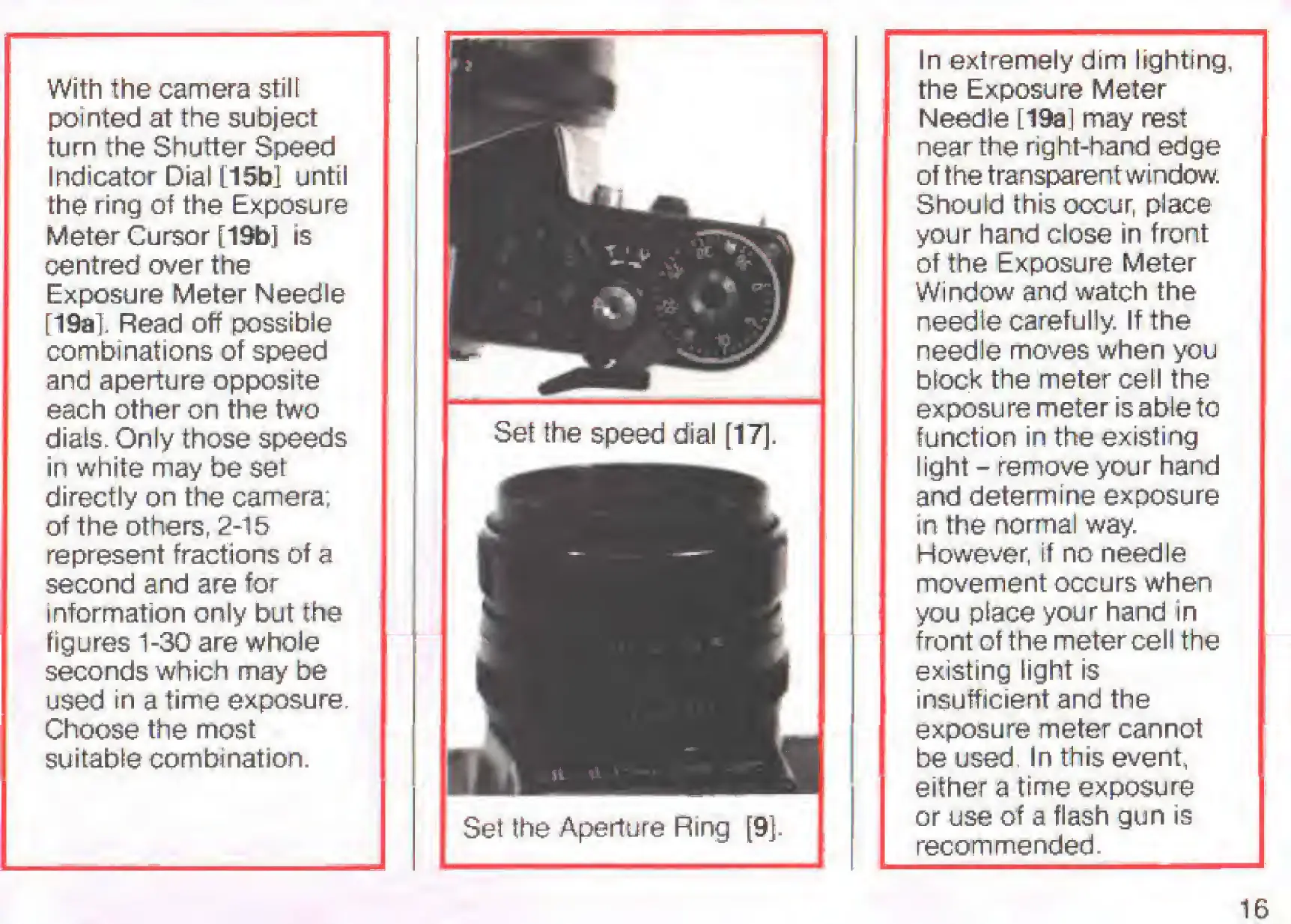
Set
the
Aperture
Ring
91-
In
extremely
dim
lighting,
the
Exposure
Meter
NeedJe
[19a]
may
rest
near
the
right-hand
edge
of
the
transparent
window.
Should
this
occur,
place
your
hand
close
in
front
of
the
Exposure
Meter
Window
and
watch
the
needie
carefully.
If
the
needle
moves
when
you
block
the
meter
cell
the
exposu
re
meter
is
able
to
function
in
the
existing
light
-
remove
your
hand
and
determine
exposure
in
the
normal
way.
However,
if
no
needle
movement
occurs
when
you
place
your
hand
in
front
of
the
meter
cell
the
existing
light
is
insufficient
and
the
exposure
meter
cannot
be
used.
In
this
event,
either
a
time
exposure
or
use
of
a
flash
gun
is
recommended.
16

Related product manuals